EP783/EP783S/EP783L/OPX5000/TX783L/TX783S
Condential
5-4
5-1-3 USB Driver Upgrade Procedure
1. Set up
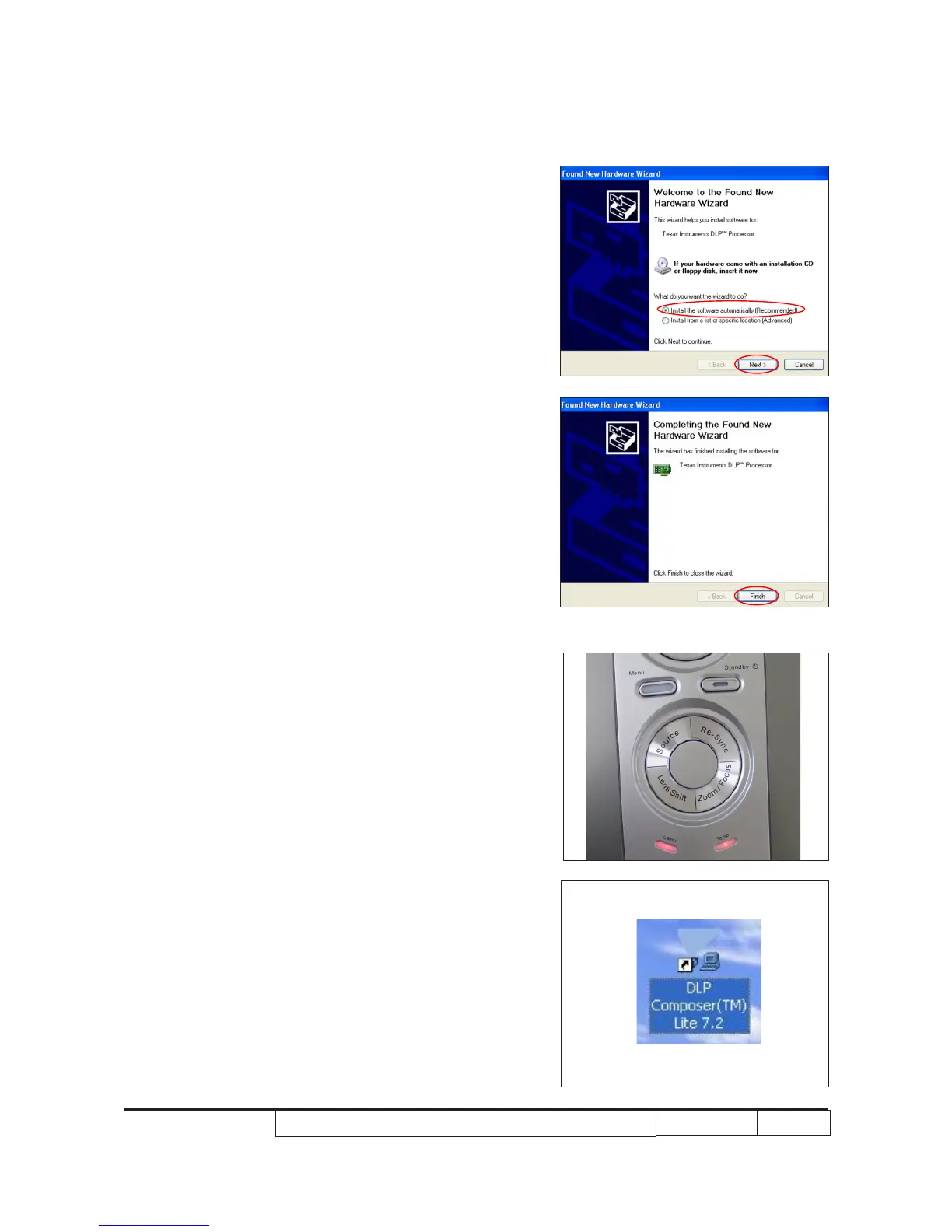
- Connect the Projector with PC by USB cable.
- It will show as the right picture.
- Select the item as red circle show.
- Click “Next” button.
2. Installation
- Cilck “Finish” and then the USB driver
has been set up successfully.
5-1-4 Firmware Upgrade Procedure
1.
Set up
- Hold on “Menu” button, plug in power cord.
- When “Lamp” and “Temp” LED light up, release
“Menu” button.
- Plug in USB cable into the projector and link to
the USB port of PC.
Note: The system fan and the light will not operated.
2. Execute the “DLP Compose
TM”
le.
.



 To Next Page