EP783/EP783S/EP783L/OPX5000/TX783L/TX783S
Condential 2-13
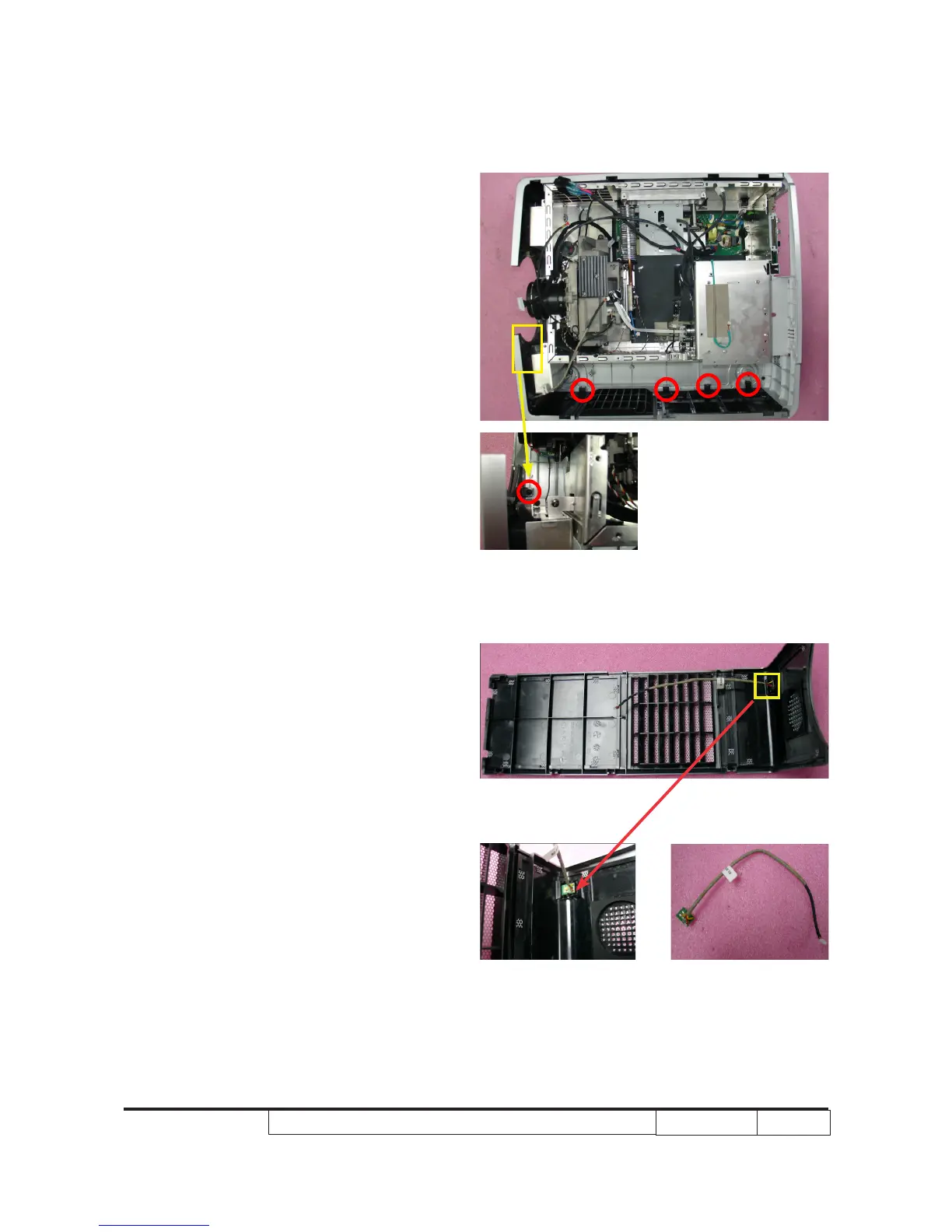
2-18 Disassemble Left Cover
and IR Sensor
1. Unscrew 5 screws to disassemble Left
Cover Module.
2. Use tweezers to disassemble the IR
Sensor.
Note: - When you disassemble the IR Sensor,
you should use ngures to press the
two tenons and use tweezers to pull
it out.



 To Next Page