6-5 Setup Procedure(VGA-2
& HDMI Port)
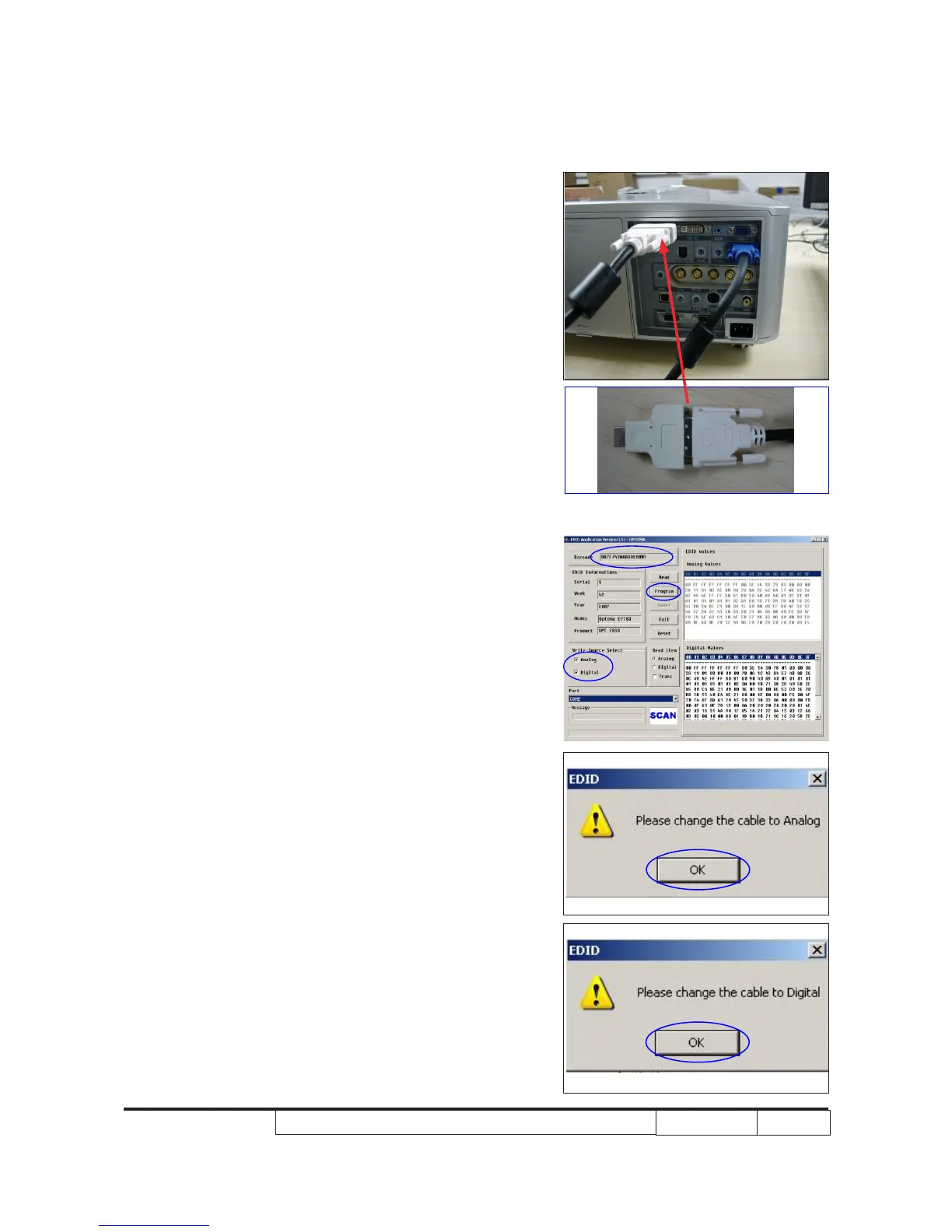
1. Unplug P4 cable from projector and plug
it into VGA-2 port.
2. Unplug P3 cable from projector.
Use DVI-HDMI adapter to connect with DVI
cable,then plug it into HDMI port.
6-6 EDID Key-In Procedure
(VGA-2 & HDMI Interface)
1. Programming
- Key in the serial number into the
barcode blank space.
- In "Write Source Select," make a check
in “Analog”and “Digital”.
- Click "Program."
2. Change the cable to Anlaog
- When the message “Please change the
cable to Analog” is shown on the screen,
click “OK” button.
3. Change the cable to Digital
- When the message “Please change the
cable to Digital” is shown on the screen.
P3
P4



 To Next Page