EP783/EP783S/EP783L/OPX5000/TX783L/TX783S
Condential
4-11
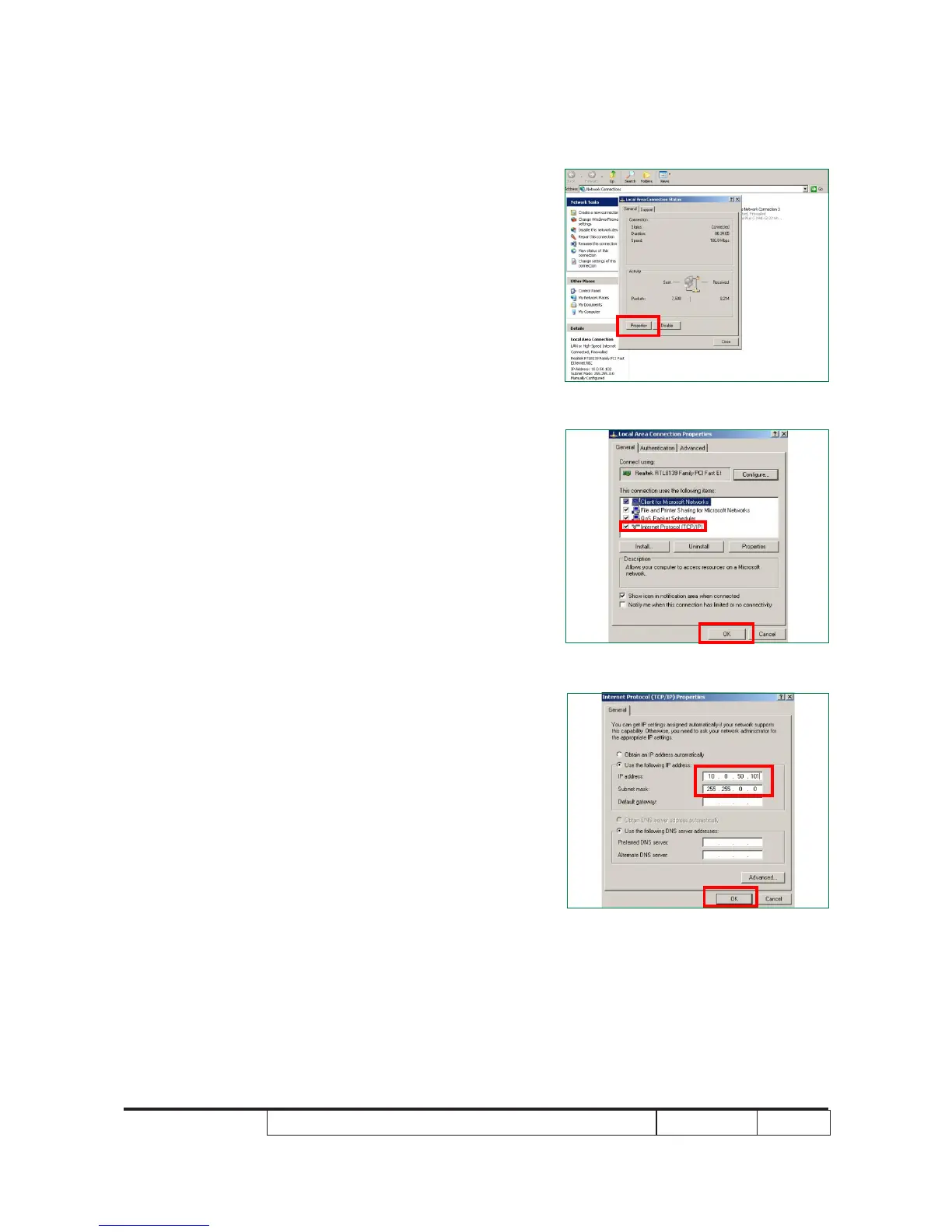
2. Network Setting
(1) Open the “Local area connection”,choose
properties.
(2) Select “Internet protocol(TCP/IP)”
(3) Modify the IP address to 10.0.50.101,
and modify Subnet mask to 255.255.0.0
- Click “OK”



 To Next Page