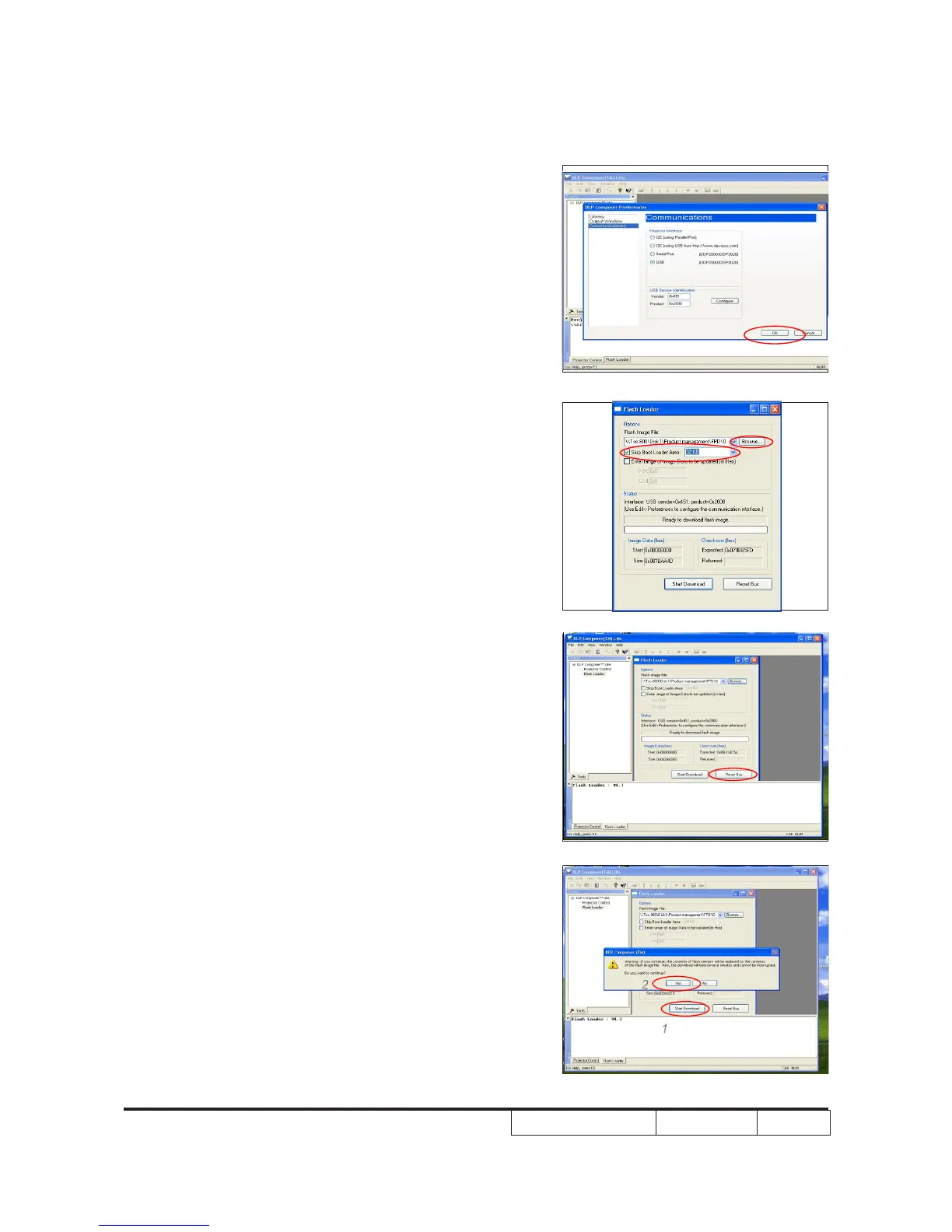
5. Select “Edit\preferences\Communications”
- Choose “USB.” Click “OK.”
6. Choose “Flash Loader.”
- Click “Browse” to search the rmware le.
- Select “Skip Boot Loader Area” to 32KB.
7. Click “Reset Bus” to erase the ash
memory
Note: If the error message“cannot open USB
driver - No projectors found” appears,
please unplug the USB Cable and replug,
then check Driver. Finally,repeat procedure
7.Click“ResetBus”toerasetheash
memory.
8. If the rmware is ready, click “start
download” to process the rmware
upgrade.
- Click “Yes” to erase the ash memory.
1
2



 To Next Page