5 - 4 F i r m w a r e U p g r a d e
Procedure
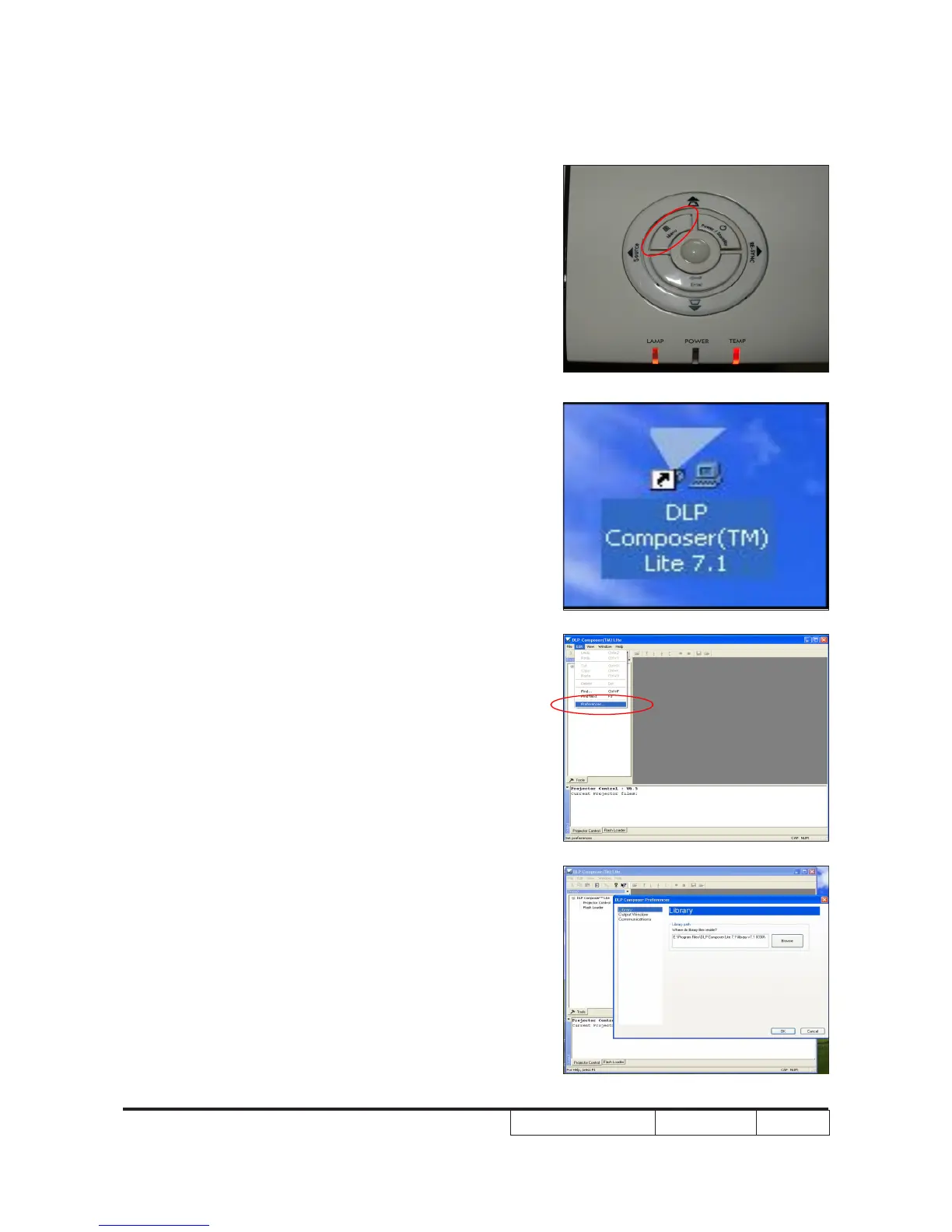
1.
Set-up
- Hold on “Menu” button then plug in
power cord.
- Once lamp and temp LED light up, plug
in USB cable into the projector and link
to the USB port of PC.
Note: The system fan and the light will not
operated.
2. Execute the “DLP Compose
TM”
le.
.
3. Click “edit” and “perferences.”
4. Click “Library.”
- Click the “browse” button and navigate
to the directory where you put the library
le in.



 To Next Page