English
20
SETUP AND INSTALLATION
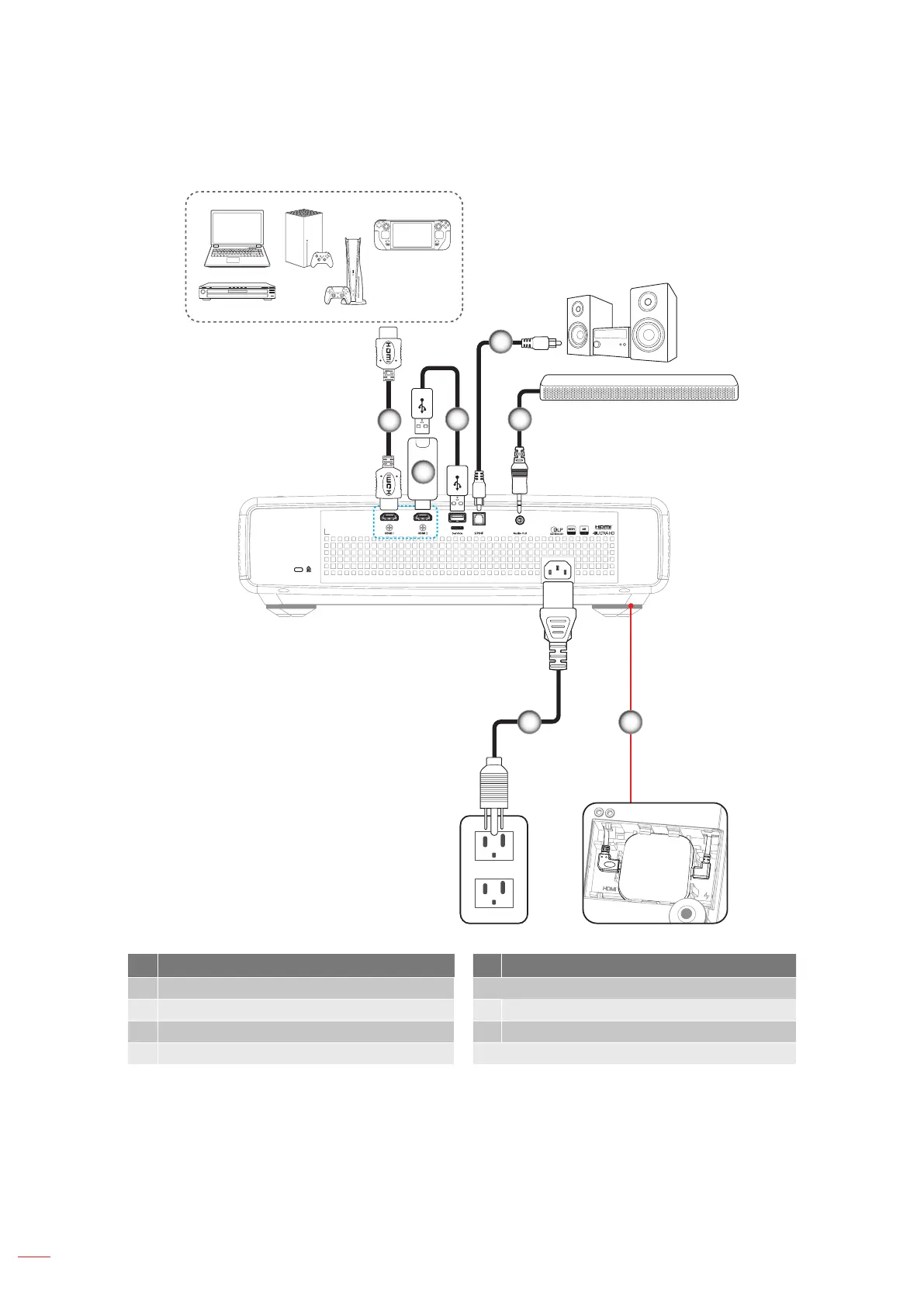
Connecting sources to the projector
1
2
4
6
53
7
No Item No Item
1. HDMI Cable 5. Audio Out Cable
2. HDMI Dongle 6. Android TV Dongle (refer to page 21)
3. USB Power Cable 7. Power Cord
4. S/PDIF Out Cable
Note:
To ensure the best image quality and avoid connection errors, we recommend the use of Premium
HDMI cables. For the cable lengths longer than 20-25 feet, we strongly recommend using Active Fiber
HDMI cables.


 To Next Page