English
28
USING THE PROJECTOR
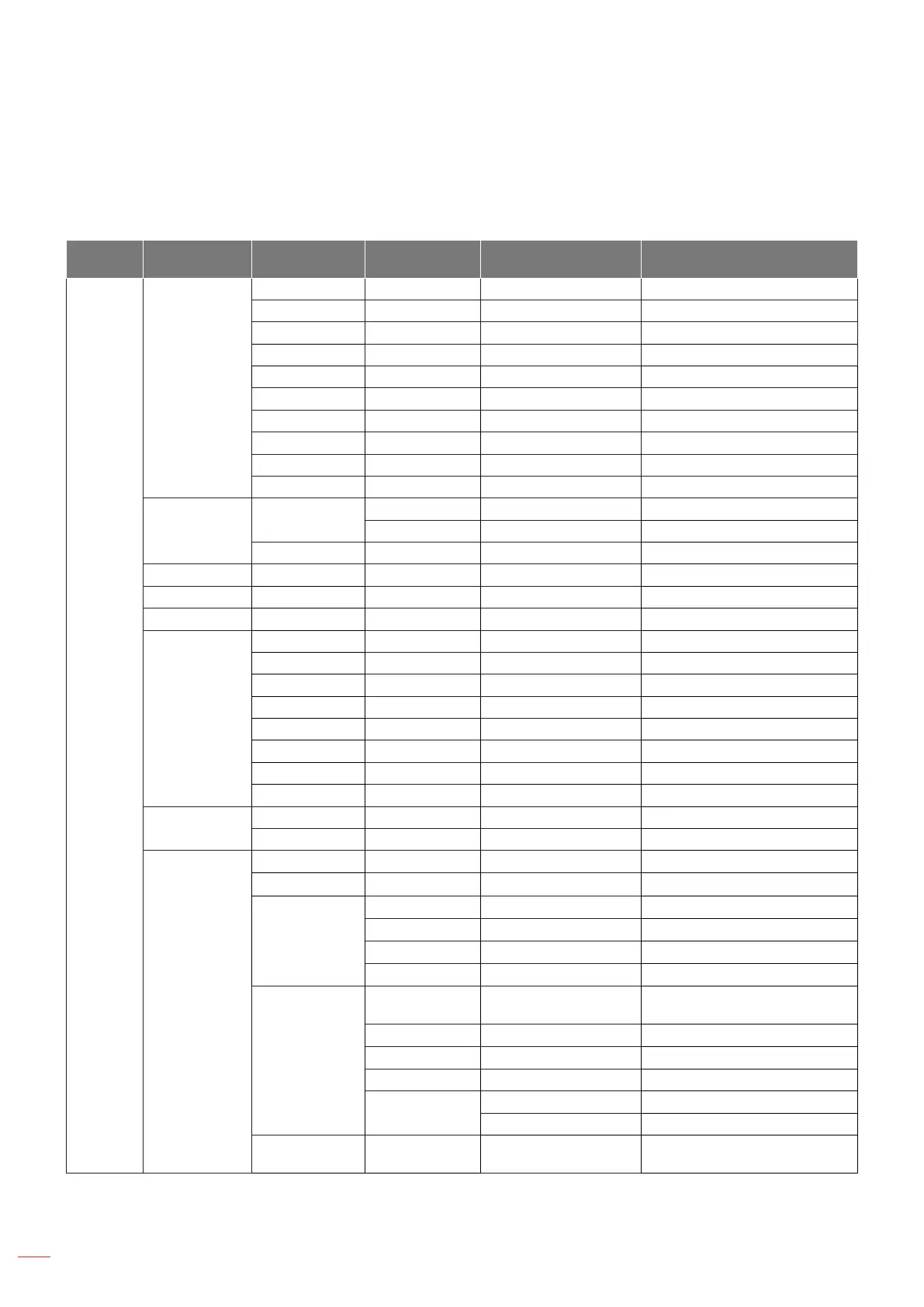
OSD Menu tree
Note: The OSD menu tree items and features are subject to models and region. Optoma reserve the right to add
or remove items to improve product performance without notice.
Main
Menu
Sub Menu Sub Menu 2 Sub Menu 3 Sub Menu 4 Values
Image
Picture Mode
Vivid
HDR
HLG
HDR SIM.
Cinema
Game
Reference
Bright
3D
Reset
Dynamic Range
HDR / HLG
Auto
O
HDR Brightness 0 ~ 10
Brightness -50 ~ 50
Contrast -50 ~ 50
Sharpness 1 ~ 15
Gamma
Film
Video
Graphics
1.8
2.0
2.2
2.4
3D
Dynamic Black
O
On
Color Settings
Color
-50 ~ 50
Tint
-50 ~ 50
Color
Temperature
Warm
Standard
Cool
Cold
CMS / Colour
Adjustment
Color
White / Red / Green / Blue / Cyan /
Magenta / Yellow
Hue
-50 ~ 50
Saturation
-50 ~ 50
Value (Luminance) -50 ~ 50
Reset
No
Yes
Color Space
HDMI Input: Auto / RGB(0~255) /
RGB(16~235) / YUV


 To Next Page