English
36
USING THE PROJECTOR
Display menu
Display focus menu
Adjust the image focus. For more information, refer to “Focus” on page 22.
Display geometric correction menu
V Keystone
Adjust image distortion vertically and make a squarer image. Vertical keystone is used to correct a keystoned
image shape in which the top and bottom are slanted to one of the sides. This is intended when for use with
vertically on-axis applications.
H Keystone
Adjust image distortion horizontally and make a squarer image. Horizontal keystone is used to correct a keystoned
image shape in which the left and right borders of the image are unequal in length. This is intended for use with
vertically on-axis applications.
Four Corner Adjustment
This setting allows the projected image to be adjusted from each corner to make a square image when the
projection surface is not level.
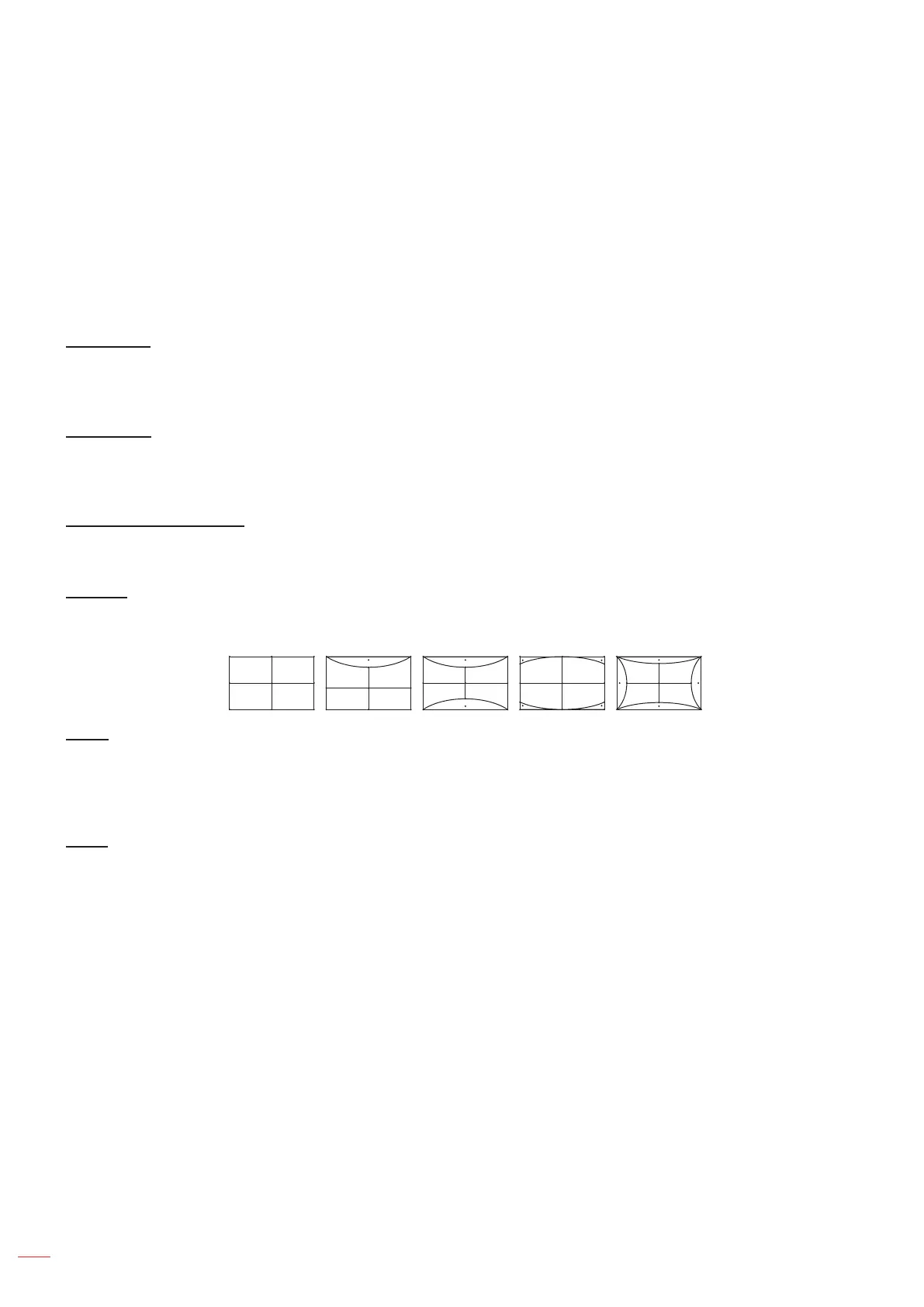
Warping
Use warping to adjust the image to align with the border of the projection surface (screen) or to eliminate image
distortion (cause by an uneven surface).
Reset
Return the factory default setting for geometric correction settings.
Display digital zoom menu
Zoom
Use to reduce or magnify an image on the projection screen. Digital Zoom is not the same as optical zoom and an
result in degradation of image quality.
Note:
Zoom settings are retained on power cycle of the projector.
Digital Zoom is not supported in 3D mode.


 To Next Page