English
22
SETUP AND INSTALLATION
Adjusting the projector image
Image height
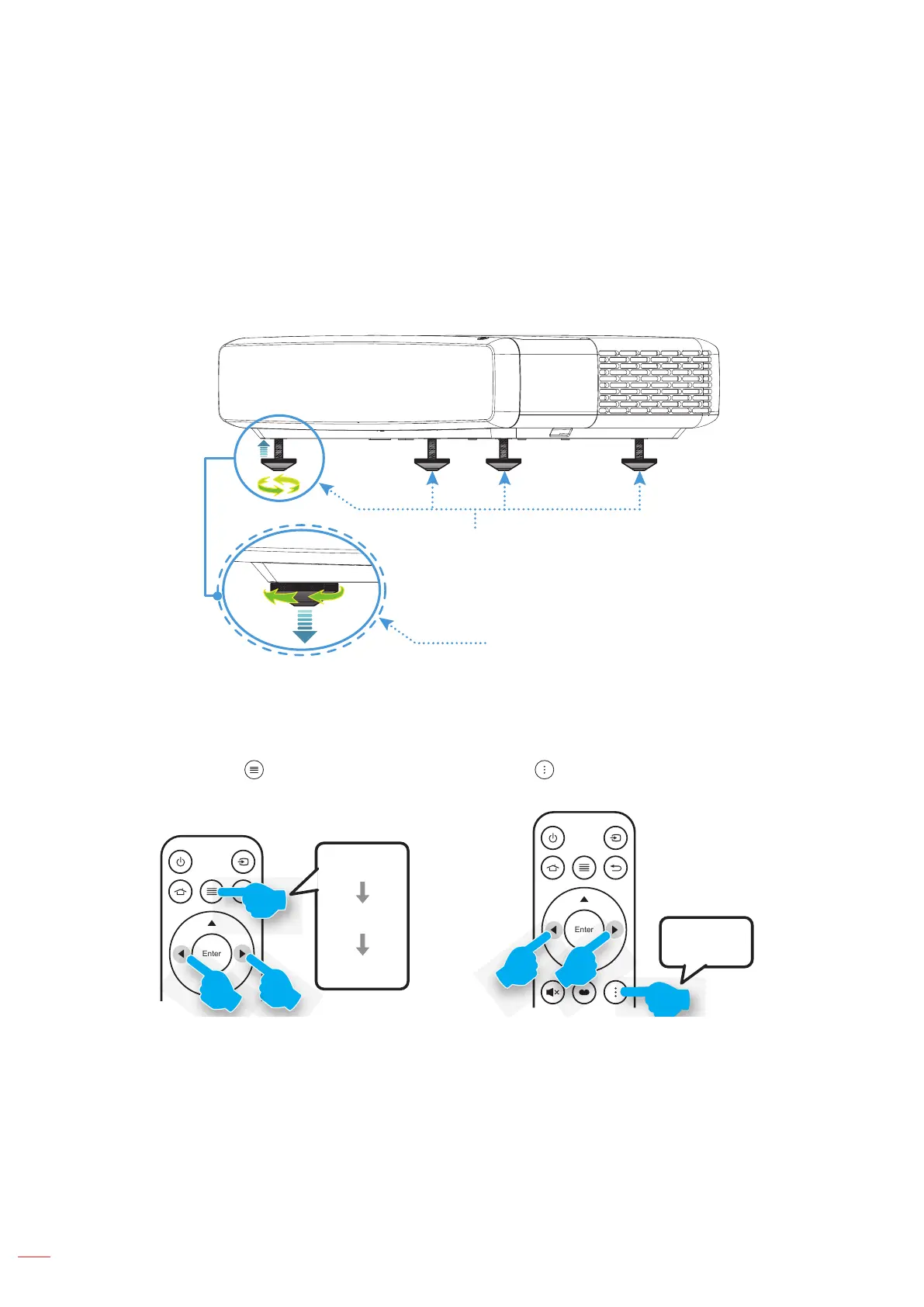
The projector is equipped with elevator feet for adjusting the image height.
1. Locate the adjustable foot you wish to adjust on the underside of the projector.
2. Rotate the adjustable foot clockwise or counterclockwise to raise or lower the projector.
Tilt-Adjustment Feet
Tilt-Adjustment Ring
Focus
To adjust the focus, do the following:
1. Open either “ ” “Display-->Focus” menu or press the “ ” button on the remote control.
2. Press the “t” or “u” button on the remote control until the image is sharp and legible.
Enter
A
B
B
Menu
Display
Focus
B B
Focus


 To Next Page