© Optoma
Issue 2.1 July 25, 2018
58
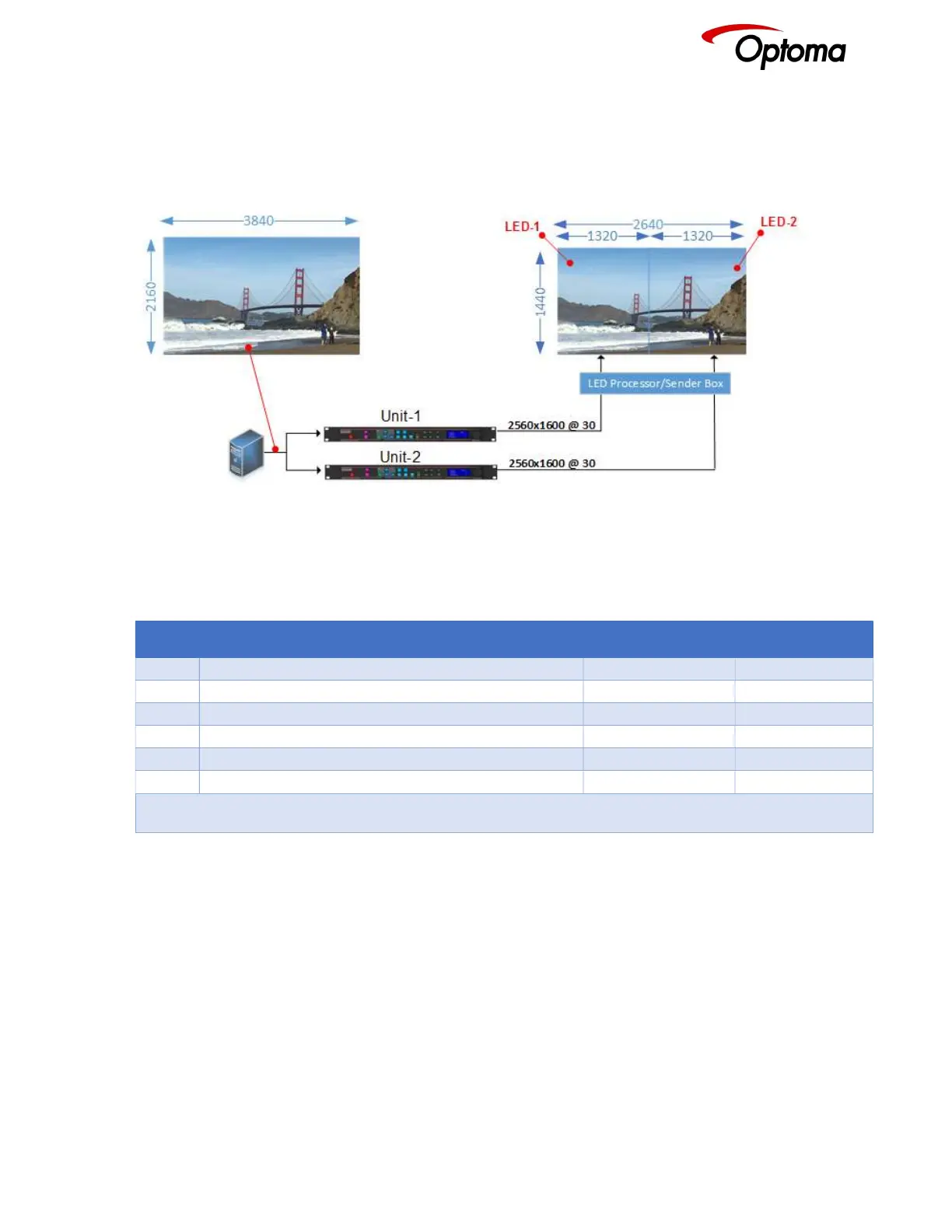
6.3.6.2 Standard Splicing - 2x1 Example (Split source)
In this and the rest of the examples, it is assumed that the image arrives at each unit from a single
source, so Splicing Zoom is set to On.
Figure 7: Standard Splicing - 2x1 example (common source)
STEP MENU ITEM TO MODIFY Unit-1 Unit-2
1 Output>Display Type>I/O Lock Source Source
2 LED Screen Size> Splicing Zoom On On
3 LED Screen Size> Splicing Width 2 2
4 LED Screen Size> H-Pos 1* 2
5 LED Screen Size> Right Edge 1320 1320
6 LED Screen Size> Bottom Edge 1440 1440
* Some steps are skipped, because the values are the same as the default settings after factory reset



 To Next Page