Osprey Talon User Guide
12
Osprey Talon Status Lights
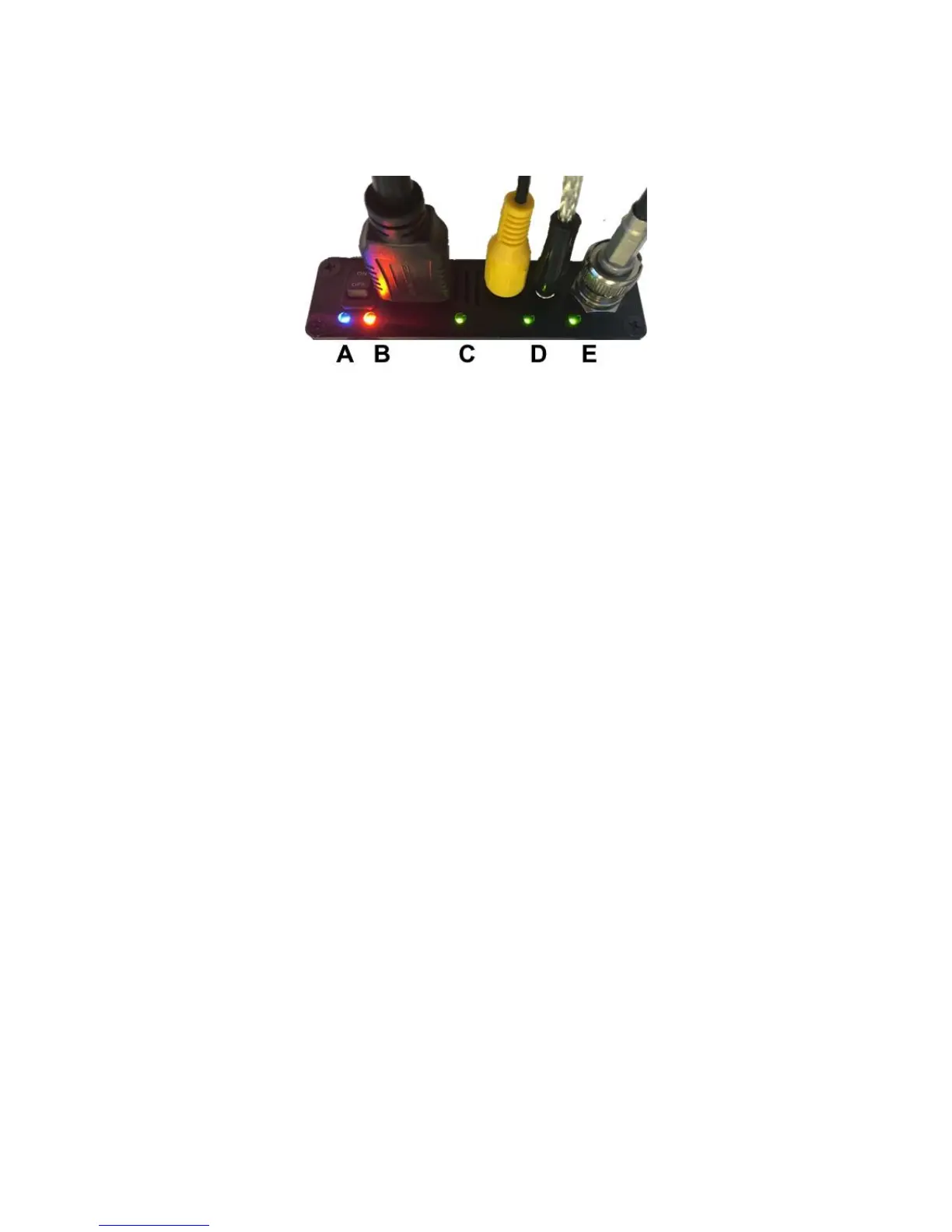
There are five lights on the front panel of Talon that indicate the status of several functions.
A and B: Indicate power and boot status of Talon.
Single Red indicates that Talon’s power is on but is not ready.
Red and Orange indicates Talon is booting. A and B will flash half way through the boot cycle
Single Blue indicates that Talon is ready.
Blue an Orange indicates that Talon is encoding
C, D and E: Green lights after Talon is ready indicate that video sync is locked.
C = HDMI
D = Composite (CVBS)
E = HD-SD/SDI


 To Next Page
 Loading...