© 2024 PacBio. All rights reserved. For research use only. Not for use in diagnostic procedures.
PN 103-140-400 REV05 JUN2024
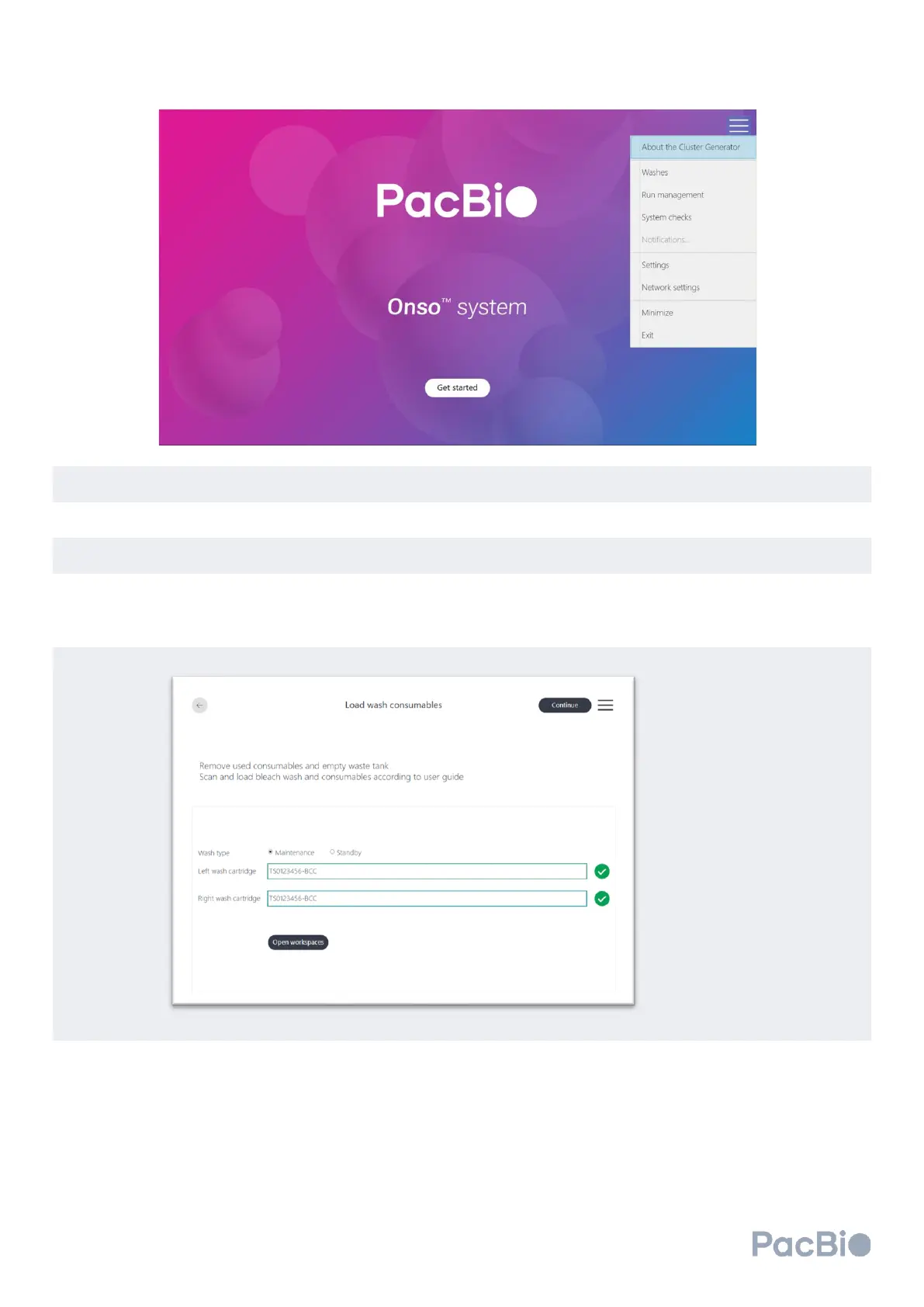
Click “Open workspaces” on the
Load wash consumables
screen to unlock the workspace door and reagent
door. For “Wash type” select “Maintenance” or “Standby”.
Remove the waste container from the instrument and empty the contents into the appropriate waste stream.
Ensure the emptied bottle is placed back into the correct position in the instrument.
Load the instrument wash pack in the interior compartment of the reagent door.
If previously used sequencing run consumables and reagents are found on the instrument, refer to the section
above titled “Unloading the sequencing instrument”. Connect the wash cartridges by aligning one on each side
with the MICA instrument connector slot. Press down to engage, and check engagement by tugging gently
upward to see that it does not lift out.
Scan in the left and right Onso wash cartridge QR codes.
Close the reagent door and the workspace door. Select “Continue” to enter the pre-wash checks screen.
The instrument will proceed to perform pre-wash checks. If any steps fail, refer to the Troubleshooting section
of the guide. Once pre-wash checks complete successfully, the wash will automatically begin and will last
approximately 20 minutes.



 To Next Page