SECTION 4 OPERATION
57
4.6.2.1 EDIT WAVEFORM (continued)
EDIT WAVEFORM: NUMBER=2 RANGE=2-16
STARTING PHASE ANGLE =85.078 0-359.9°
ENDING PHASE ANGLE =95 0-359.9°
VOLTAGE IN PERCENT =100 (+/-)0-100%
Press 100, to select the voltage (% of full scale) between the starting and ending phase angles.
EDIT WAVEFORM: NUMBER=2 RANGE=2-16
STARTING PHASE ANGLE =85.078 0-359.9°
ENDING PHASE ANGLE =94.922 0-359.9°
VOLTAGE IN PERCENT =100 (+/-)0-100%
Press EXECUTE to save the new waveform. The UPC will temporarily stop producing any output signal
while the new waveform data is being calculated internally in the UPC.
Pressing EDIT will step the display to the next available waveform section, beginning with the previous
ENDING PHASE ANGLE and the VOLTAGE IN PERCENT of the waveform at that point.
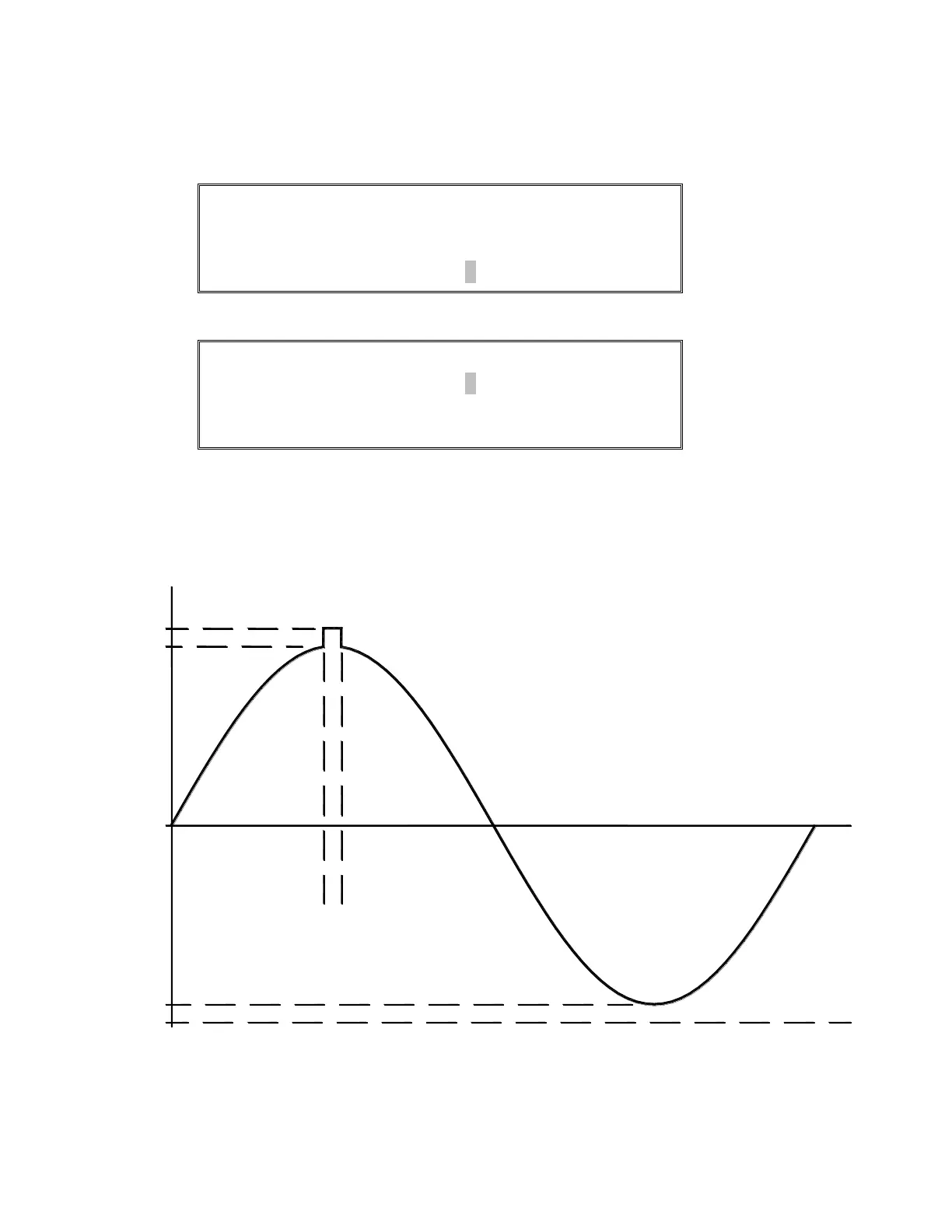
The output of a program using Waveform 2 should appear as:
90%
0°
100%
0%
85° 95°
100%
90%
FIGURE 4.6.2.1 EDITED WAVEFORM



 To Next Page