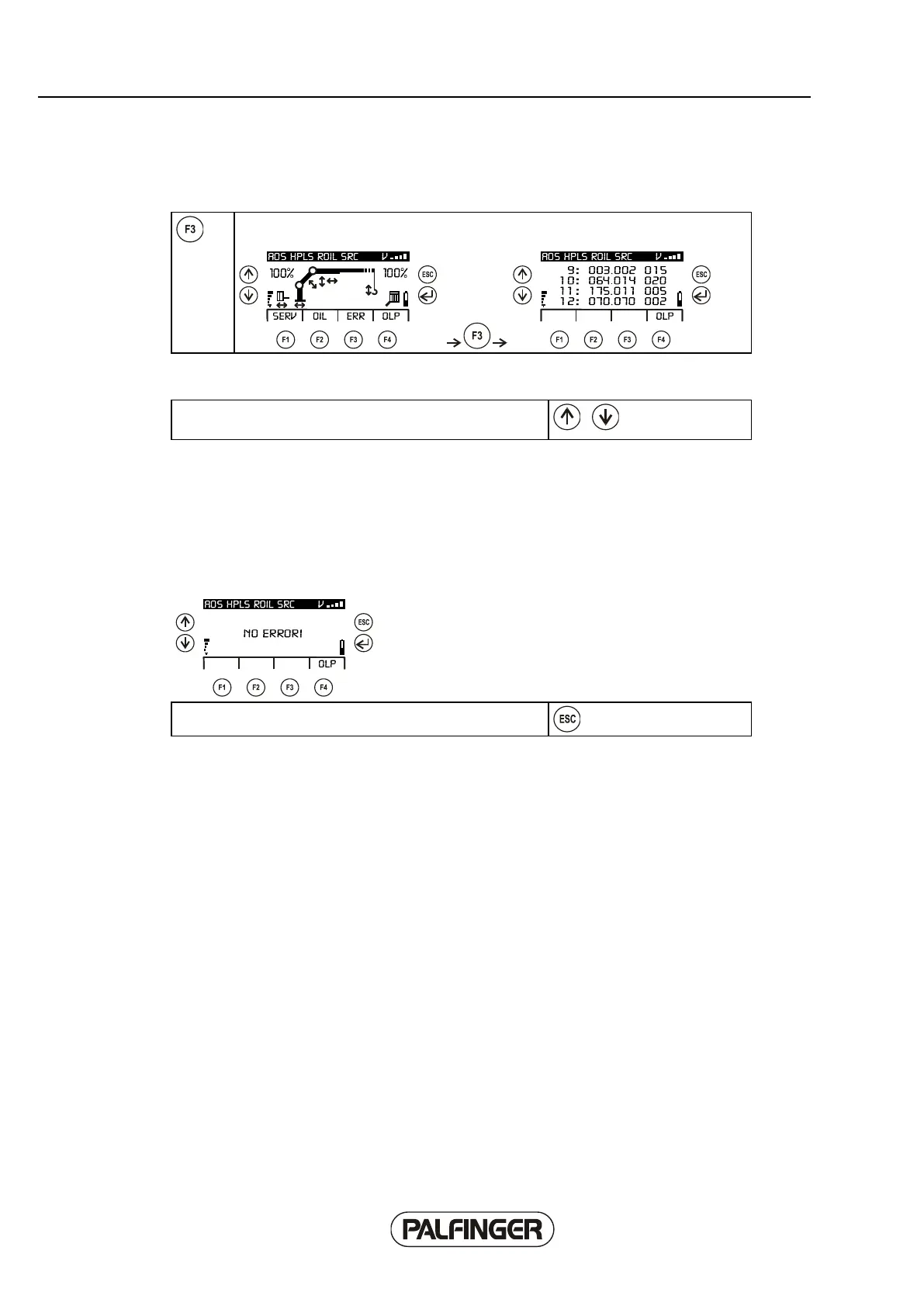
Error (ERR) sub-sub-menu
The 'Error' sub-menu can be selected in the INFO menu using the F3 SERV
function.
The error memory of the Paltronic can be read out using the 'Error' menu. Four error lines are shown
on the display.
You can scroll through the list using the 'Up' and 'Down'
keys.
Explanation of line (in accordance with the Paltronic error code list) on basis of first line of top display:
Example: 9: 003.002 015
9: Line 9 in error code list.
003. Main code 003 (in accordance with Paltronic error code list).
002 Additional code 002 (in accordance with Paltronic error code list).
015 Counter - describes how often the error has occurred.
If the error memory is empty, the following display appears:
The menu can be exited again using the 'Escape' button.



 To Next Page