Tungsten™ T5 Handheld 140
CHAPTER 7 Managing Your Calendar
Scheduling an event without a start time
Keep track of events that take place on a particular date but not at a particular time. For example,
you may want to enter holidays, anniversaries, and deadlines.
0
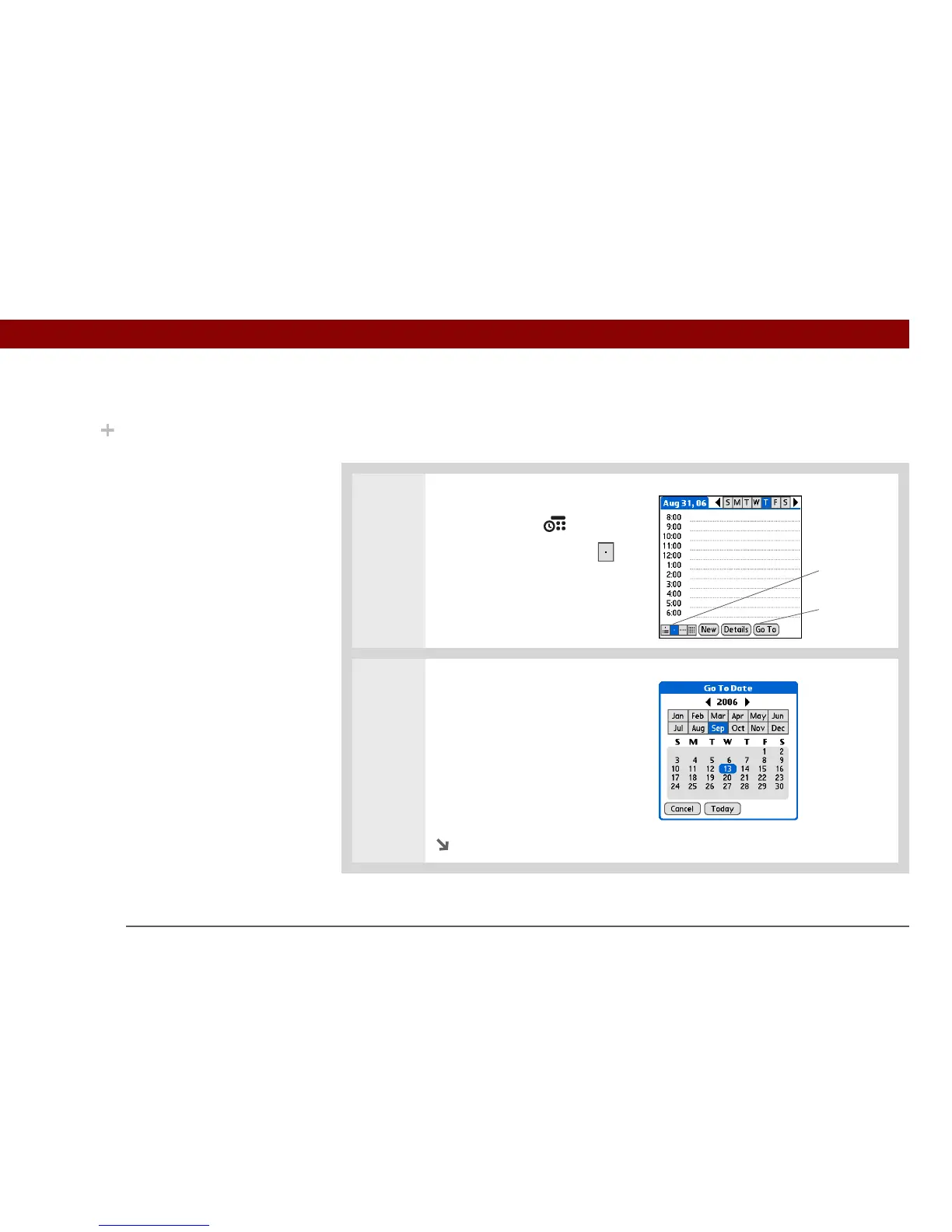
1 Open Day View:
a. Press Calendar .
b. Select the Day View icon .
2 Select the date of the event:
a. Select Go To.
b. Select the arrows to select the
year.
c. Select the month.
d. Select the date.
Continued
Did You Know?
Need to reserve a date
before you know the
details of the
appointment? Schedule
an event without a start
time.
Day View icon
Go To



 To Next Page