Tungsten™ T5 Handheld 12
CHAPTER 1 Setting Up Your Handheld and Your Computer
Creating a user profile
WINDOWS ONLY
0
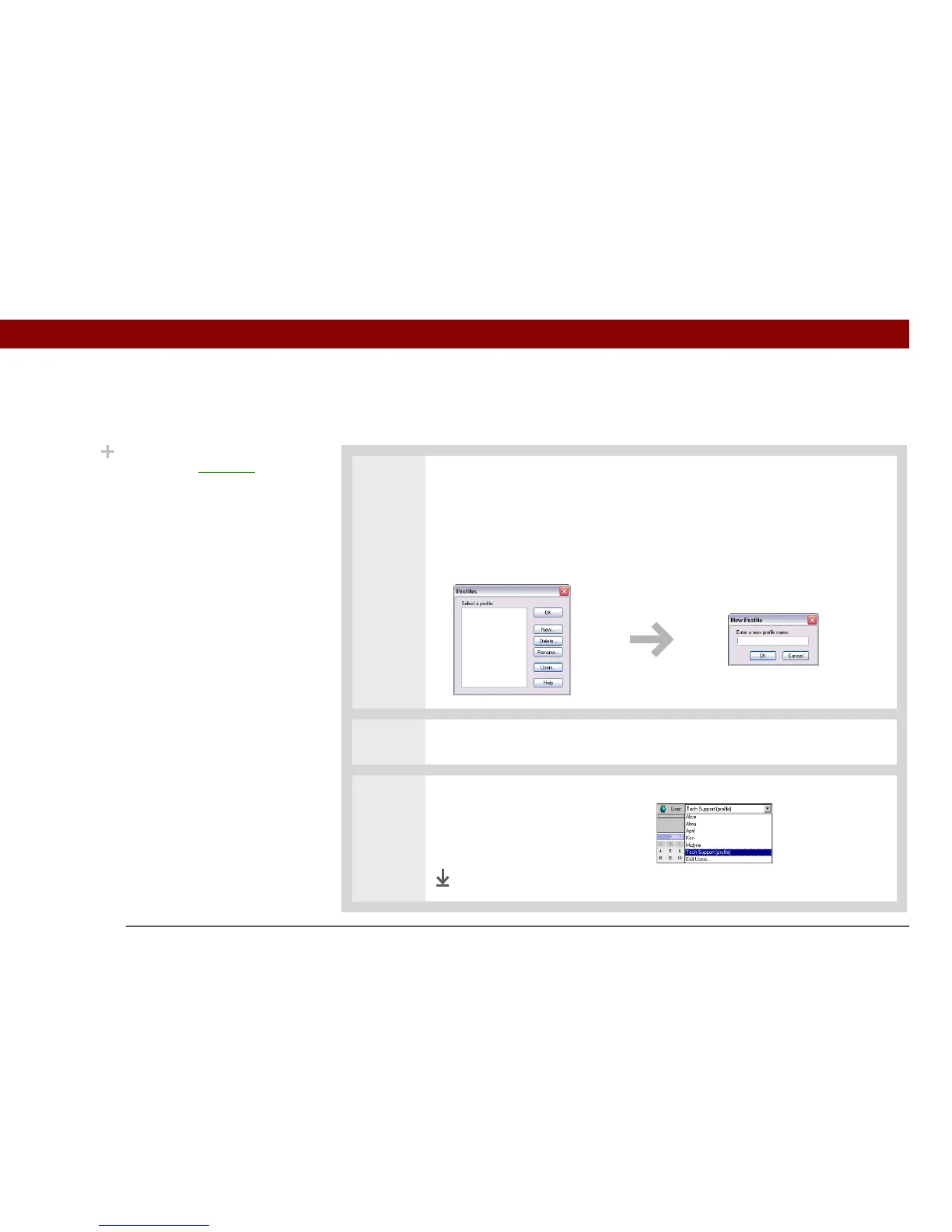
1 Open the New Profile screen:
a. Open Palm Desktop software.
b. From the Tools menu, select Users.
c. Click Profiles, and then click New.
2
Enter a unique name for the profile, and click OK twice.
3 Select the profile from the User
list, and create the info in
Palm Desktop software for the
profile.
Done
Did You Know?
Save time by importing to
quickly add information
to a profile.



 To Next Page