Tungsten™ T5 Handheld 271
CHAPTER 14 Connecting Wirelessly to Other Devices
Creating trusted pairs
After you have set up your phone and computer as trusted devices, you may want to set up other
trusted devices, such as a friend’s handheld. When your device recognizes a trusted device, your
device automatically accepts communication, bypassing the discovery and authentication
process.
0
1 Go to Favorites and select Bluetooth .
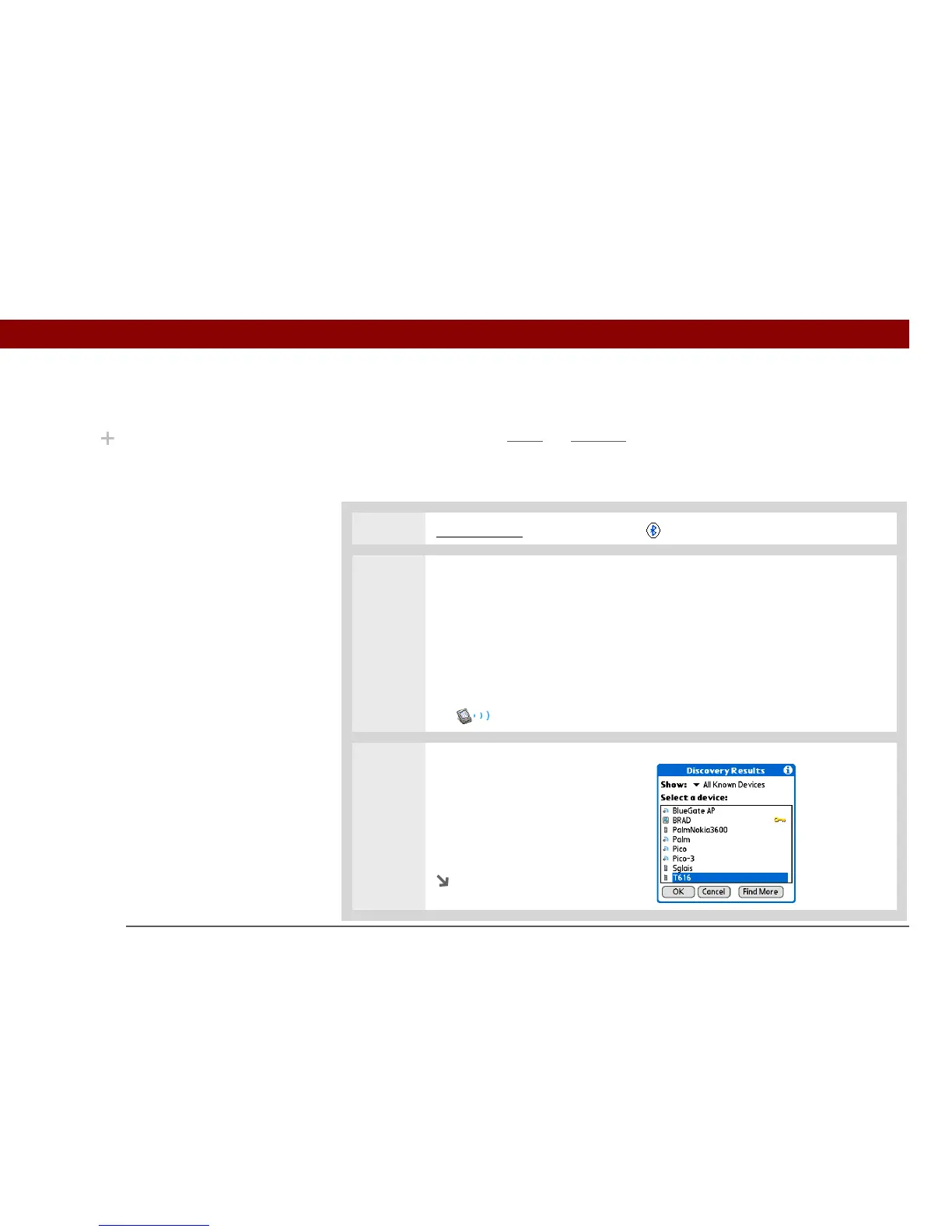
2 Begin the discovery process:
a. Select Setup Devices.
b. Select Trusted Devices.
c. Select Add Device.
d. Select Trusted Devices to begin the discovery process. The Discovery icon
appears to indicate that the discovery process is active.
3 Select the device you want to
add as a trusted device.
If the device you want to add
does not appear on the discovery
results list, select Find More to
search again.
Continued
Did You Know?
When your handheld and
Bluetooth are on and the
Discoverable setting is set
to No, you can receive
connections only from
devices with which you
have previously
communicated.



 To Next Page