Tungsten™ T5 Handheld 52
CHAPTER 4 Entering Information on Your Handheld
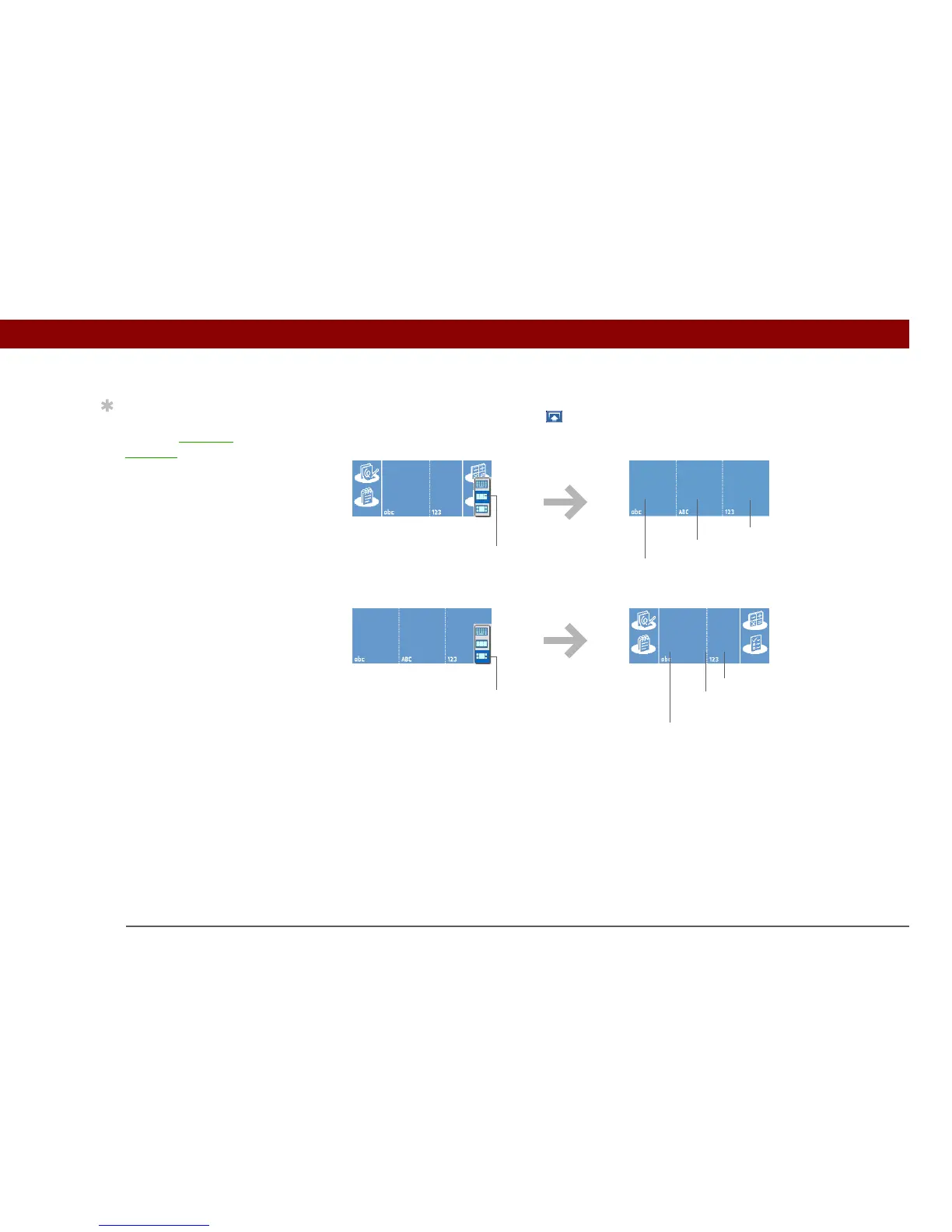
Your handheld has two different input area displays that you can use to enter Graffiti 2 characters.
To open them, tap and hold Input on the status bar, and then select the icon of the input area
you want.
In either layout of the input area, write lowercase letters, uppercase letters, and numbers in the
sections shown. If you write characters in the wrong area, they are not recognized correctly and an
incorrect character is written.
Using full-screen writing
When full-screen writing is turned on, you can write anywhere on the screen. When full-screen
writing is turned off, you must write character strokes in the Graffiti 2 input area for your handheld
to recognize them.
Tip
Select the top icon to
open the onscreen
keyboard.
Uppercase letters
Lowercase letters
Numerals
Uppercase letters
straddling line
Lowercase letters
Numerals
Select
middle icon
Select
bottom icon



 To Next Page