Tungsten™ T5 Handheld 214
CHAPTER 10 Listening to Music
4
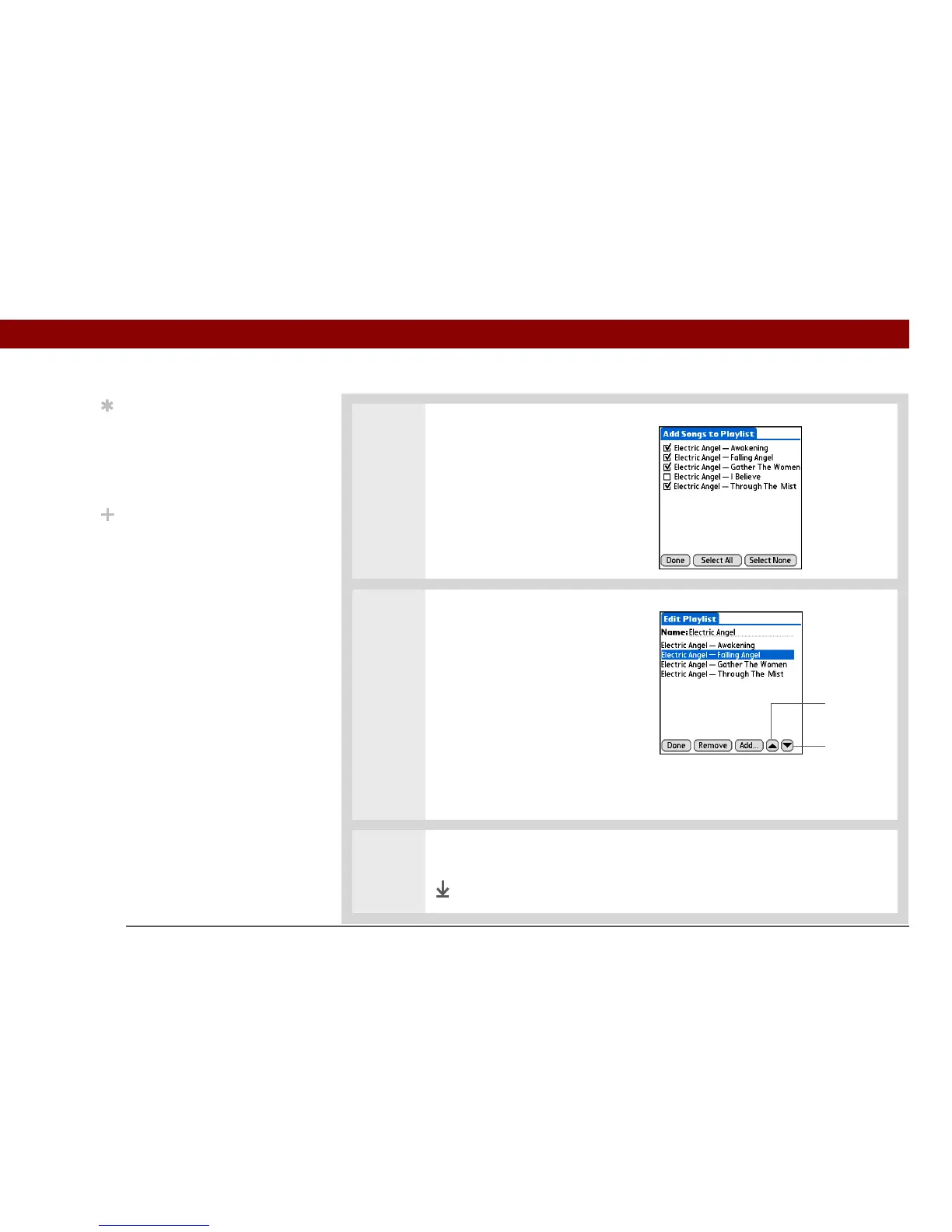
Add songs to the playlist:
a. Select Add.
b. Check the box next to the
songs you want to include on
the playlist.
c. Select Done.
5 Put the songs in the order you
want to hear them:
a. Select a song you want to
move.
b. Tap the up or down arrow to
move the song up or down
one slot.
c. Repeat this process until the
songs are in the right order.
d. Select Done.
6 Select Done, and then select Done again.
Done
Tip
To quickly select all the
songs in the list, select
Select All. To quickly
deselect all the songs,
select Select None.
Did You Know?
The Add Songs to Playlist
screen displays all songs
located in the Music file
on your handheld’s
internal drive.
Up arrow
Down arrow



 To Next Page