84
5. System settings
5-1. Selecting the video format
One system (input/output signal) video format can be selected.
1
Press the [FUNC] button to light its indicator, and press the [SYSTEM] button to display the SYSTEM menu.
2 T
urn [F1] to display the Format sub menu.
3
Turn [F2], select the format using the Mode item, and press the [F2] switch to enter the selection.
An asterisk () appears at the left of the format currently selected.
<Men
u display>
Format Mode 16:9SQ
1/16
1080/59.94i Off
1080/50i
720/59.94p
720/50p
480/59.94i
576/50i
On
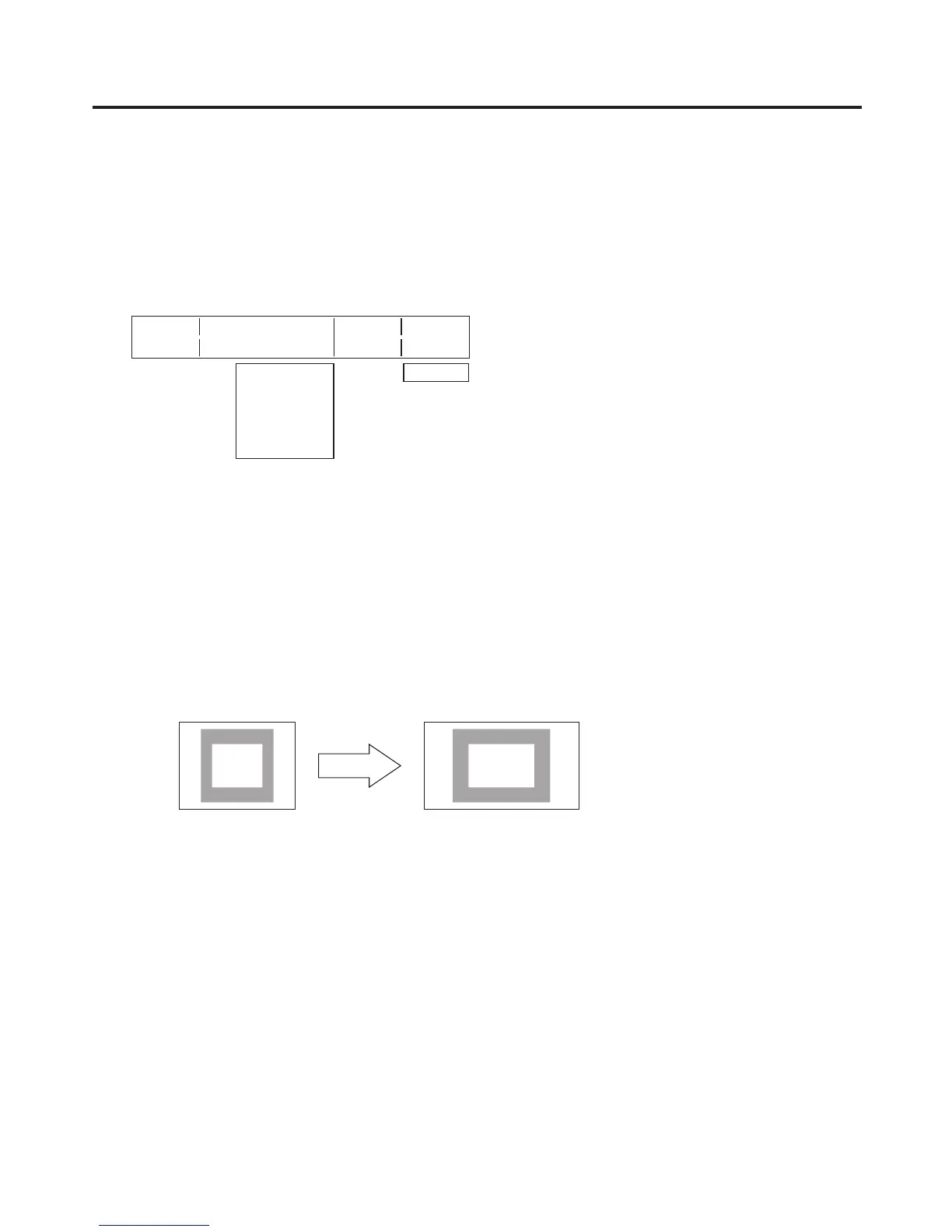
Setting the 16:9 squeeze mode
When the 16:9 squeeze mode is selected, a border width (wipe or PinP) is established that considers cases
where SD format images are to be converted into the 16:9 aspect ratio and used.
This setting is possible when SD is selected as the system format setting.
On the F
ormat sub menu, turn [F5] to select whether to support the squeeze mode using the 16:9SQ item.
On:
The squeeze mode is supported.
Off:
The squeeze mode is not supported.
Border width (graphical representation) when the squeeze mode is supported
Squeeze (4:3) 16:9













 To Next Page