EYFR03 User Manual 16 of 110 v1.6.0
Chapter 1: Overview 20 January 2020
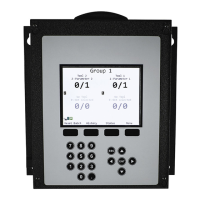
10-16 Active Parameters
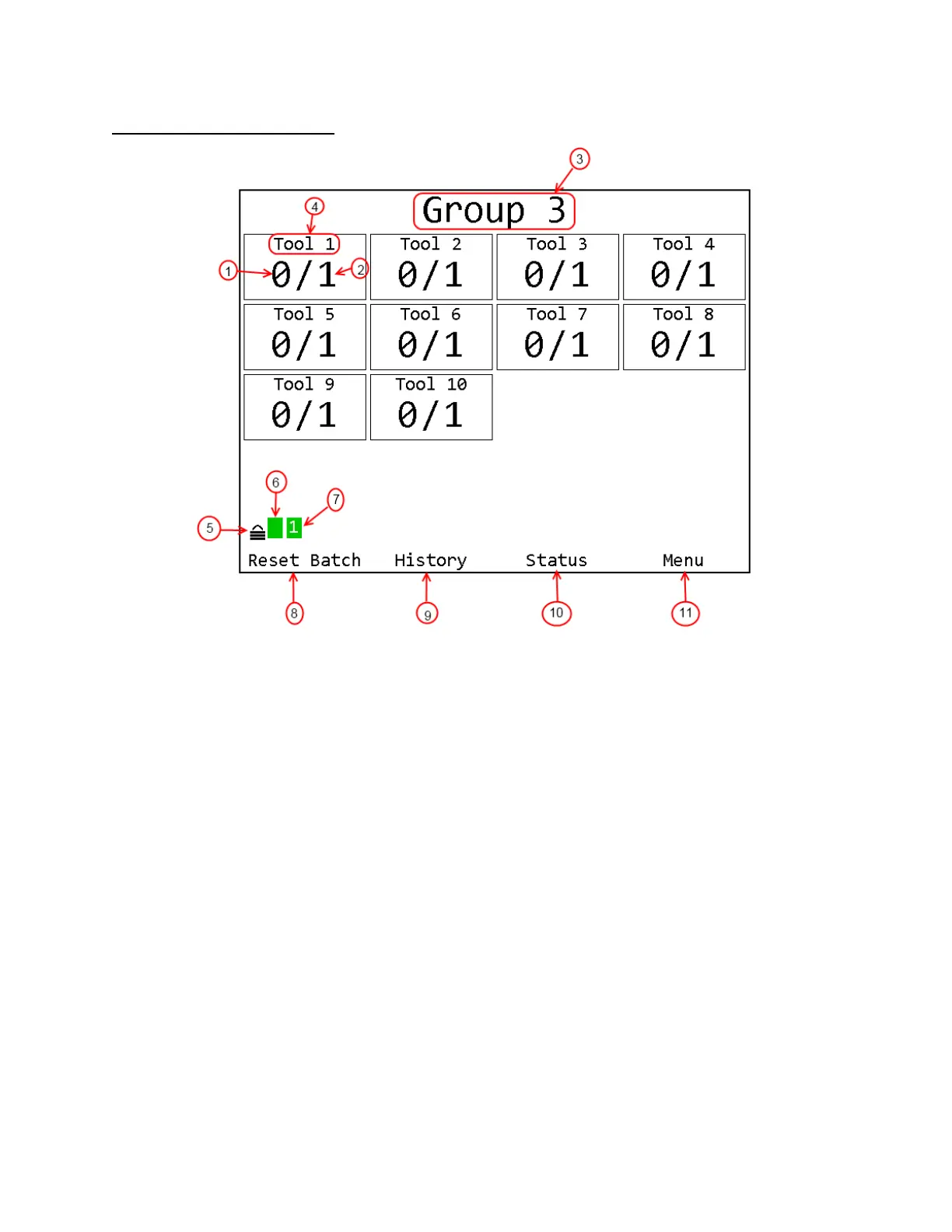
1. Count – The number of tightenings completed in the current batch of the parameter.
Repeated for each active parameter.
2. Batch – The number of tightenings required for the current batch of the parameter. Repeated
for each active parameter.
3. Group Name – Name of the currently running group.
4. Tool Name – Name of the tool for the parameter. Repeated for each active parameter
5. Unit lock – Indicates if the unit is locked and requires a password to access menu functions
6. Unit Radio Status – Shows the status of the unit radio
7. Network Status – Shows the status of the Ethernet and current number of connections.
8. Soft Key 1 Function – Shows the current function of soft key 1.
9. Soft Key 2 Function – Shows the current function of soft key 2.
10. Soft Key 3 Function – Shows the current function of soft key 3.
11. Soft Key 4 Function – Shows the current function of soft key 4.
In 10-16 Active Parameter mode, the Run screen does not show parameter names or tool status
indicators.











 To Next Page