14
VQT1N45
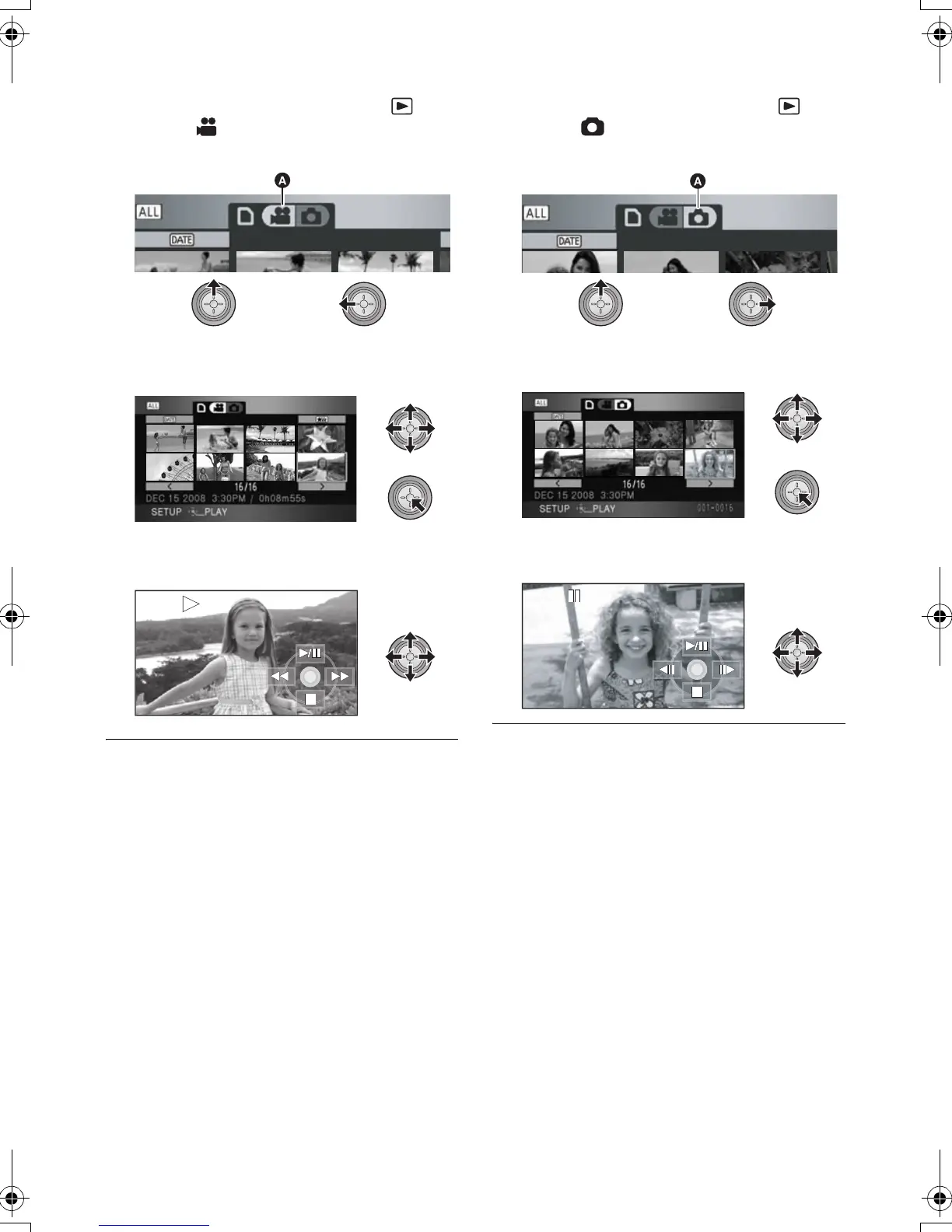
∫ Motion picture playback
1) Operate the mode switch to select .
2) Select [ ] (motion picture playback) A
with the cursor button.
3) Select the scene to be played back and
press the cursor button.
4) Select the playback operation with the cursor
button.
1/;: Playback/Pause
6: Rewind playback
5: Fast forward playback
∫: Stops the playback and shows the
thumbnails.
∫ Still picture playback
1) Operate the mode switch to select .
2) Select [ ] (still picture playback) A with
the cursor button.
3) Select the still picture to be played back and
press the cursor button.
4) Select the playback operation with the cursor
button.
1/;: Slide show (playback of the still pictures
in numerical order) start/pause.
2;: Plays back the previous picture.
;1: Plays back the next picture.
∫: Stops the playback and shows the
thumbnails.
HDCSD9P-VQT1N45_ENG.book 14 ページ 2007年12月26日 水曜日 午後5時57分















 To Next Page