13
VQT1N45
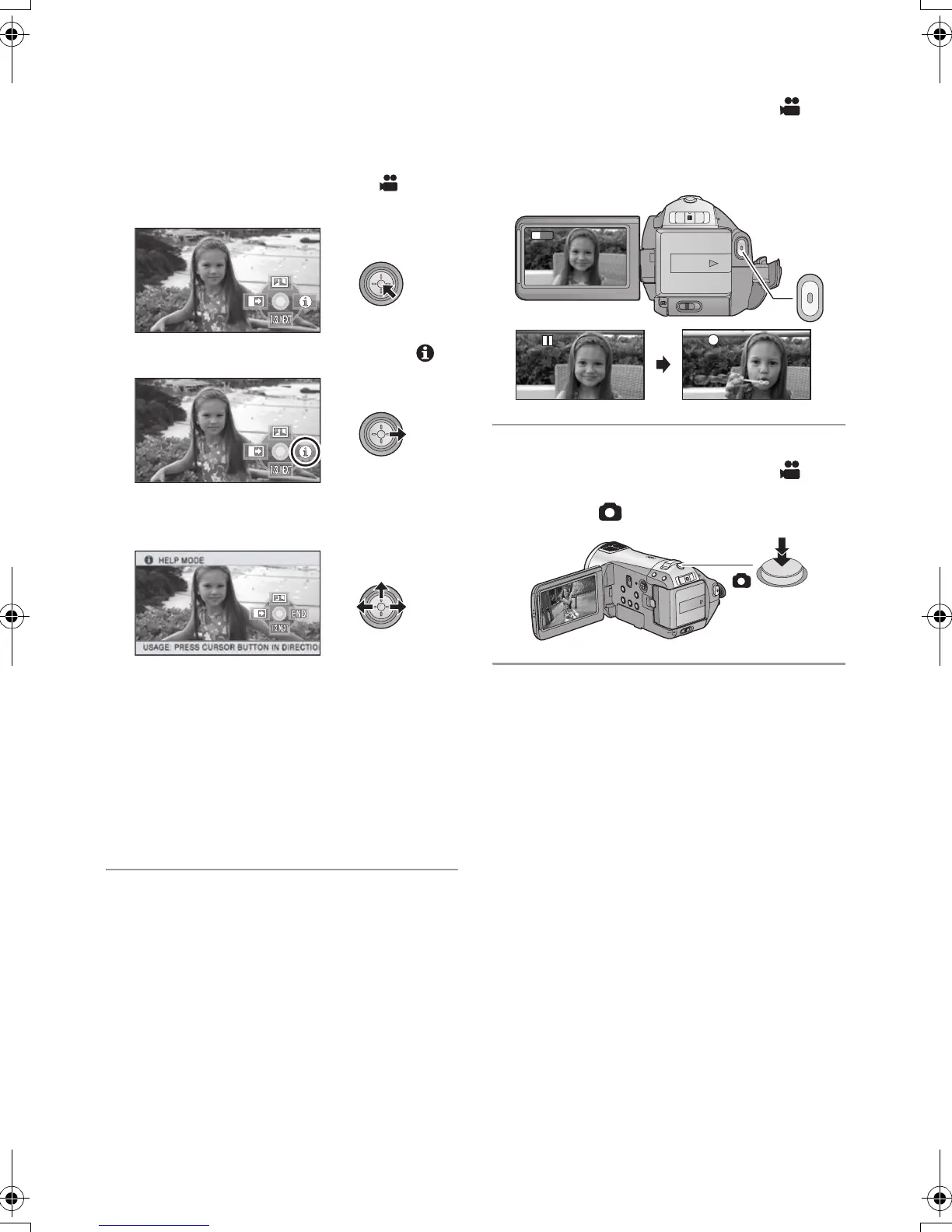
∫ Help mode
The help mode explains the operation icons
displayed when the AUTO/MANUAL/FOCUS
switch is set to AUTO in recording mode.
≥ Operate the mode switch to select .
1) Press the cursor button to display the icon.
2) Move the cursor button right to select [ ].
3) Move the cursor button up, left or right to
select the desired icon.
≥ An explanation of the selected icon scrolls at
the bottom of the screen.
≥ The indication changes each time the cursor
button is moved down.
≥ When the help mode is used, functions cannot
be set.
To exit the Help mode
Press the MENU button or select [END].
∫ Recording motion pictures
1) Operate the mode switch to select and
open the LCD monitor.
2) Press the recording start/stop button to start
recording.
∫ Recording still pictures
1) Operate the mode switch to select and
open the LCD monitor.
2) Press the button fully to take the picture.
0h00m00s
0h00m00s
R1h20m
R1h20m
1920
HDCSD9P-VQT1N45_ENG.book 13 ページ 2007年12月26日 水曜日 午後5時57分















 To Next Page