56
VQT1N45
Function Effect/Setting method
Shutter sound
You can add a shutter sound when recording still pictures.
Select the menu. (l 27)
[PICTURE] # [SHTR SOUND] # [ON]
≥ This function’s default setting is [ON].
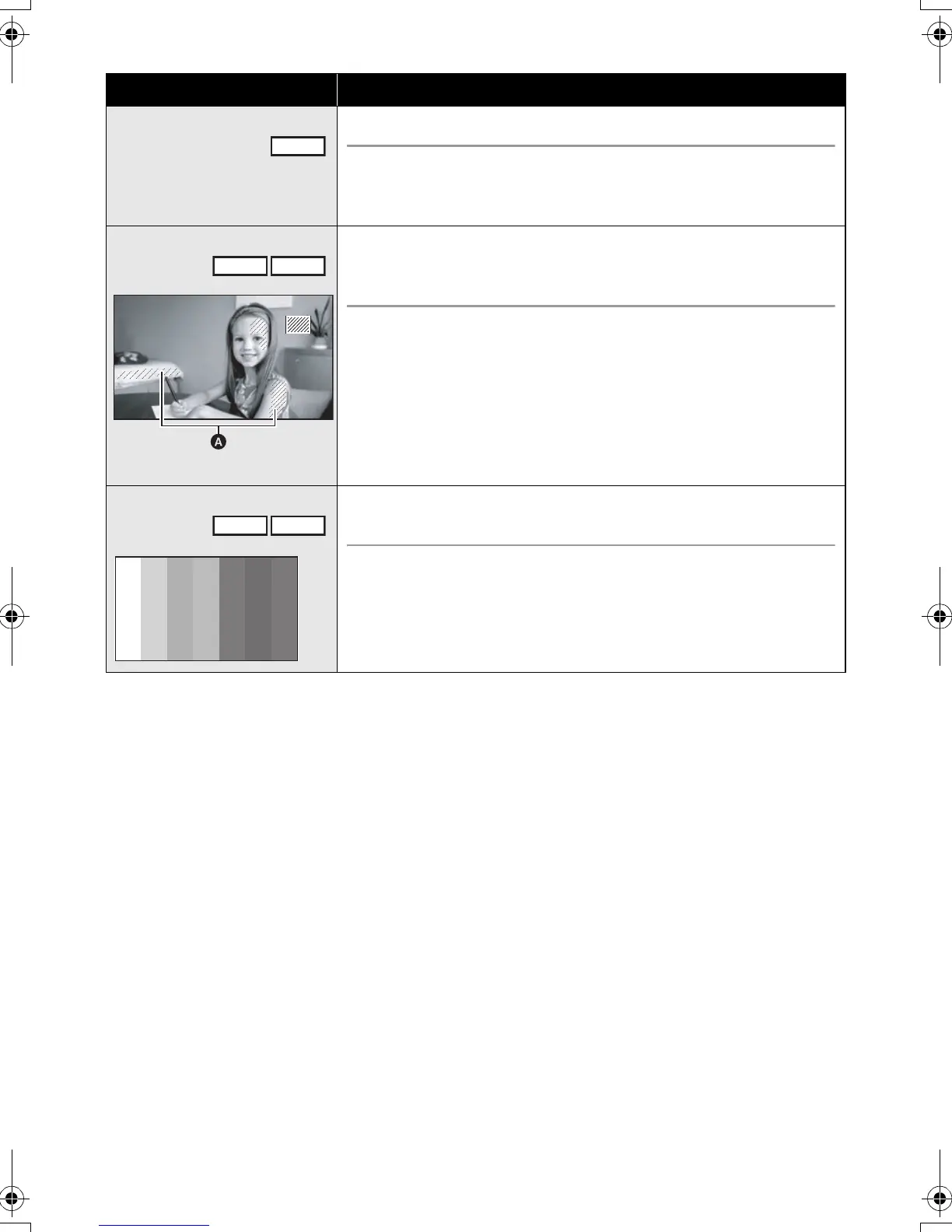
Zebra
A Zebra pattern
Parts where white saturation (color saturation) is likely to
occur (extremely brightly lit or shiny parts) are displayed with
diagonal lines (zebra pattern).
Select the menu. (l 27)
[ADVANCED] # [ZEBRA] # [ON]
≥ You can record an image with little white saturation if you
manually adjust the shutter speed or brightness (iris/gain) (l 62).
≥ The zebra pattern does not appear on the images actually
recorded.
Color bar
This unit displays a 7 color bar which is useful for adjusting the
picture quality of the TV or the external monitor.
Select the menu. (l 27)
[ADVANCED] # [COLOR BAR] # [ON]
PHOTO
VIDEO
PHOTO
VIDEO
PHOTO
HDCSD9P-VQT1N45_ENG.book 56 ページ 2007年12月26日 水曜日 午後5時57分















 To Next Page