30
VQT1N45
Setup
5
Setting date and time
When the unit is turned on for the first time, a message asking you to set the date and time will appear.
Select [YES] and perform steps 2 to 4 below to set the date and time.
¬Operate the mode switch to select
.
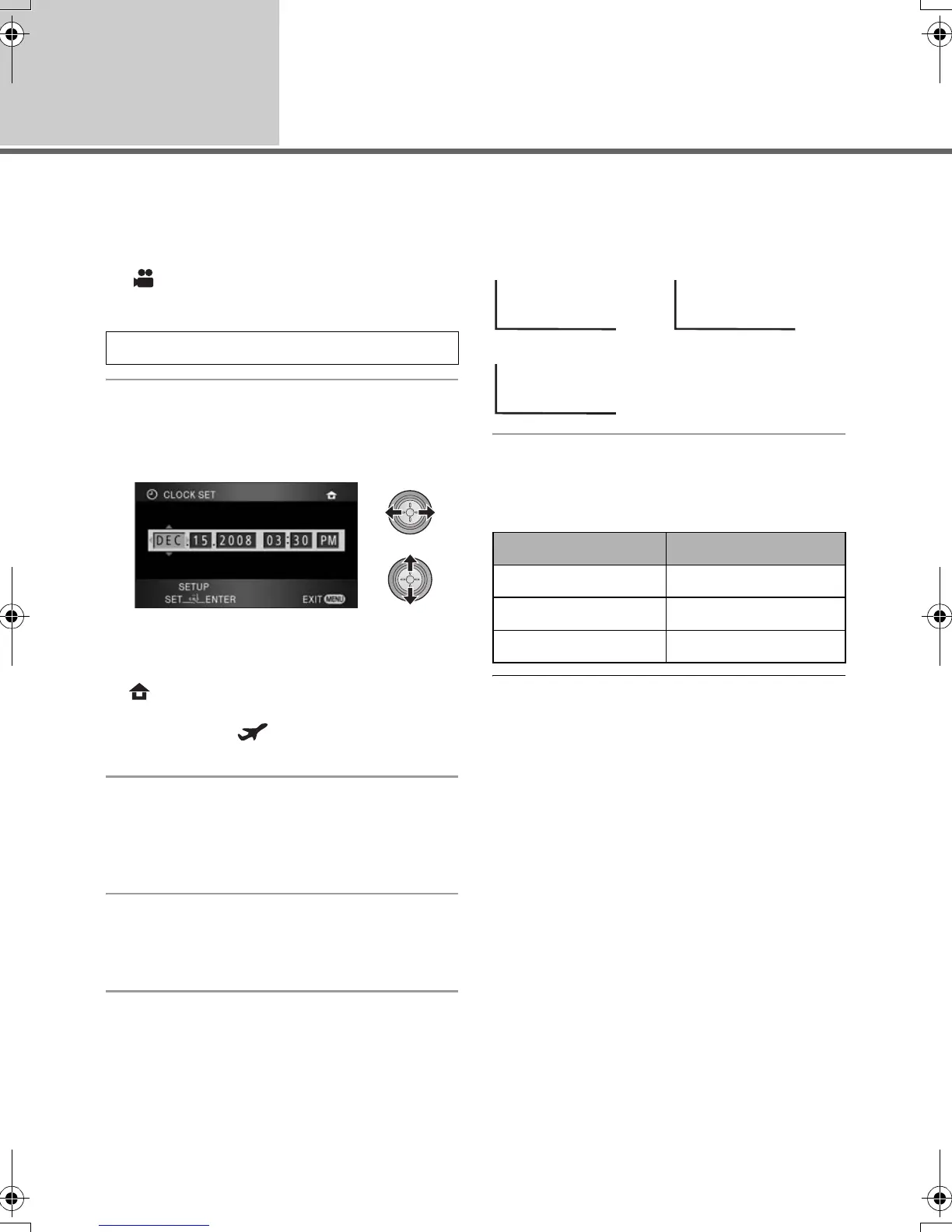
1 Select the menu. (l 27)
2 Select the date or time to be set,
then set the desired value with
the cursor button.
≥ The year will change as follows:
2000, 2001, ..., 2039, 2000, ...
≥ The 12-hour system is used to display the time.
≥ [ ] appears on the right top of the screen
when [SET WORLD TIME] (l 31) is set to
[HOME], while [ ] appears when it is set to
[DESTINATION].
3 Press the cursor button to enter
the selection.
≥ The clock function starts at [00] seconds when
the cursor button is pressed.
4 Press the MENU button to finish
the setting.
≥ Check the date and time displayed.
Changing the date and time display mode
Select the menu. (l 27)
[SETUP] # [DATE/TIME] # desired display
style
≥ You can also show or change the date and
time display by repeatedly pressing the DATE/
TIME button on the remote control.
Changing the date format
Select the menu. (l 27)
[SETUP] # [DATE FORMAT] # desired
display style
≥ To set daylight saving time, select the daylight
saving time in [HOME] for [SET WORLD TIME]
after setting the clock.
≥ The date and time function is driven by a built-
in lithium battery.
≥ If the time display becomes [- -], the built-in
lithium battery needs to be charged. Use the
following steps to charge the battery.
To recharge the built-in lithium battery
≥ Connect the AC adaptor or attach the battery
to this unit, and the built-in lithium battery will
be recharged. Leave the unit as it is for approx.
24 hours and the battery will maintain the date
and time for approx. 6 months. (The battery is
still being recharged even if the mode switch is
set to OFF.)
[BASIC] # [CLOCK SET] # [YES]
[DATE] [D/T]
[OFF]
Display style Screen display
[Y/M/D] 2008. 12. 15
[M/D/Y] DEC 15 2008
[D/M/Y] 15. 12. 2008
DEC 15 2008 3:30PMDEC 15 2008
HDCSD9P-VQT1N45_ENG.book 30 ページ 2007年12月26日 水曜日 午後5時57分















 To Next Page