47
VQT1N45
Recording
(Advanced)
1
Recording functions of
operation icons
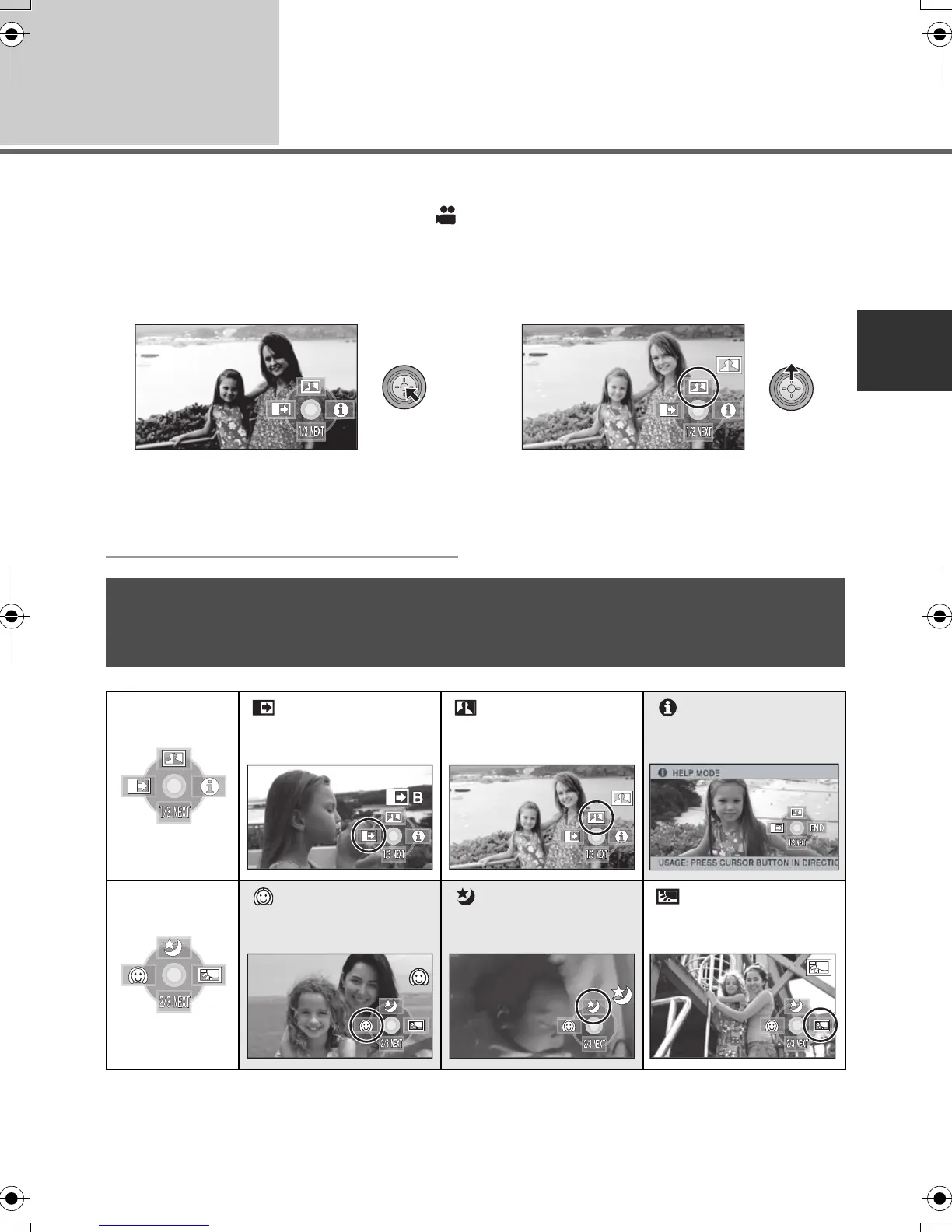
Select the operation icons to add different effects to the images to be recorded.
¬Operate the mode switch to select .
1 Press the cursor button, and
icons will be displayed on the
screen.
≥ The indication changes each time the cursor
button is moved down.
≥ The operation icon appears or disappears
each time the cursor button is pressed.
2 (e.g. Intelligent contrast control)
Select an icon with the cursor
button.
≥ Select the icon again to cancel the function.
(Refer to page 48 to cancel help mode, and
page 49 to cancel self-timer.)
Operation icons
Fade, Intelligent contrast control, Help mode, Soft skin mode, MagicPix, Backlight
compensation, Low light, Self-timer, Tele macro
Fade Intelligent contrast
control
Help mode
Soft skin mode MagicPix Backlight
compensation
HDCSD9P-VQT1N45_ENG.book 47 ページ 2007年12月26日 水曜日 午後5時57分















 To Next Page