21
VQT1N45
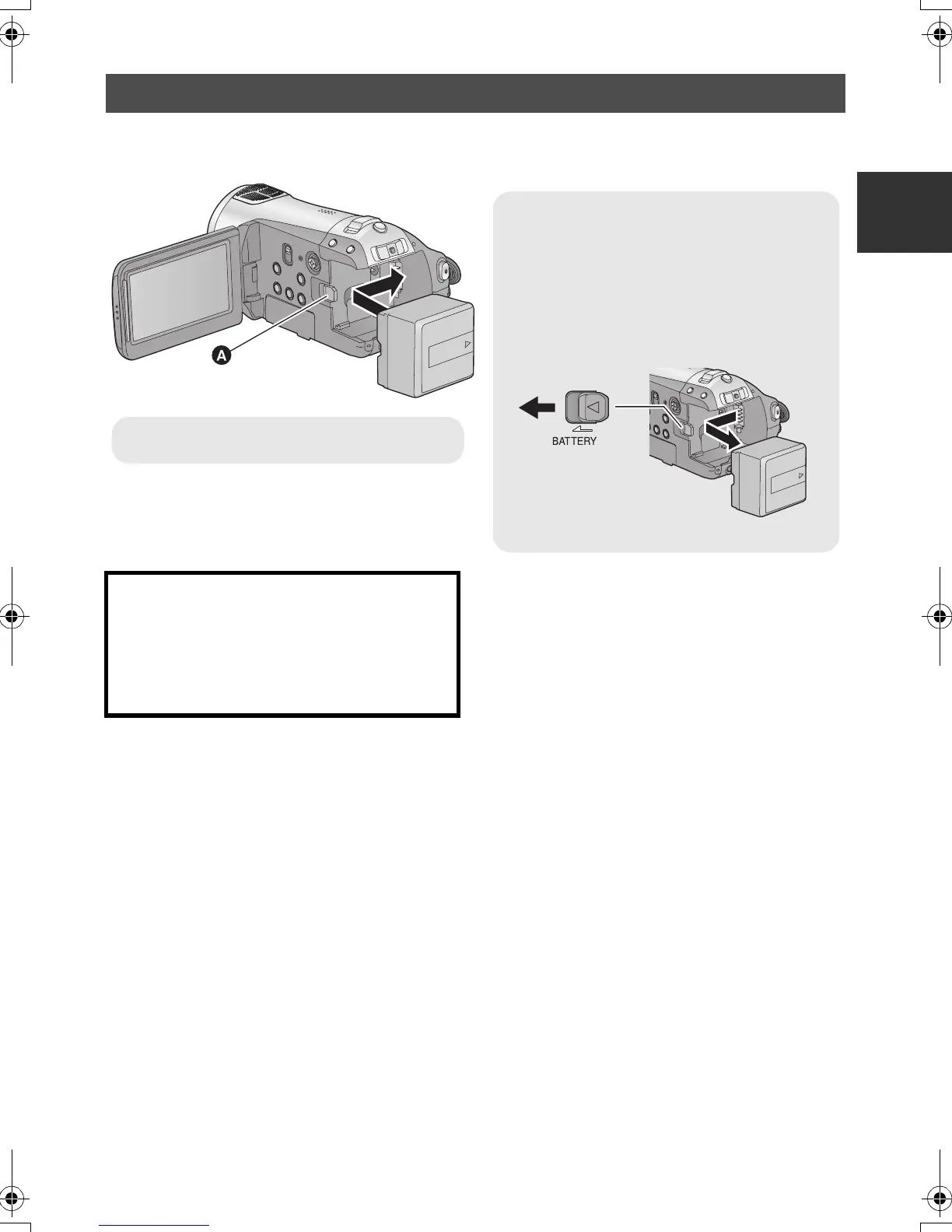
Open the LCD monitor and install the battery by inserting it in the direction
shown in the figure.
Inserting/removing the battery
Removing the battery
Be sure to set the mode switch to OFF and
check that the status indicator is off before
removing the battery.
Move the BATTERY lever in the direction
indicated by the arrow and remove the
battery when unlocked.
A Insert the battery until it clicks and locks.
CAUTION
Danger of explosion if battery is incorrectly
replaced. Replace only with the same or
equivalent type recommended by the
manufacturer. Dispose of used batteries
according to the manufacturer’s instructions.
HDCSD9P-VQT1N45_ENG.book 21 ページ 2007年12月26日 水曜日 午後5時57分















 To Next Page