69
VQT1N45
Playback
2
Still picture playback
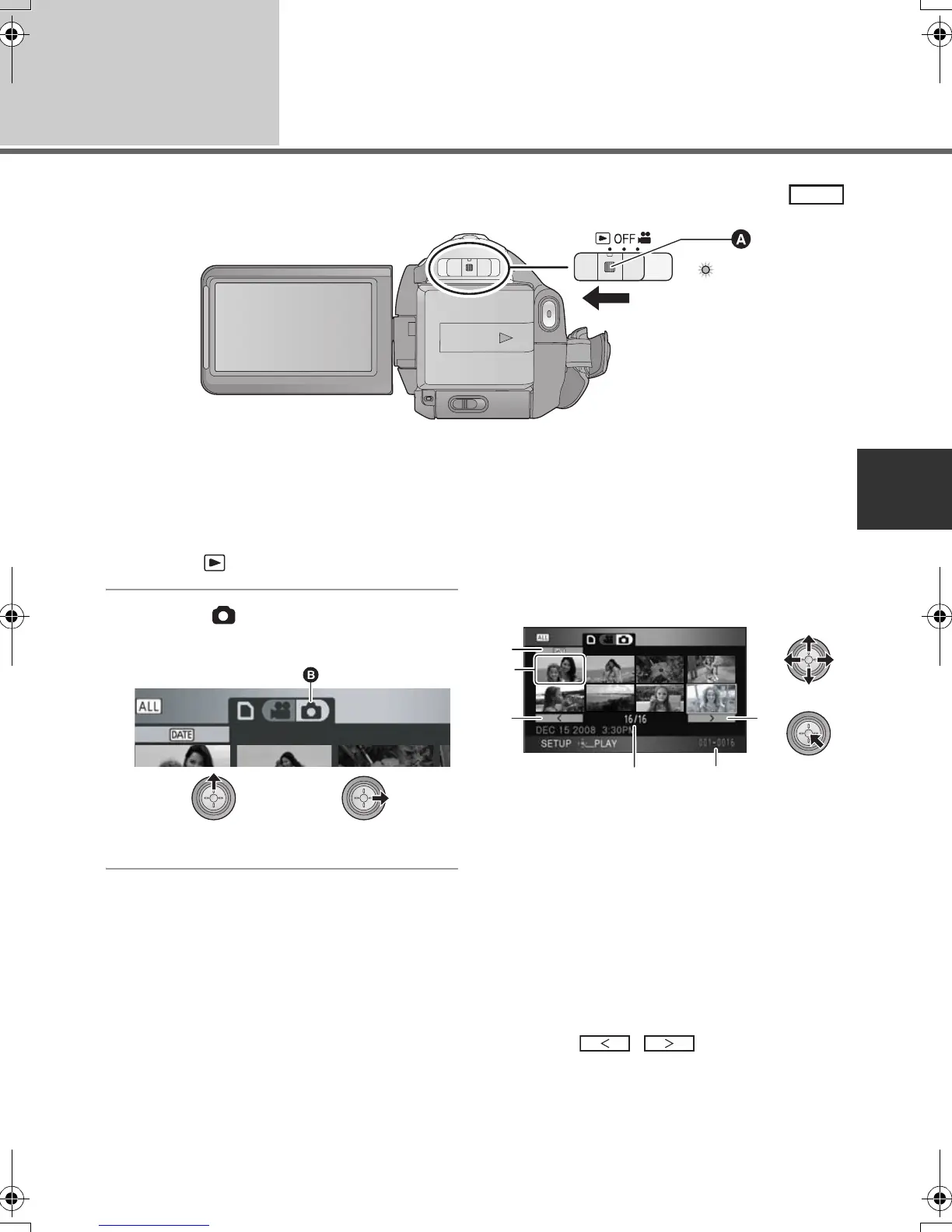
A Lock release button
≥ Operate the mode switch while at the same time pressing in the lock release button if changing from
OFF to another mode.
1 Operate the mode switch to
select .
2 Select [ ] (still picture
playback) with the cursor button.
B Still picture playback
3 Select the still picture to be
played back and press the cursor
button.
C Play mode select button
D Thumbnail display
E Previous page
F Next page
G Still picture number
H Folder/file name
The selected still picture is played back on the
full screen, and the operation icon is
automatically displayed on the screen.
≥ If 9 or more still pictures have been recorded,
the next (or previous) page can be displayed
by moving the cursor button left and right or
selecting / and then pressing
the cursor button.
≥ The picture number display switches to the
page number, except when thumbnails are
selected.
PHOTO
E
F
C
D
HDCSD9P-VQT1N45_ENG.book 69 ページ 2007年12月26日 水曜日 午後5時57分















 To Next Page