17
VQT1N45
≥ To adjust manually (l 59)
≥ Playback operations (l 64, 69)
7 Face detection button [ ] (l 46)
8 PRE-REC button [PRE-REC] (l 40)
9 DC input terminal [DC IN 9.3V] (l 23)
10 Battery holder (l 21)
11 Battery release lever [BATTERY] (l 21)
12 HDMI mini connector [HDMI] (l 81, 83)
13 Disc copy button [DISC COPY] (l 89)
14 Power LCD Extra button
[POWER LCD EXTRA] (l 32)
15 Delete button [ ] (l 72)
16 Audio-video output terminal [A/V] (
l
78, 92)
≥ Use the supplied AV cable only.
17 Component terminal [COMPONENT]
(l 82)
18 USB terminal [ ] (l 86, 93, 103)
19 Menu button [MENU] (l 27)
20 Built-in flash (l 55)
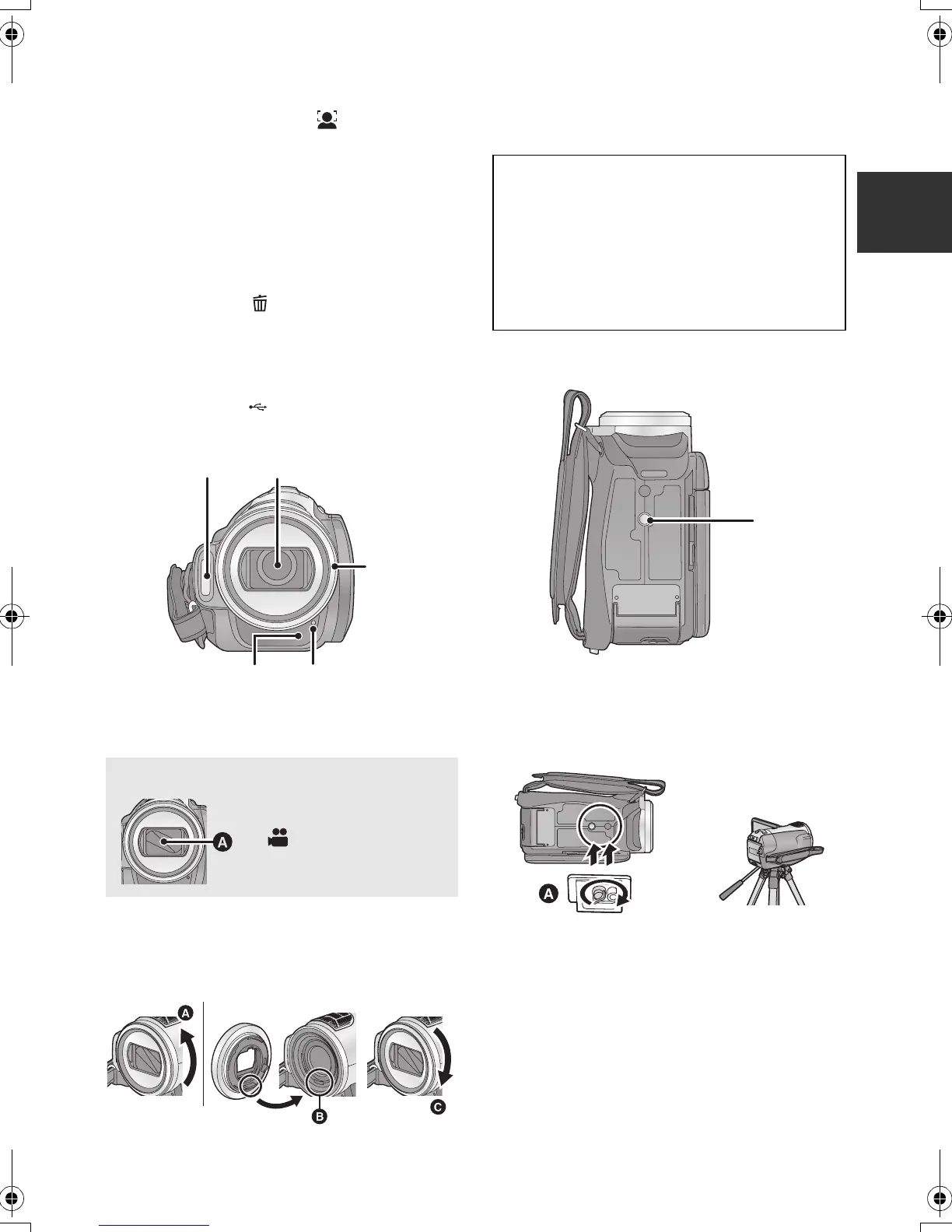
21 Lens (LEICA DICOMAR)
22 Lens hood
Rotate the lens hood counter-clockwise A to
remove it. In order to attach it, place into slot B,
and then rotate it clockwise C.
≥ When fitting the tele conversion lens
(VW-T3714H; optional) or the wide conversion
lens (VW-W3707H; optional), first remove the
lens hood.
23 Remote control sensor (l 19)
24 Recording lamp (l 28)
25 Tripod receptacle
This is a hole for attaching the unit to the optional
tripod. (For details on mounting the tripod, refer
to the operating instructions for the tripod.)
A Camera base
Lens cover A
≥The lens cover opens in
recording mode.
(l 26)
20
21
22
23 24
Be careful about the following.
When 2 lens accessories, such as the ND
filter and tele conversion lens, are fitted and
the zoom lever is pressed toward the W side,
the 4 corners of an image will be darkened.
(Vignetting)
(When fitting 2 lens accessories, first remove
the lens hood and then fit them.)
25
HDCSD9P-VQT1N45_ENG.book 17 ページ 2007年12月26日 水曜日 午後5時57分















 To Next Page