54
VQT1N45
HD hi-speed burst
shooting
72 still pictures are recorded at a rate of 24 per second.
1 Select the menu. (l 27)
[PICTURE] # [HI-SPEED BURST] # [ON]
2 Press the button.
≥ Up to 72 still pictures can be taken in burst mode. ([ ] flashes in
red during recording.)
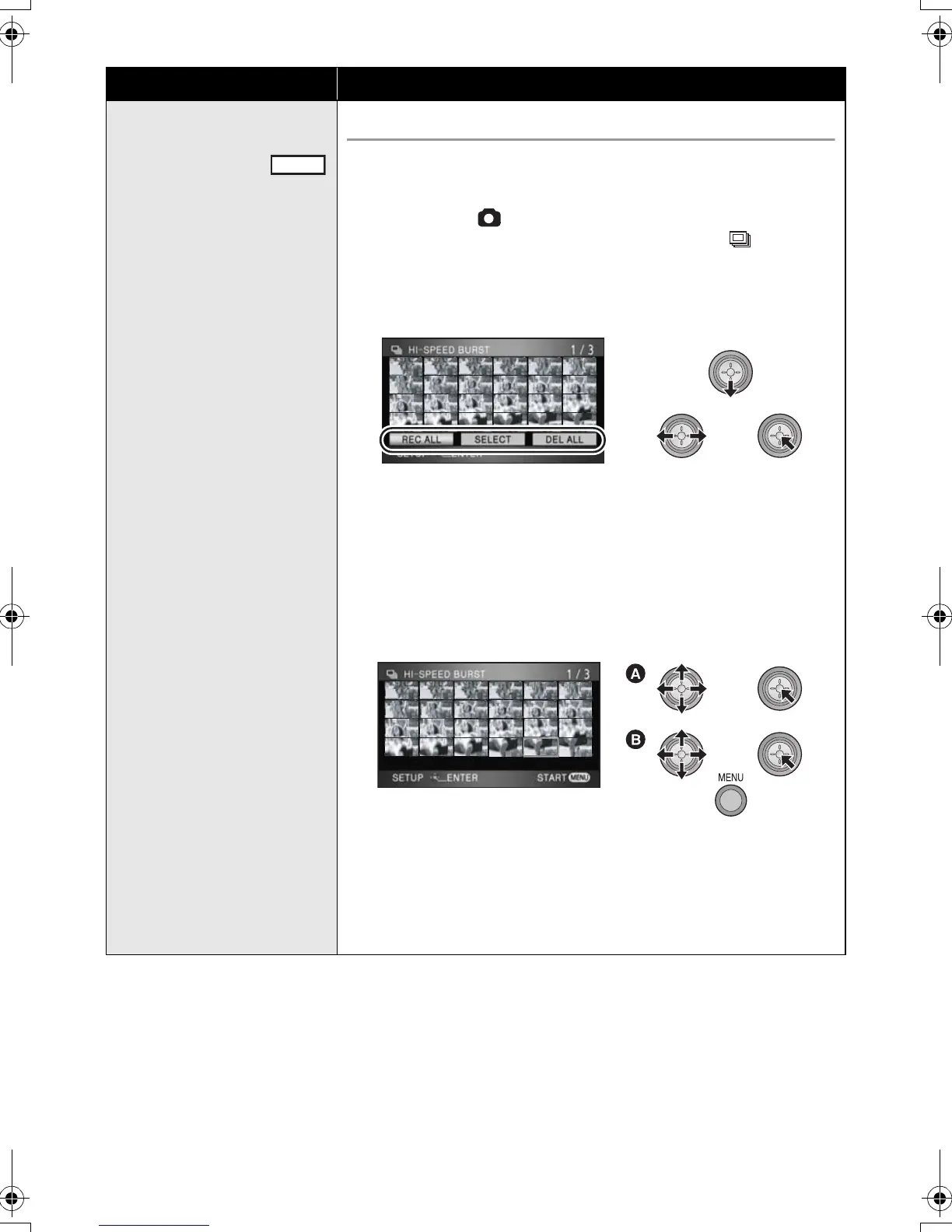
3 Select the setting to save with the cursor
button and press the cursor button.
[REC ALL]: All pictures are stored.
[SELECT]: Pictures in the selected range are stored.
[DEL ALL]: No picture is stored.
≥ Select the thumbnails on the right bottom of the screen with the
cursor button and move the cursor button right to display the next
page.
4 (Only when the [SELECT] is selected)
Select the range of pictures that will be stored.
A Start point
B Finish point
≥ Select the start point and the finish point and enter them using the
MENU button. When the confirmation message appears, select
[YES] and press the cursor button. (Two or more pictures must be
selected.)
Function Effect/Setting method
PHOTO
MENU
HDCSD9P-VQT1N45_ENG.book 54 ページ 2007年12月26日 水曜日 午後5時57分















 To Next Page