Camera Customization – [Setup] Menu
601
[USB]
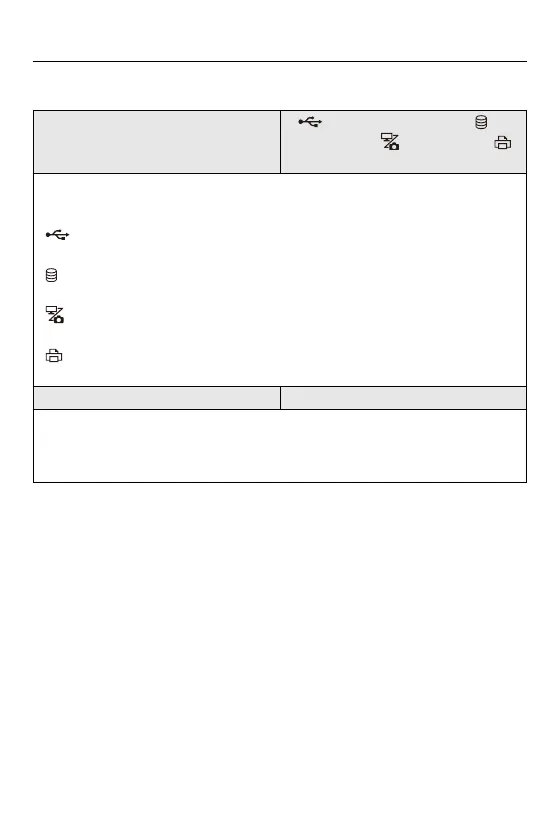
[USB Mode]
`[ ] [Select on connection] / [ ]
[PC(Storage)] / [ ] [PC(Tether)] / [ ]
[PictBridge(PTP)]
This sets the communication method to be used when the USB connection cable is
connected.
[ ] [Select on connection]: Select this setting to select the USB communication
system when connecting to another device. (ÎUSB port: 681)
[ ] [PC(Storage)]: Select this setting to export images to a connected PC.
(ÎImporting Images to a PC: 686)
[ ] [PC(Tether)]: Select this setting to control the camera from a PC installed with
“LUMIX Tether”. (ÎTethered Recording: 693)
[ ] [PictBridge(PTP)]: Select this setting when connecting to a printer that
supports PictBridge. (ÎPrinting: 696)
[USB Power Supply] `[ON] / [OFF]
Provides power from the USB connection cable.
• Even if this item is set to [OFF], power will be supplied when the AC adaptor is
connected.



 To Next Page
 Loading...











