Basic
- 62 -
• If you set [MENU RESUME] (P157) in the [CUSTOM] menu to [ON], the screen shows the last
selected menu item when the camera was turned off.
It is set to [ON] at the time of purchase.
∫ Close the menu
Press [ ] several times or press the shutter button halfway.
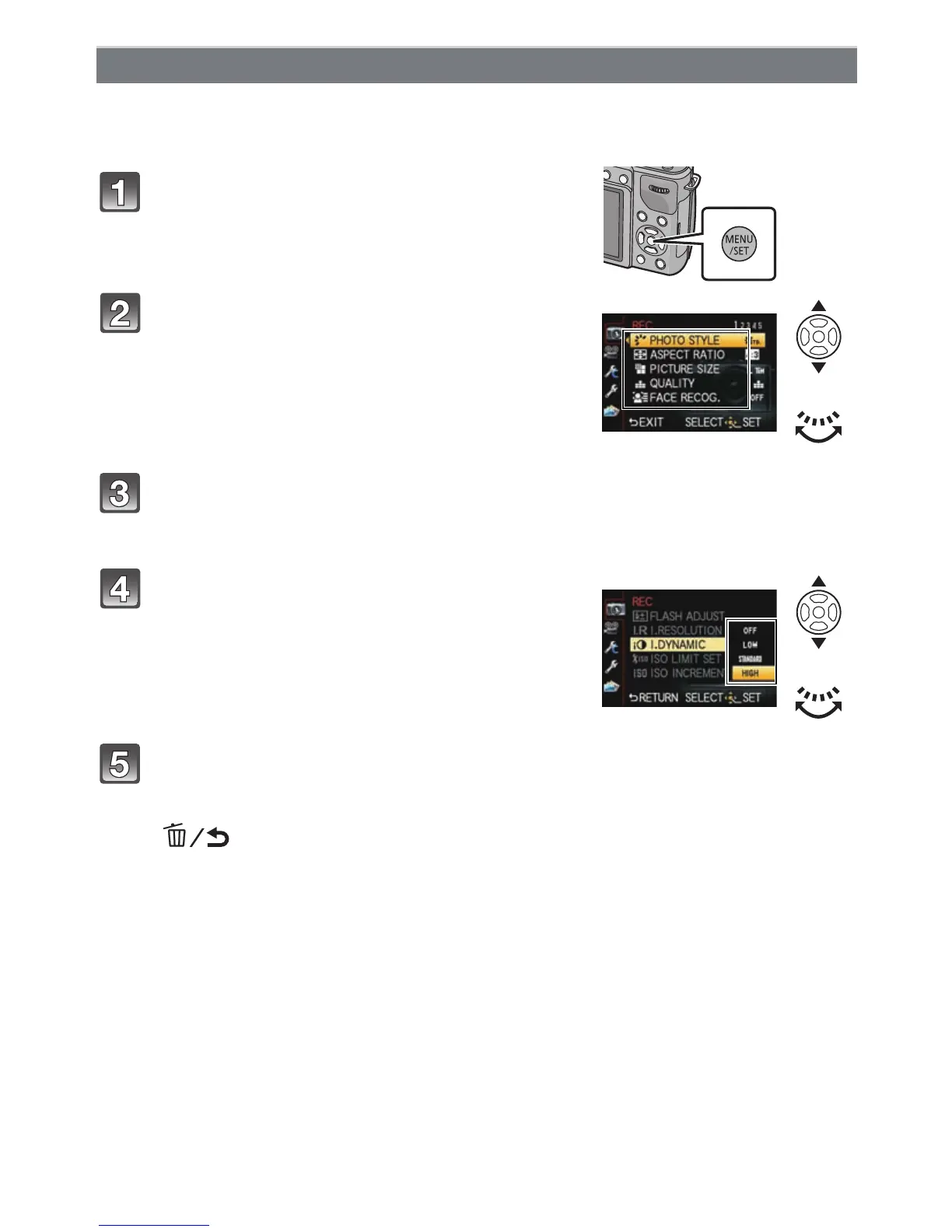
Setting menu items
Press [MENU/SET].
Select the menu item by pressing 3/4 or
by rotating the rear dial.
• Select the item at the very bottom, and press 4 or
rotate the rear dial right to move to the next screen.
Press [MENU/SET] or the rear dial.
• Depending on the menu item, its setting may not appear or it may be displayed in a
different way.
Select the settings by pressing 3/4 or by
rotating the rear dial.
• The figure on the right is an example of setting
[I.DYNAMIC] from [OFF] to [HIGH].
Press [MENU/SET] or the rear dial to set.



 To Next Page
 Loading...











