Playback/Editing
- 164 -
Playback in [NORMAL PLAY], [PICTURE ONLY], [VIDEO ONLY], [3D PLAY],
[CATEGORY PLAY] or [FAVORITE PLAY] can be selected.
1 Select [PLAYBACK MODE] on the [PLAYBACK] Mode menu. (P62)
2 Press 3/4 to select the item and then press [MENU/SET].
•
Refer to P180 for the method to play back [3D PLAY] pictures in 3D.
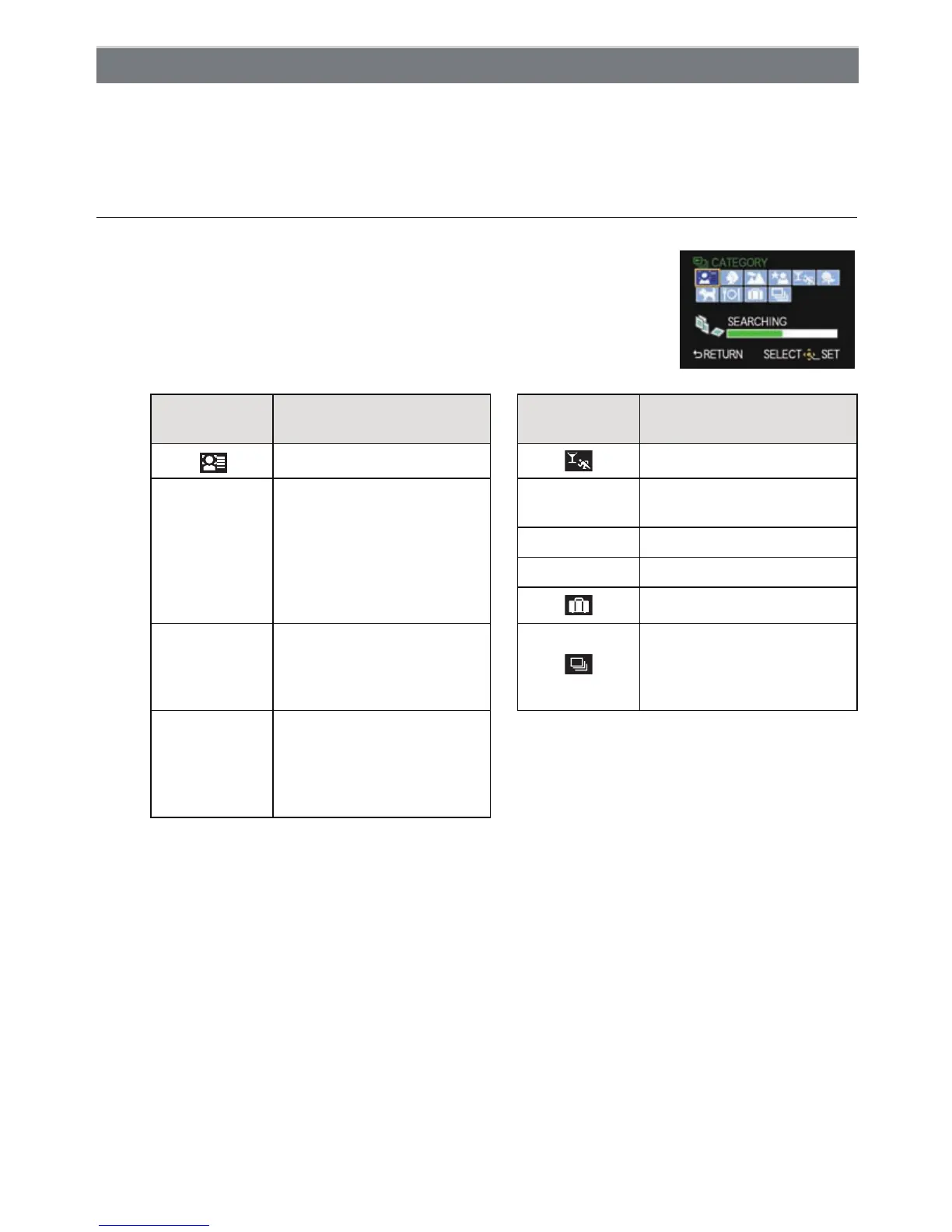
When [CATEGORY PLAY] is selected in above step 2
3
Press 3/4/2/1 to select the category and then press
[MENU/SET] to set.
•
If a picture is found in a category, the category icon turns blue.
• Pictures are sorted into the categories shown below.
¢Press 3/4/2/1 to select the person to play back and then press [MENU/SET].
The whole group with pictures taken with burst settings [SH] will be treated as face
recognition pictures.
[PLAYBACK MODE]
Recording information
e.g. Scene Modes
Recording information
e.g. Scene Modes
[FACE RECOG.]
¢
[SPORTS], [PARTY]
*
[PORTRAIT],
[i-PORTRAIT],
[SOFT SKIN],
[NIGHT PORTRAIT],
[i-NIGHT PORTRAIT],
[BABY1]/[BABY2],
[i-BABY]
Î
[BABY1]/[BABY2],
[i-BABY]
í [PET]
1 [FOOD]
[TRAVEL DATE]
,
[SCENERY],
[i-SCENERY],
[ARCHITECTURE],
[SUNSET],[i-SUNSET]
Still pictures recorded
continuously with burst
speed set to [SH]
.
[NIGHT PORTRAIT],
[i-NIGHT PORTRAIT],
[NIGHT SCENERY],
[i-NIGHT SCENERY],
[ILLUMINATIONS]



 To Next Page
 Loading...











