Recording
- 110 -
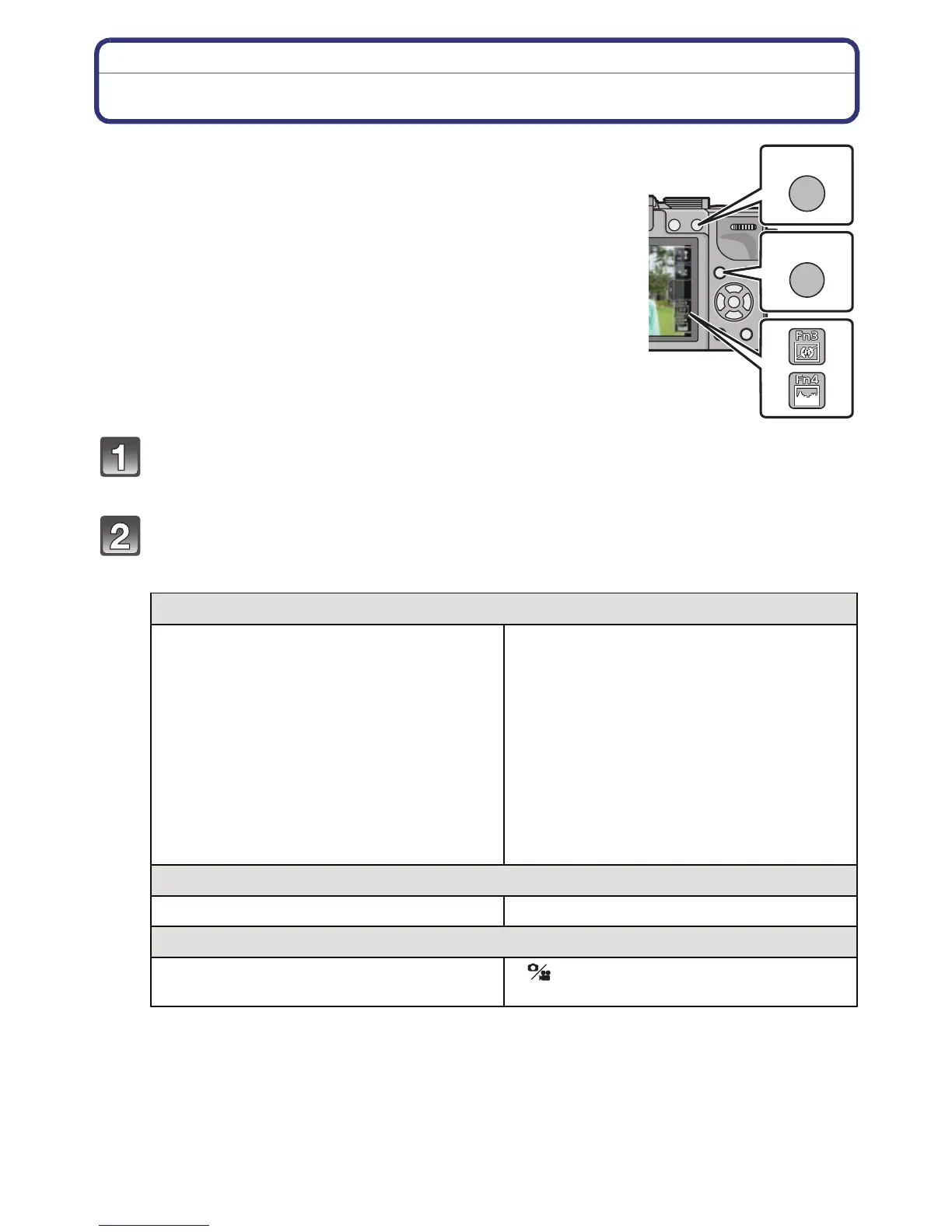
Using the function button
The recording functions etc. registered in the [Fn BUTTON
SET] of the [CUSTOM] menu can be assigned to the [Fn1],
[Fn2] (function) buttons, [Fn3] and [Fn4] icon.
You can use the assigned functions by pressing the buttons for
[Fn1] and [Fn2] and by touching the icons for [Fn3] and [Fn4].
•
To use [Fn2], set the [AF/AE LOCK /Fn2] of the [CUSTOM] menu
to [Fn2].
Select [Fn1], [Fn2], [Fn3] or [Fn4] from the [Fn BUTTON SET] in the
[CUSTOM] menu and press [MENU/SET].
Select the function you want to assign and press [MENU/SET].
• Assign your favorite function to [Fn1], [Fn2], [Fn3] and [Fn4].
• Exit the menu after it is set.
[REC] Mode menu/Recording functions
•
[ONE PUSH AE] (P112)
• [PREVIEW] (P113)
• [LEVEL GAUGE] (P38)
• [FOCUS AREA SET]
• [PHOTO STYLE] (P136)
• [ASPECT RATIO] (P138)
• [PICTURE SIZE] (P138)
• [QUALITY] (P139)
• [METERING MODE] (P140)
• [FLASH] (P78)
• [FLASH ADJUST.] (P142)
• [I.RESOLUTION] (P142)
• [I.DYNAMIC] (P142)
• [EX. TELE CONV.]
(still pictures/motion pictures) (P144)
• [DIGITAL ZOOM] (P76)
• [STABILIZER] (P74)
• [SENSITIVITY] (P108)
• [WHITE BALANCE] (P103)
• [AF MODE] (P91)
• [DRIVE MODE] (Single (P35)/Burst (P84)/
Auto bracket (P86)/Self-timer (P89))
[MOTION PICTURE] Mode menu
•
[MOTION PIC. SET] (P146 , 147) • [PICTURE MODE] (P148)
[CUSTOM] menu
•
[HISTOGRAM] (P150)
• [GUIDE LINE] (P151)
• [ REC AREA] (P155)
モョバモユチロヰヤレ
ョㄏビ
ョㄏヒ



 To Next Page
 Loading...











