EasyManua.ls Logo

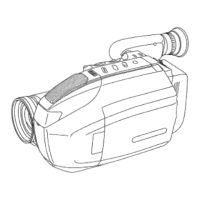
Panasonic Palmcoder PalmSight PV-L51 - Four-Speed Power ZOOM; Backlioh Toscanini Dera Snein Ninindss PA

Panasonic Palmcoder PalmSight PV-L51
44 pages
Print Icon
To Next Page IconTo Next Page
To Previous Page IconTo Previous Page
Loading...
Four-Speed
Power
Zoom
Zoom
in
(close
up)
and
out
(wide
angle)
in
one
of
four
speeds
ranging
from
slow
(16
seconds)
to
fast
(2
seconds).
Before
you
begin...
+
Connect
Camcorder
to
power
source.
*
Set
POWER
to
CAMERA.
Zoom
In
(“T”)
W
U
R
Zoom
Out
(“W”)
«Zoom
slowly:
Lightly
press
“T”
(telephoto)
or
“W”
(wide
angle)
POWER
ZOOM
button.
s
Zoom
quickly:
Apply
more
pressure
to
the
button.
OQngagagnnanndnaganndoannoonoananoadnaonganangnsonoagoanpangaaAoag
Backlight
Before
you
begin...
*
Connect
Camcorder
to
power
source.
<
Set
POWER
to
CAMERA.
Use
when
subject
is
darker
than
Surroundings,
in
shadowed
area,
or
in
front
of
the
light
source.
Press
BACKLIGHT
while
recording
to
S
H
select
the
level
of
backlight
compensation.
LADA
La
o
In
normal
lighting,
press
BACKLIGHT
(DETE.
repeatedly
until
no
indicator
is
displayed.
EVF
or
LCD
Monitor
Normal
(No
Indication)
Oo
First
press
n
(Low)
Second
pre
O
Medium)
O
Third
press
(High)
Fourth
press
Press
BACKLIGHT.
23

Related product manuals