EasyManua.ls Logo

Panasonic Palmcoder PalmSight PV-L51 - Digital ZOOM Cita

Panasonic Palmcoder PalmSight PV-L51
44 pages
Print Icon
To Next Page IconTo Next Page
To Previous Page IconTo Previous Page
Loading...
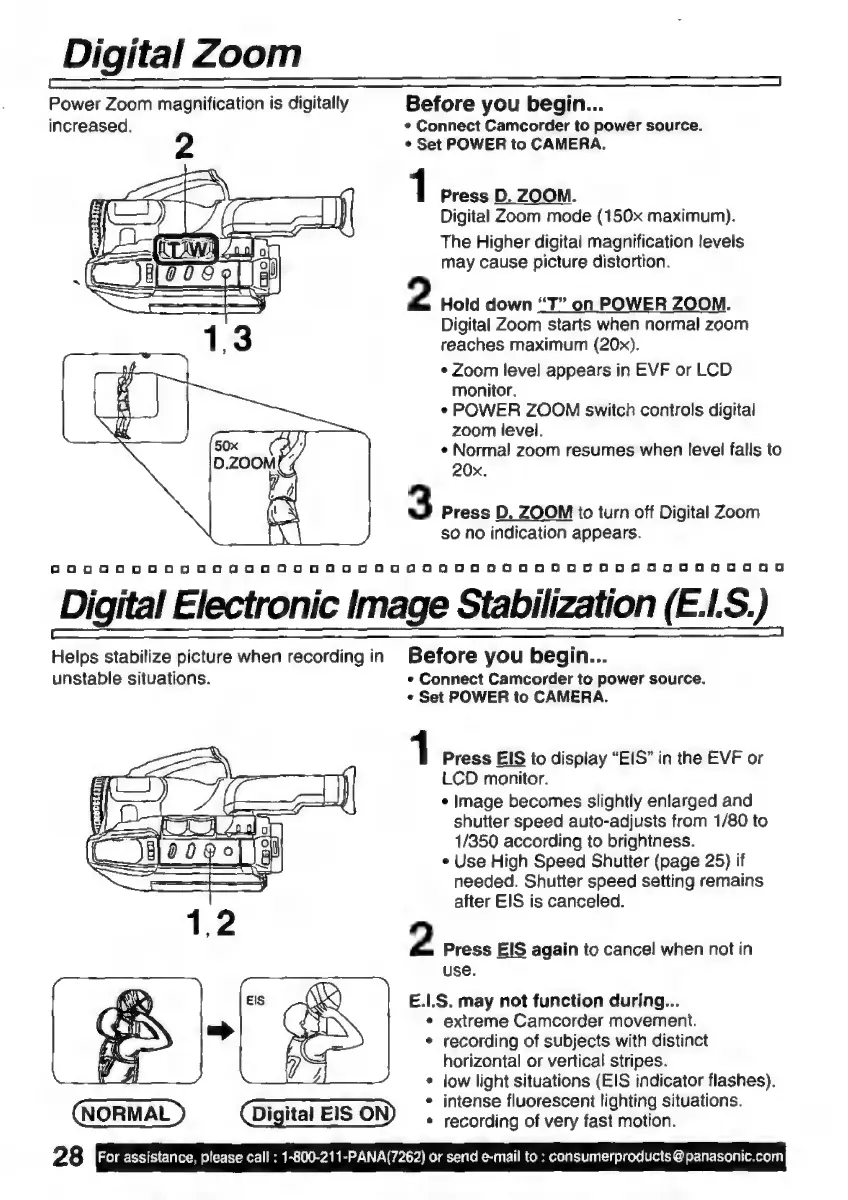
Digital
Zoom
Power
Zoom
magnification
is
digitally
Before
you
begin...
increased.
¢
Connect
Camcorder
to
power
source.
+
Set
POWER
to
CAMERA.
1
Press
D.
ZOOM.
Digital
Zoom
mode
(150x
maximum).
The
Higher
digital
magnification
levels
may
cause
picture
distortion.
2
Hold
down
“T”
on
POWER
ZOOM.
Digital
Zoom
starts
when
normal
zoom
reaches
maximum
(20x).
*
Zoom
level
appears
in
EVF
or
LCD
monitor.
s
POWER
ZOOM
switch
controls
digital
zoom
level.
+
Normal
zoom
resumes
when
level
falls
to
20x.
3
Press
D.
ZOOM
to
turn
off
Digital
Zoom
so
no
indication
appears.
(00000000
Dp
0968
DO0DH0p
00900680
D
6090060000068
DOQ
09000009
09
Digital
Electronic
Image
Stabilization
(E.I.S.)
Helps
stabilize
picture
when
recording
in
Before
you
begin...
unstable
situations.
e
Connect
Camcorder
to
power
source.
«
Set
POWER
to
CAMERA.
1
Press
EIS
to
display
“EIS”
in
the
EVF
or
LCD
monitor.
¢
Image
becomes
slightly
enlarged
and
shutter
speed
auto-adjusts
from
1/80
to
1/350
according
to
brightness.
e
Use
High
Speed
Shutter
(page
25)
if
needed.
Shutter
speed
setting
remains
after
EIS
is
canceled.
2
Press
EIS
again
to
cance!
when
not
in
use.
E.
l
.S.
may
not
function
during...
s
extreme
Camcorder
movement.
e
recording
of
subjects
with
distinct
horizontal
or
vertical
stripes.
low
light
situations
(EIS
indicator
flashes).
EZ
S
*
intense
fluorescent
lighting
situations.
NORMAL
Digital
EIS
ON
*
recording
of
very
fast
motion.
28
For
assistance,
please
call
:
1-800-211-PANA(7262)
or
send
e-mail
to
:
consumerproducts
@
panasonic.com

Related product manuals