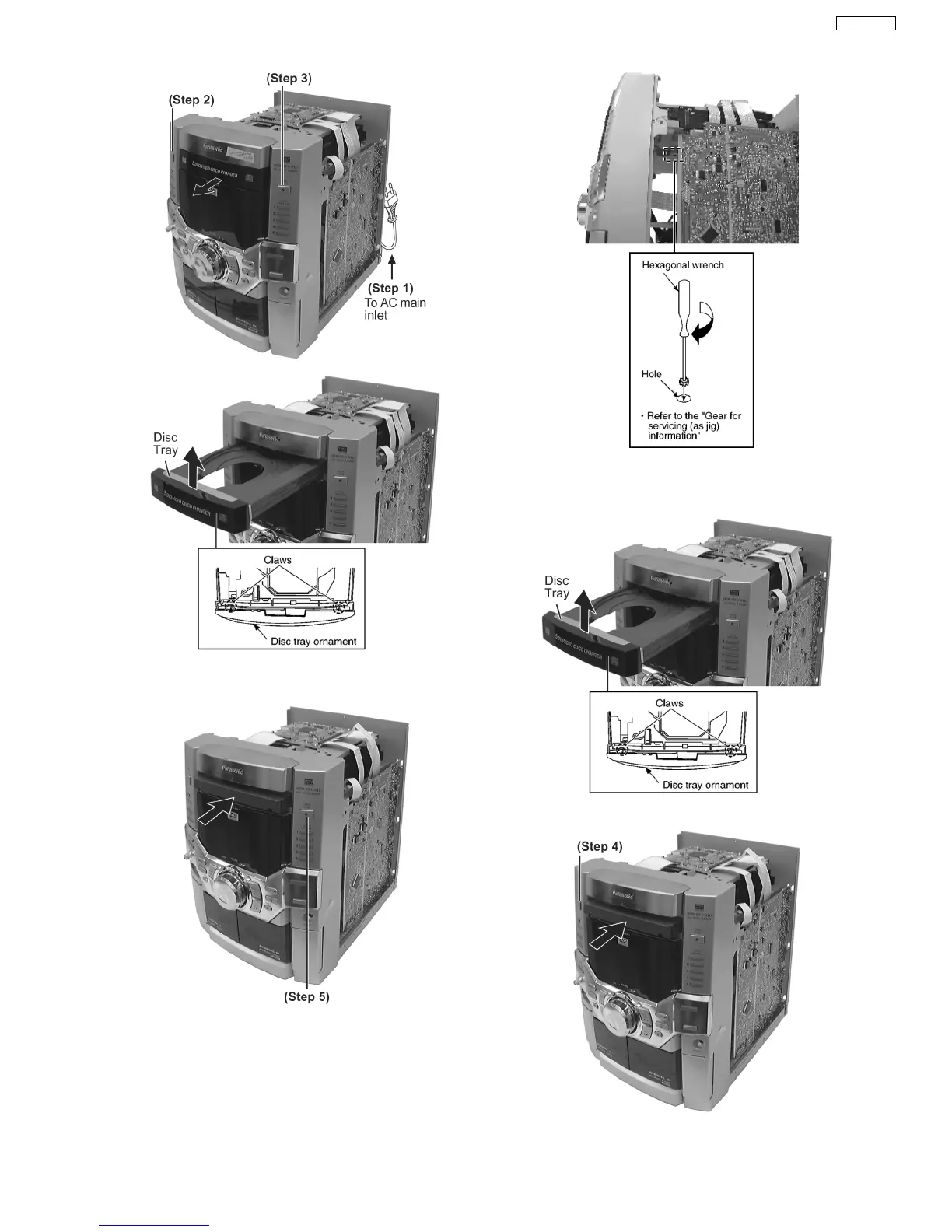
Step 4 Release the 2 claws, and then remove the Top
Ornament Unit.
Step 5 Press the OPEN/CLOSE button, the disc tray will be
close.
[Open the disc tray manually (Using service tools)]
Step 1 Insert the gear tool into the hole on the underside of
changer chasis and then rotate in the direction of arrow. The
disc tray will be open.
Step 2 Release the 2 claws, and then remove the CD lid cover.
Step 3 Repeat Step 1 but rotate in anti-clockwise direction.
33
SA-VK61DEE








 To Next Page