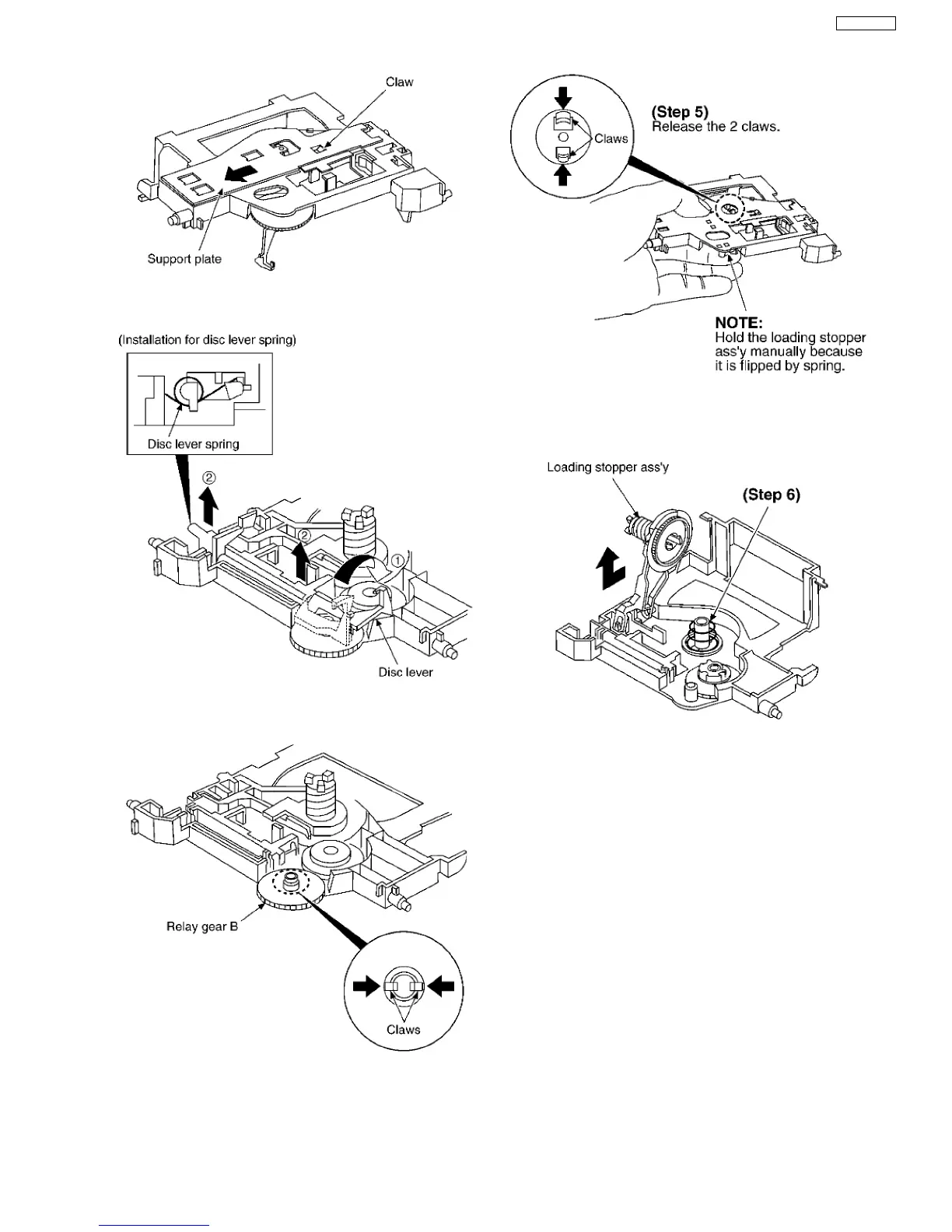
Step 3 Rotate the disc lever in the direction of arrow (1), draw
the disc lever.
NOTE:
Take care not to lose the disc lever spring.
Step 4 Release the 2 claws, and then draw the relay gear B.
Step 5 Release the 2 claws as shown below.
NOTE:
Hold the loading stopper ass’y manually bacause it is flipped by
spring.
Step 6 Remove the cushion spring.
Step 7 Remove the loading stopper ass’y in the direction of
arrow.
45
SA-VK61DEE








 To Next Page