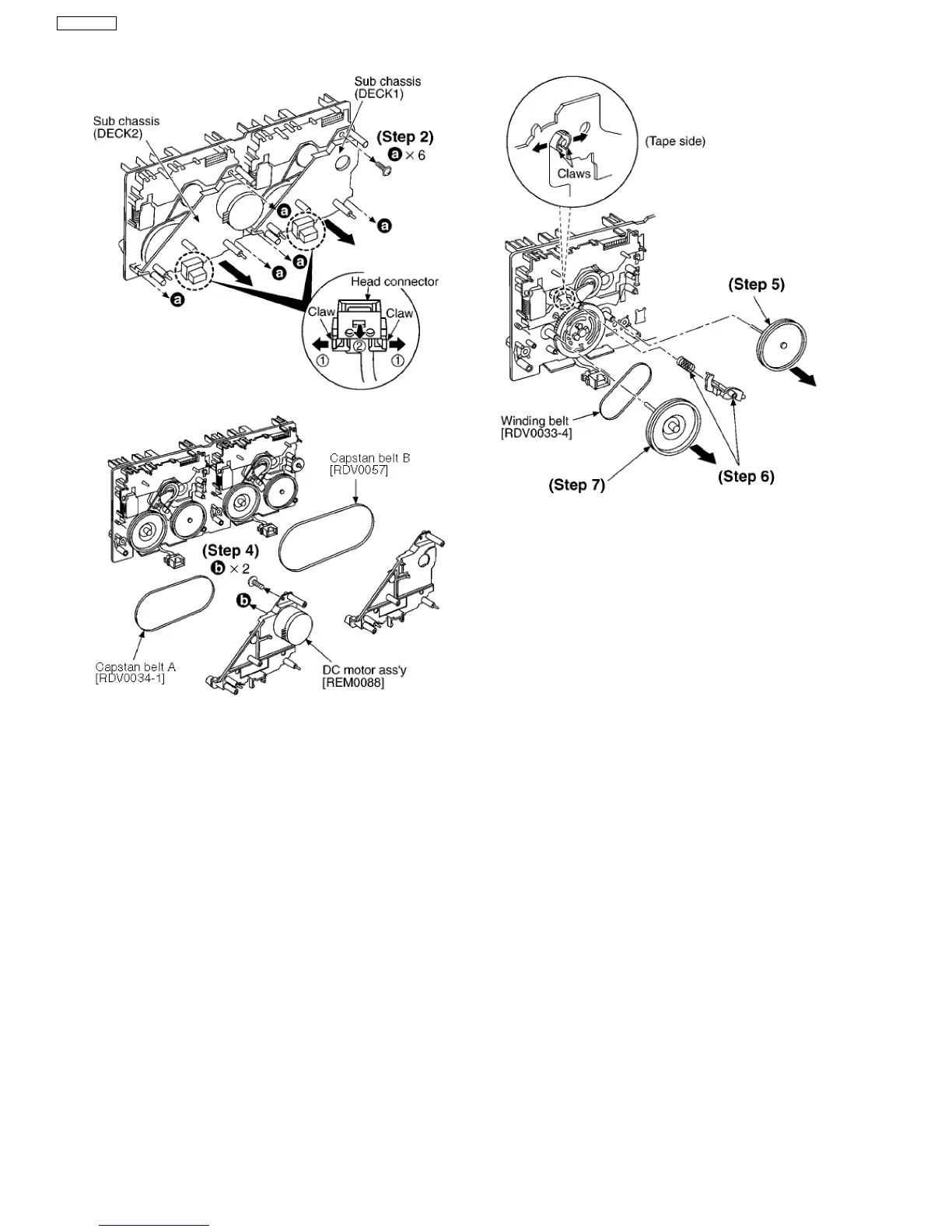
Step 4 Remove 2 screws.
Step 5 Remove the flywheel R.
Step 6 Release the claw of tape side, and then remove the
winding lever and spring.
Step 7 Remove the flywheel F.
[Installation of the belt]
Step 1 The boss and marking should be positioned
horizontally.
52
SA-VK61DEE








 To Next Page