b. If NO is selected, only the recovery process is applied.
5. a. When the version upgrade process is complete, a message of completion appears on the screen. Remove the disc.
b. Follow the instruction appearing on the screen, and remove the disc.
6. Turn off the power.
16.5. Total Usage Time Display
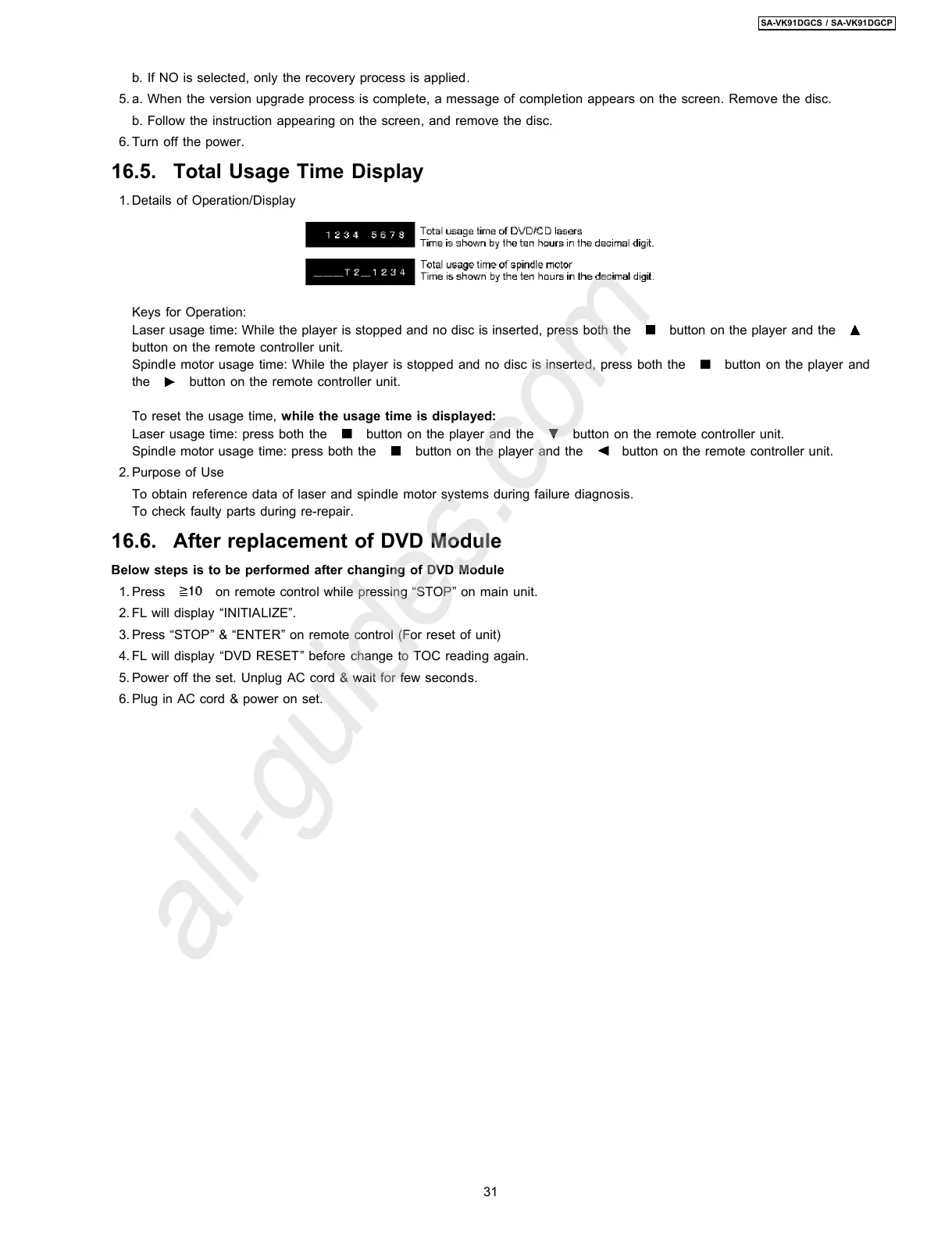
1. Details of Operation/Display
Keys for Operation:
Laser usage time: While the player is stopped and no disc is inserted, press both the
button on the player and the
button on the remote controller unit.
Spindle motor usage time: While the player is stopped and no disc is inserted, press both the
button on the player and
the
button on the remote controller unit.
To reset the usage time, while the usage time is displayed:
Laser usage time: press both the
button on the player and the button on the remote controller unit.
Spindle motor usage time: press both the
button on the player and the button on the remote controller unit.
2. Purpose of Use
To obtain reference data of laser and spindle motor systems during failure diagnosis.
To check faulty parts during re-repair.
16.6. After replacement of DVD Module
Below steps is to be performed after changing of DVD Module
1. Press
on remote control while pressing “STOP” on main unit.
2. FL will display “INITIALIZE”.
3. Press “STOP” & “ENTER” on remote control (For reset of unit)
4. FL will display “DVD RESET” before change to TOC reading again.
5. Power off the set. Unplug AC cord & wait for few seconds.
6. Plug in AC cord & power on set.
31
SA-VK91DGCS / SA-VK91DGCP








 To Next Page