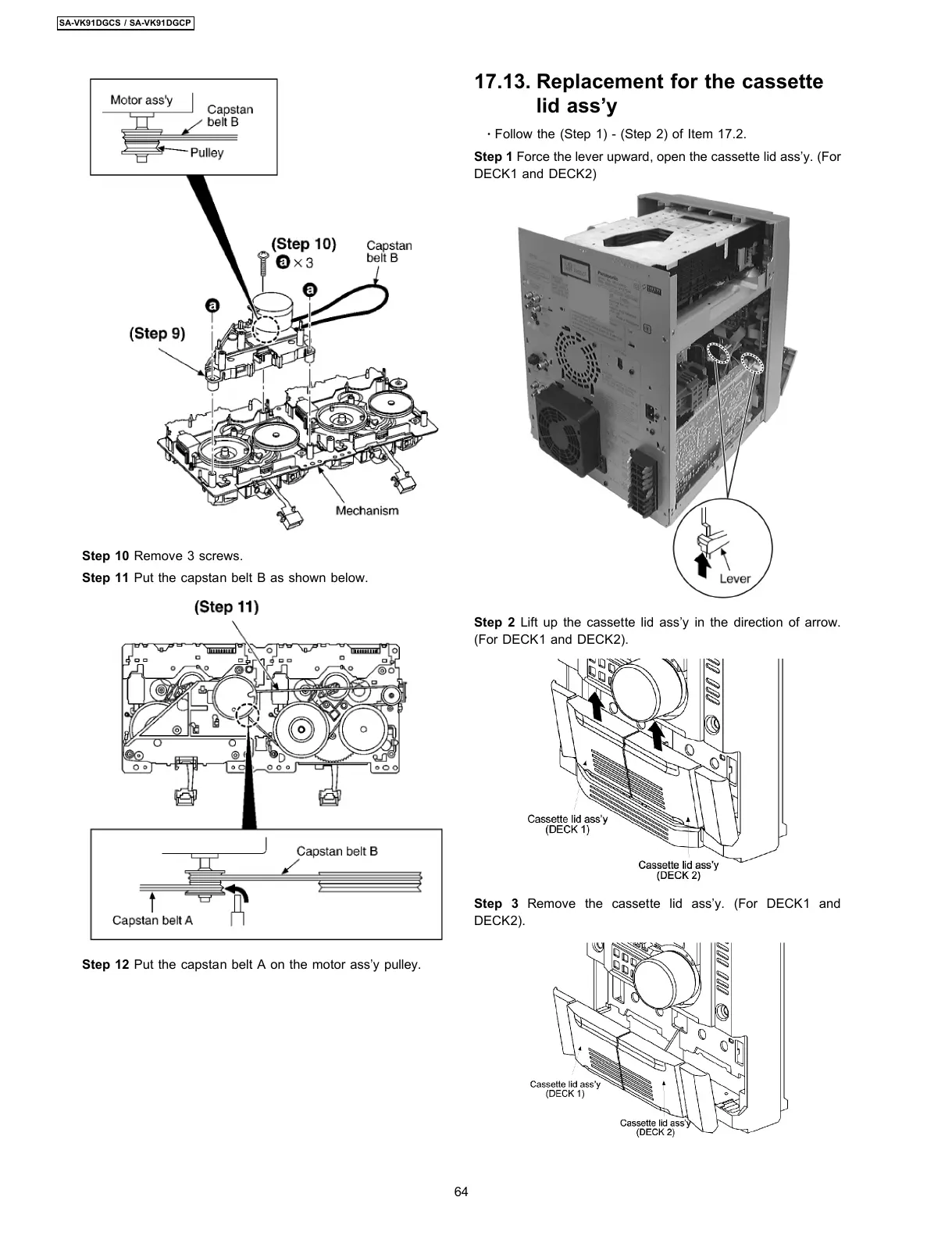
Step 10 Remove 3 screws.
Step 11 Put the capstan belt B as shown below.
Step 12 Put the capstan belt A on the motor ass’y pulley.
17.13. Replacement for the cassette
lid ass’y
·
Follow the (Step 1) - (Step 2) of Item 17.2.
Step 1 Force the lever upward, open the cassette lid ass’y. (For
DECK1 and DECK2)
Step 2 Lift up the cassette lid ass’y in the direction of arrow.
(For DECK1 and DECK2).
Step 3 Remove the cassette lid ass’y. (For DECK1 and
DECK2).
64
SA-VK91DGCS / SA-VK91DGCP








 To Next Page