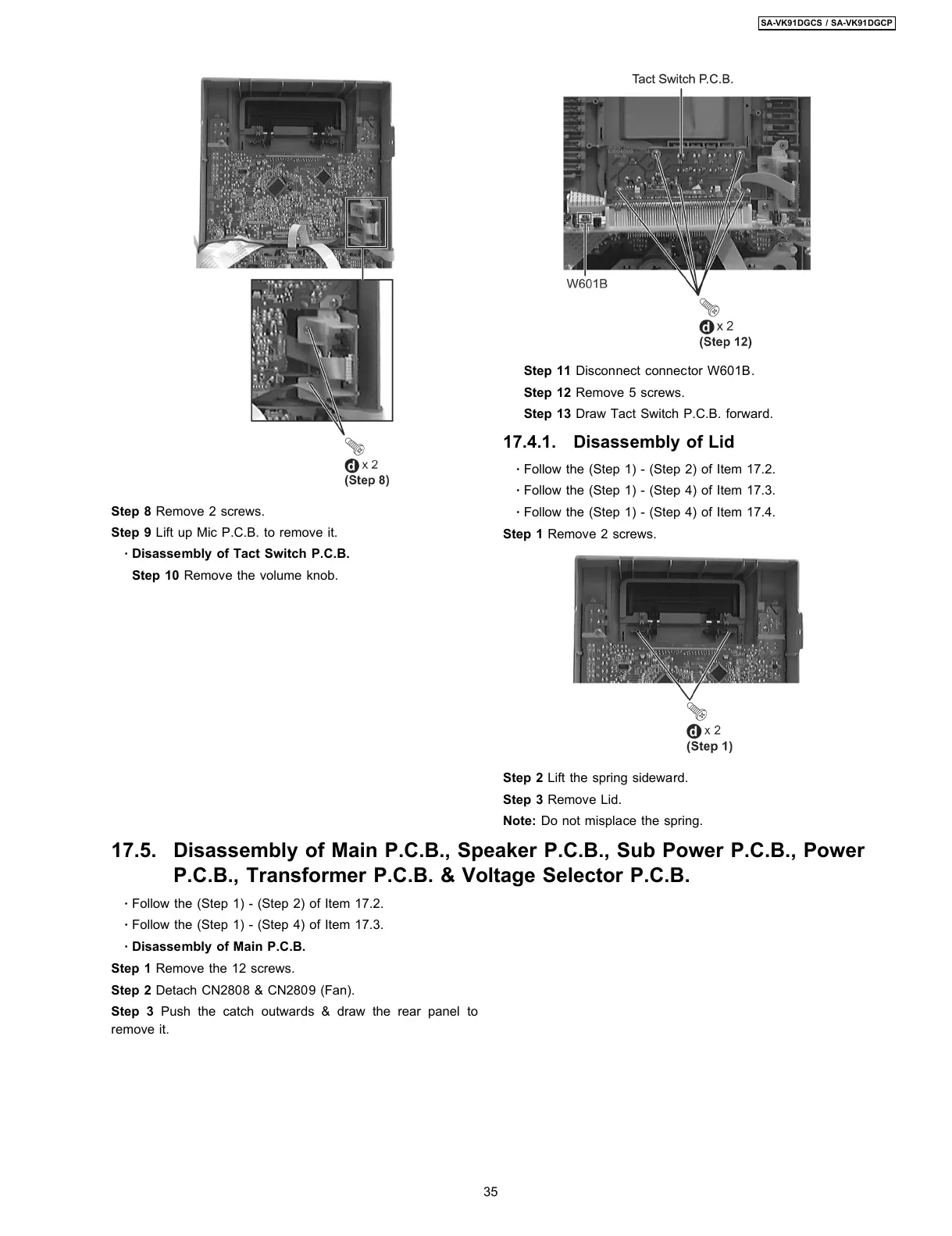
Step 8 Remove 2 screws.
Step 9 Lift up Mic P.C.B. to remove it.
·
Disassembly of Tact Switch P.C.B.
Step 10 Remove the volume knob.
·
Follow the (Step 1) - (Step 2) of Item 17.2.
·
Follow the (Step 1) - (Step 4) of Item 17.3.
·
Disassembly of Main P.C.B.
Step 1 Remove the 12 screws.
Step 2 Detach CN2808 & CN2809 (Fan).
Step 3 Push the catch outwards & draw the rear panel to
remove it.
Step 11 Disconnect connector W601B.
Step 12 Remove 5 screws.
Step 13 Draw Tact Switch P.C.B. forward.
17.4.1. Disassembly of Lid
·
Follow the (Step 1) - (Step 2) of Item 17.2.
·
Follow the (Step 1) - (Step 4) of Item 17.3.
·
Follow the (Step 1) - (Step 4) of Item 17.4.
Step 1 Remove 2 screws.
Step 2 Lift the spring sideward.
Step 3 Remove Lid.
Note: Do not misplace the spring.
17.5. Disassembly of Main P.C.B., Speaker P.C.B., Sub Power P.C.B., Power
P.C.B., Transformer P.C.B. & Voltage Selector P.C.B.
35
SA-VK91DGCS / SA-VK91DGCP








 To Next Page