9.1. Driver Set-up
9.1.1. Item / Preparation
1. Input an APL 100 % white signal.
2. Set the picture controls: -
Picture mode: Normal
White balance: Cool
Aspect: 16:9
9.1.2. Adjustments
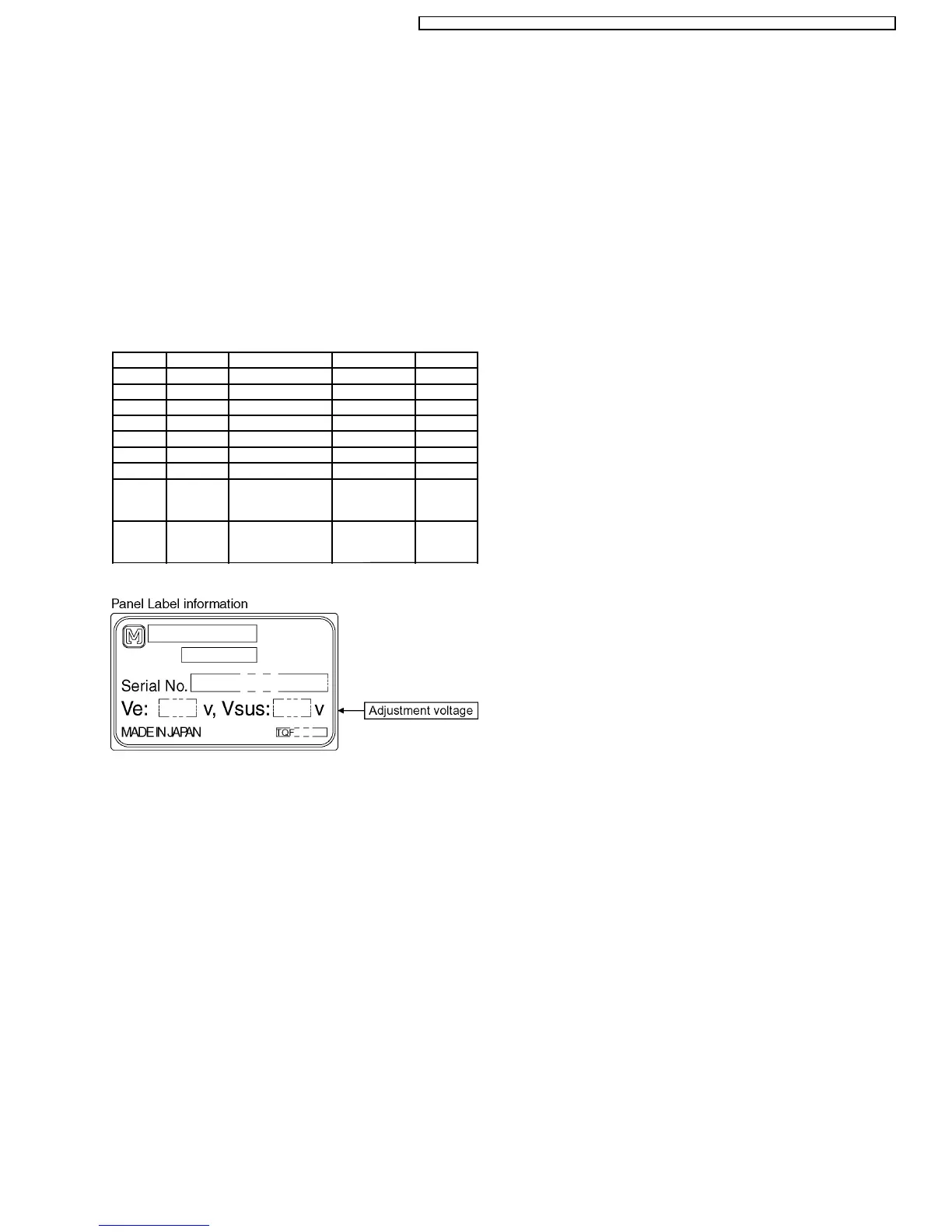
Adjust driver section voltages referring the panel data on the
panel data label.
Name Test Point Voltage Volume Remarks
Vsus TPVSUS 173V ± 2V R641 (P)
Ve TPVE 150V ± 1V VR6070 (SS)
Vda TPVDA 75V ± 1V R665 (P)
Vad TPVAD -85V ± 1V VR6477 (SC)
Vscn TPVSCN Vad+ 120V ± 4V ---
Vset TPVSET 220V ± 7V ---
PFC C448 (+)(-) 395V ± 0.5V R443 (P)
Vdat C560 (+)(-) 77V ± 0.1V R661 (P) load
current :
0.4A
Vsus TPVsus 163V ± 1V R608 (P) load
current :
2.0A
*See the Panel label.
9 Adjustment Procedure
17
TH-50PHW7BX / TH-50PHW7EX / TH-50PHD7EK / TH-50PHD7ES / TH-50PHD7BK / TH-50PHD7BS / TH-50PHD7UY






 To Next Page