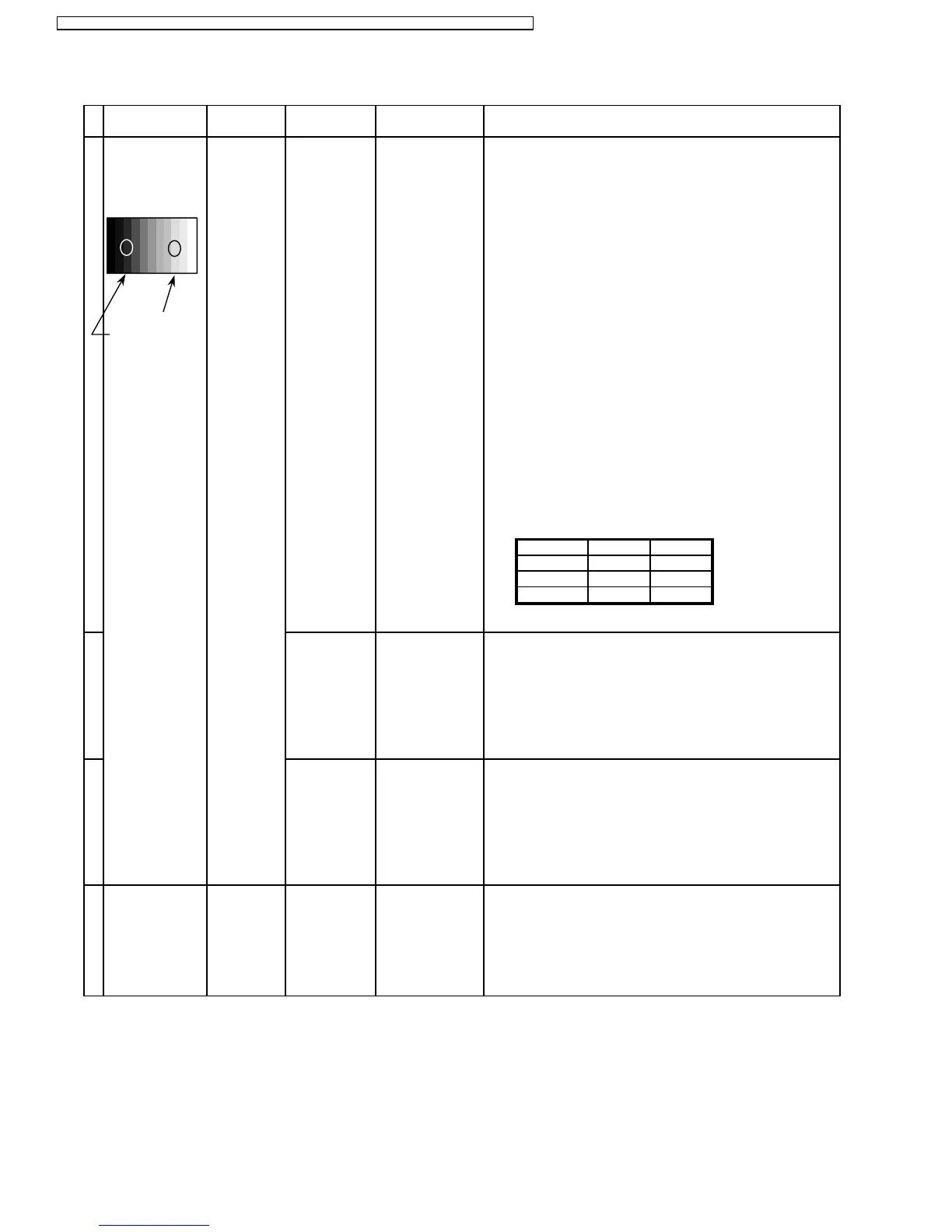
11.2. HD/ 525i /525p /625i /625p panel white balance
1
HD
(720i or 1080i) Color Picture:
Gray Scale Analyzer Normal
Pattern
White balance:
Cool
Aspect: PANEL W/B
16:9 G cut off 1) Set G cut off to " 80 ".
PANEL W/B
B cut off
R cut off
High light 75%
Sub Adjust
Low light 15%
Sub Bright
2)Find 75% of white area by color sensor.
PANEL W/B
G Drive 3) Set G Drive to " E8 ".
PANEL W/B
B Drive 4) Adjust B and R Drive to set color temperature
R Drive as shown Fig.-04.
PANEL W/B
R,G,B Drive 5) Increase same steps of R, G and B Drive to set
R,G,B Drive largest level of 3 color drive to "FC".
PANEL W/B
R,G,B cut off
Color Temp. x y
Cool(Hi) 0.276 0.276
Normal(Mid) 0.288 0.296
Warm(Low) 0.313 0.329
Fig. -04
2 Picture: 1) Change white balance to "Normal".
Normal PANEL W/B
White balance: R,G,B cut off 2) Repeat procedure 1) to 5) of Cool mode.
Normal PANEL W/B
Aspect: R,G,B Drive
16:9
3 Picture: 1) Change white balance to "Warm".
Normal PANEL W/B
White balance: R,G,B cut off 2) Repeat procedure 1) to 5) of Cool mode.
Warm PANEL W/B
Aspect: R,G,B Drive
16:9
4 Picture: Picture Menu 1) Change color templature to "Cool".
Normal Sub Adjust
White balance: Sub Bright
Cool
Aspect:
16:9
INPUT Alignment menu ProcedureEquipment Setting
26
TH-50PHW7BX / TH-50PHW7EX / TH-50PHD7EK / TH-50PHD7ES / TH-50PHD7BK / TH-50PHD7BS / TH-50PHD7UY






 To Next Page