EasyManua.ls Logo

Panasonic TH-58PH10BK - User Manual

Panasonic TH-58PH10BK
145 pages
Print Icon
To Next Page IconTo Next Page
Loading...
© 2007 Matsushita Electric Industrial Co., Ltd. All
rights reserved. Unauthorized copying and
distribution is a violation of law.
TH-58PH10BK
TH-58PH10EK
GPH10D Chassis
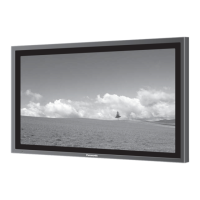
High Definition Plasma Display
Specifications
Power Source 220-240 V AC, 50/60 Hz
Power Consumption
Powe
r
on 630 W
Stand-b
y
condi
t
ion Save OFF 0.8 W, Save ON 0.6 W
Powe
r
off condi
t
ion 0.3 W
Plasma Displa
y
panel Drive method: AC type 58-inch,
16:9 aspe
c
t ratio
Screen size 1,287 mm (W) × 723 mm (H) × 1,476 mm (diagonal)
(No. of pixels) 1,049,088 (1,366 (W) × 768 (H)) [4,098 × 768 dots]
Operating condition
Temperature 0 °C - 40 °C
Humidit
y
20 % - 80 %
Applicable signals
Colo
r
System NTSC, PAL, PAL60, SECAM, Modified NTSC
Scanning format 525 (480) / 60i 60p, 625 (575)
/
50i 50p, 750 (720)
/
60p 50p, 1125 (1080) / 60i 50i 24p 25p
30p 24sF .... SMPTE274M, 1250 (1080) / 50i
PC signals VGA, SVGA, XGA,
SXGA, UXGA ..... (compressed)
Horizontal scanning frequenc
y
15 - 110 kHz
Vertical scanning frequenc
y
48 - 120 Hz
Connection terminals
VIN VIDEO IN (BNC) 1.0 Vp-p (75-ohm)
S VIDEO IN (MINI DIN 4PIN) Y: 1.0 Vp-p (75-ohm), C: 0.286 Vp-p (75-ohm)
A
UDIO IN (RCA PIN JACK × 4) 0.5 Vrms (high impedance)
PC IN (HIGH-DENSITY MINI-D-SUB 15PIN)
Y
o
r
G with syn
c
1.0 Vp-p (75-ohm)
Y
o
r
G without syn
c
0.7 Vp-p (75-ohm)
B
/
P
B
/
C
B
:0.7 Vp-p (75-ohm)
R
/
P
R
/
C
R
:0.7 Vp-p (75-ohm)
HD
/
VD:1.0 - 5.0 Vp-p (high impedance)
VBS (use HD port) with picture 1.0 Vp-p (high impedance)
ORDER NO. PCZ0706065CE


Table of Contents

Questions and Answers

  • K
    Katherine IngramAug 18, 2025
    How to fix no sound on my Panasonic Monitor?
    • K
      Katherine ParkerAug 19, 2025
      If there is no sound on your Panasonic Monitor, it might be because the mute function has been activated on the remote control. Check the remote to see if the mute function is on and deactivate it.
  • M
    Megan FranklinAug 21, 2025
    What to do if there is no picture on my Panasonic TH-58PH10BK Monitor?
    • G
      Gene RichardsonAug 21, 2025
      If your Panasonic Monitor shows no picture, ensure that the monitor is plugged into an AC outlet and switched on. Try pressing the power switch or the stand-by button on the remote control.
  • R
    Robert BaileyAug 23, 2025
    Why is my Panasonic TH-58PH10BK remote control not working?
    • D
      davidsmithAug 23, 2025
      If the remote control for your Panasonic Monitor isn't working, the batteries may be discharged or not inserted correctly; check them. Also, make sure the remote control sensor isn't exposed to bright light, like outdoor light or strong fluorescent light. Finally, confirm you're using the correct remote designed for your unit, as other remotes won't work.
  • C
    Charles ZimmermanAug 26, 2025
    How to prevent image retention on Panasonic Monitor?
    • M
      Michele McconnellAug 26, 2025
      To prevent image retention on your Panasonic Monitor, avoid displaying still pictures for extended periods. Displaying a still picture for a long time can cause a permanent image retention.
  • M
    Michele RossAug 27, 2025
    Why does it take a while for the picture to appear on my Panasonic TH-58PH10BK Monitor?
    • S
      Stacy HallAug 28, 2025
      It may take a few moments for the picture to appear on your Panasonic Monitor when the power is turned on, when the input has been switched, or when the images for the main picture and sub picture on the two screens are swapped. This is because the unit digitally processes the various signals.
  • H
    Heather WardAug 30, 2025
    How to fix cut off picture when using zoom on Panasonic TH-58PH10BK Monitor?
    • A
      Alexandra DavisAug 30, 2025
      If the top or bottom of the picture is cut off when using the zoom function on your Panasonic Monitor, adjust the position of the picture on the screen.
  • J
    Jesse DanielsSep 1, 2025
    Why are there missing image areas when I use the zoom function on my Panasonic TH-58PH10BK Monitor?
    • J
      Jessica MiddletonSep 1, 2025
      When using video software with a screen wider than the 16:9 mode on your Panasonic Monitor, blank areas separate from the images are formed at the top and bottom of the screen.
  • A
    alvaradochristopherSep 3, 2025
    Why does the screen darken on my Panasonic Monitor when showing bright pictures?
    • J
      jonathan20Sep 3, 2025
      The screen on your Panasonic Monitor may darken slightly when bright pictures with minimal movements are shown to reduce image retention and prevent shortening the screen’s service life. This is normal.
  • L
    Lisa PhillipsSep 6, 2025
    Why does my Panasonic TH-58PH10BK make whirring sounds?
    • J
      John CuevasSep 6, 2025
      The whirring sound from your Panasonic Monitor is caused by the cooling fan, which dissipates heat generated during normal use. This is normal.
  • M
    Mrs. Amber Newton MDSep 8, 2025
    Why do the edges of the images flicker on my Panasonic TH-58PH10BK?
    • C
      Christine HamiltonSep 8, 2025
      The flickering edges on your Panasonic Monitor are due to the characteristics of the system used to drive the panel and are normal.

Panasonic TH-58PH10BK Specifications

General IconGeneral
BrandPanasonic
ModelTH-58PH10BK
CategoryMonitor
LanguageEnglish

Related product manuals