9 Adjustment Procedure
9.1. Cut off Adjustment
Preparation
Picture Menu : Dynamic WB-B-G-ST1 : 255
C Temp : Standard High-R/B : 128
AI : ON Low-RGB : 640
P-NR : AUTO
Scan Mode : 100Hz (PAL)
Screen VR : Full Counterclockwise B-Limit : 255
Adjustment
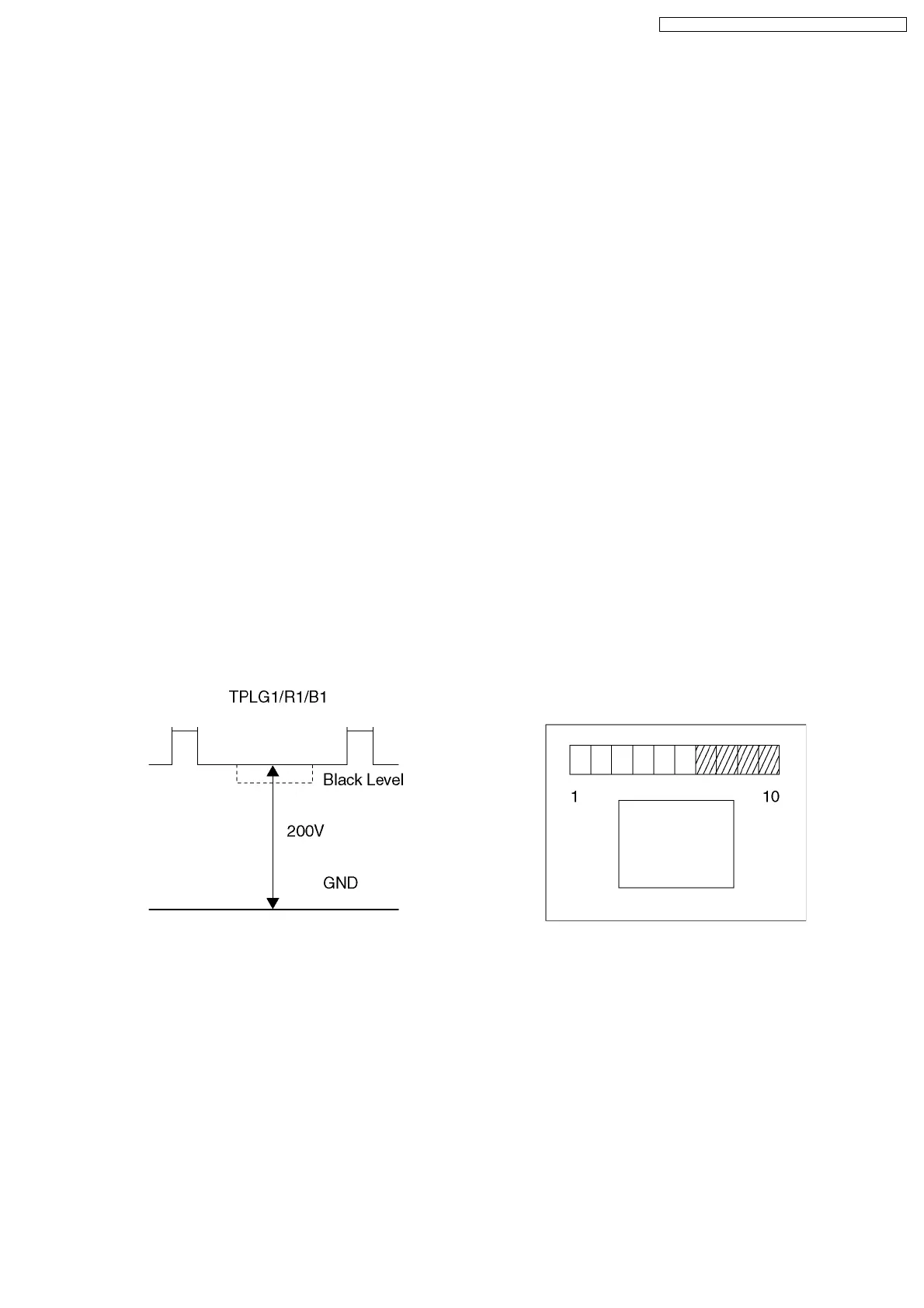
1. Receive a Black Level pattern.
2. Connect an oscilloscope to TPLG1 on LG-Board.
3. Adjust Sub Bright so that the waveform A is 200 ± 2V.
4. Connect an oscilloscope to TPLR1 on LR-Board.
5. Adjust Low-R so that the waveform A is 200 ± 2V.
6. Connect an oscilloscope to TPLB1 on LB-Board.
7. Adjust Low-B so that the waveform A is 200 ± 2V.
8. It pushes and it makes a [R-TUNE] key the project only of GREEN.
9. The 6th paragraph shines faintly with the screen VR of GREEN and the 7th paragraph does to the sinking style.
10. It pushes and it makes a [R-TUNE] key the project only of RED.
11. The 6th paragraph shines faintly with the screen VR of RED and the 7th paragraph does to the sinking style.
12. It pushes and it makes a [R-TUNE] key the project only of BLUE.
13. The 6th paragraph shines faintly with the screen VR of BLUE and the 7th paragraph does to the sinking style.
27
TX-51P950M / TX-51P950X / TX-43P950M / TX-43P950X



 To Next Page