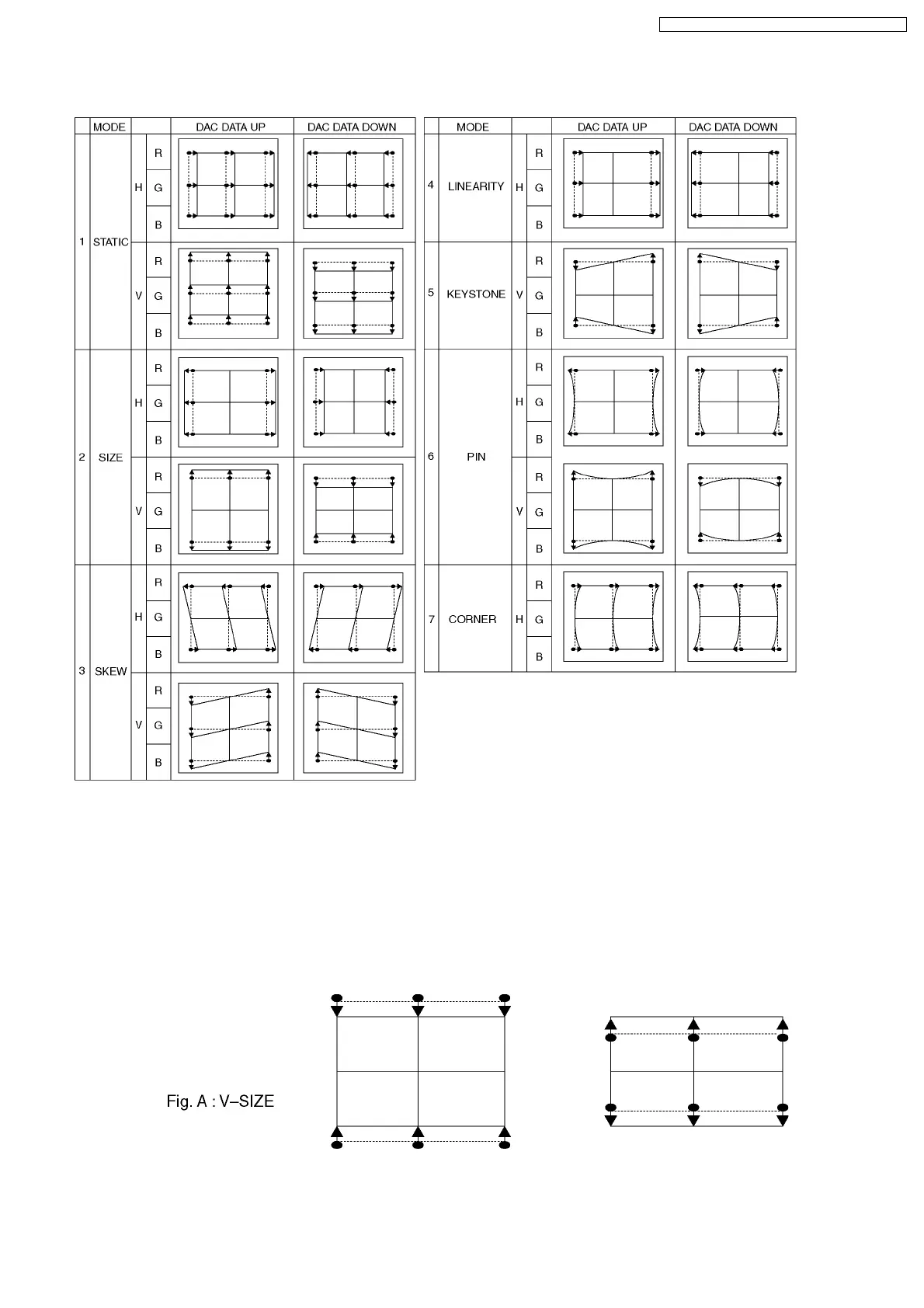
10.3. Coarse Convergence Adjustment mode
10.3.1. Green Coarse Convergence Adjustment
10.3.1.1. Reparation
Push the "SURROUND" button, and select the Green Adjustment mode.Push the "2" button, and select the "Border and Cross"
pattern.Push the "R-TUNE" button, and select the "Green" colour.
10.3.1.2. "G-SIZE (V)" adjustment
Push the "TV/AV" buttons, and select the "G-SIZE (V)".Push the "Channel up/down" buttons, and adjust the upper and lower
boarder line of test pattern is aligned with the edge of the screen frame.
33
TX-51P950M / TX-51P950X / TX-43P950M / TX-43P950X



 To Next Page