The convergence adjustment is set separately for each
50/100Hz/ 60/100Hz input (NTSC, PAL/ SECAM). The
following explanation uses the PAL mode as an example, since
the same procedure applies to the convergence adjustment for
NTSC mode.
When replacing the following Parts.
IC7104 (EEP-ROM in DC-Board)High Voltage Producing Parts
Other Parts (If change the convergence)
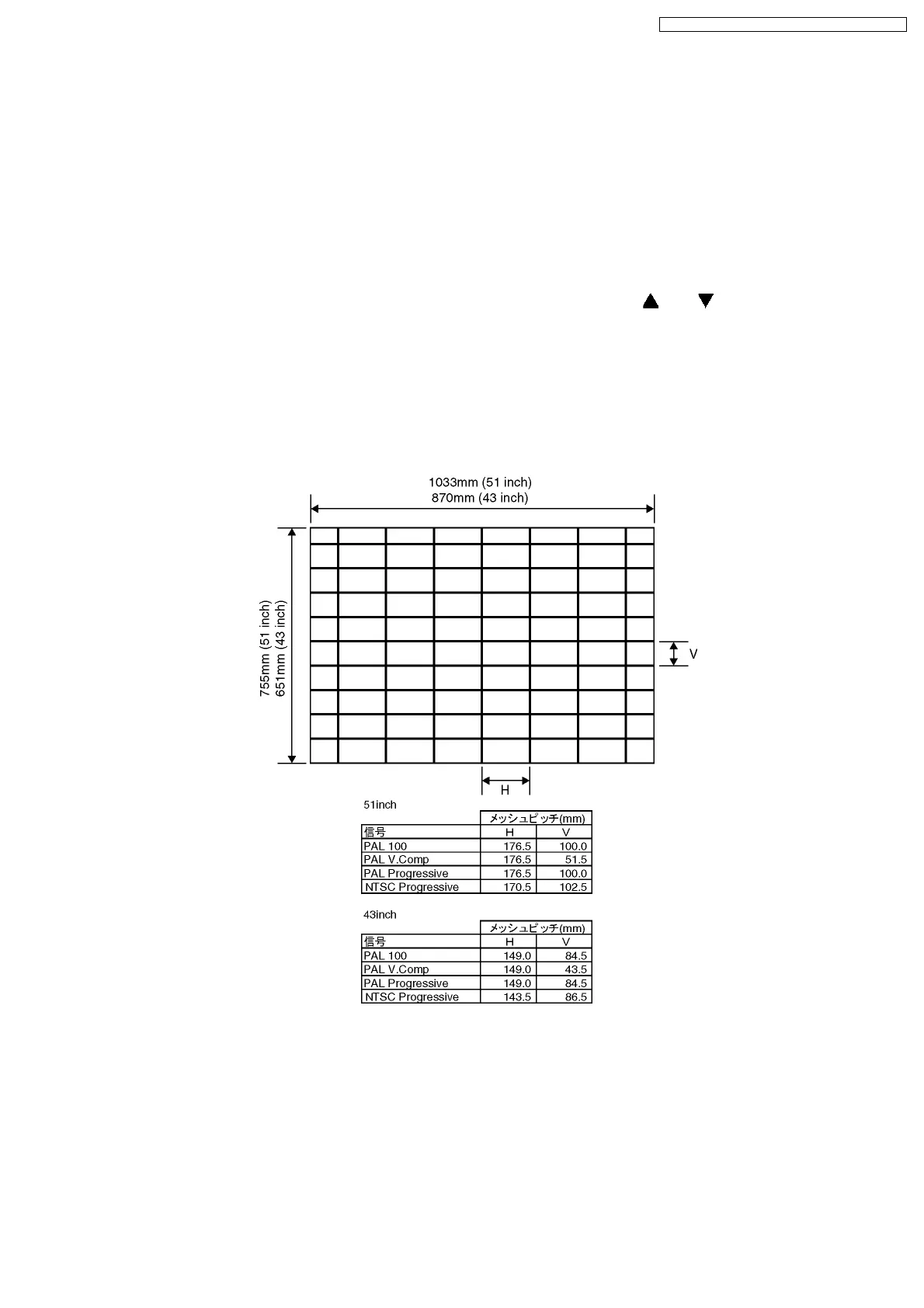
Create an Adjustment Sheet by tracing the following
specifications in their actual size on transparent film or tracing
paper.Then adjust the convergence.
When replacing one of the CRT´s.
Adjust the convergence for each of the 50/100Hz and
60/120Hz inputs so that they are aligned with the other colours.
Helpful Hint
All positions which have been adjusted are recorded within P-2
for NTSC data and P-3 for PAL data of the memory.This data
can be copied to P-4 memory area, allowing you to perform the
adjustment of P-2 (NTSC) and P-3 (PAL).To perform these
adjustments, push the “1“ button on the remote control, and
manipulate the position [
] and [ ] button and the "N" button
as instructed by the On Screen Display in Fine Convergence
adjustment.
All of the Convergence Control Charts have been listed for the
remote control buttons after the Convergence Adjustment
Procedure Please refer to these. (Page 29)
10 Convergence Adjustment
10.1. Convergence Adjutment Sheet
31
TX-51P950M / TX-51P950X / TX-43P950M / TX-43P950X




 To Next Page