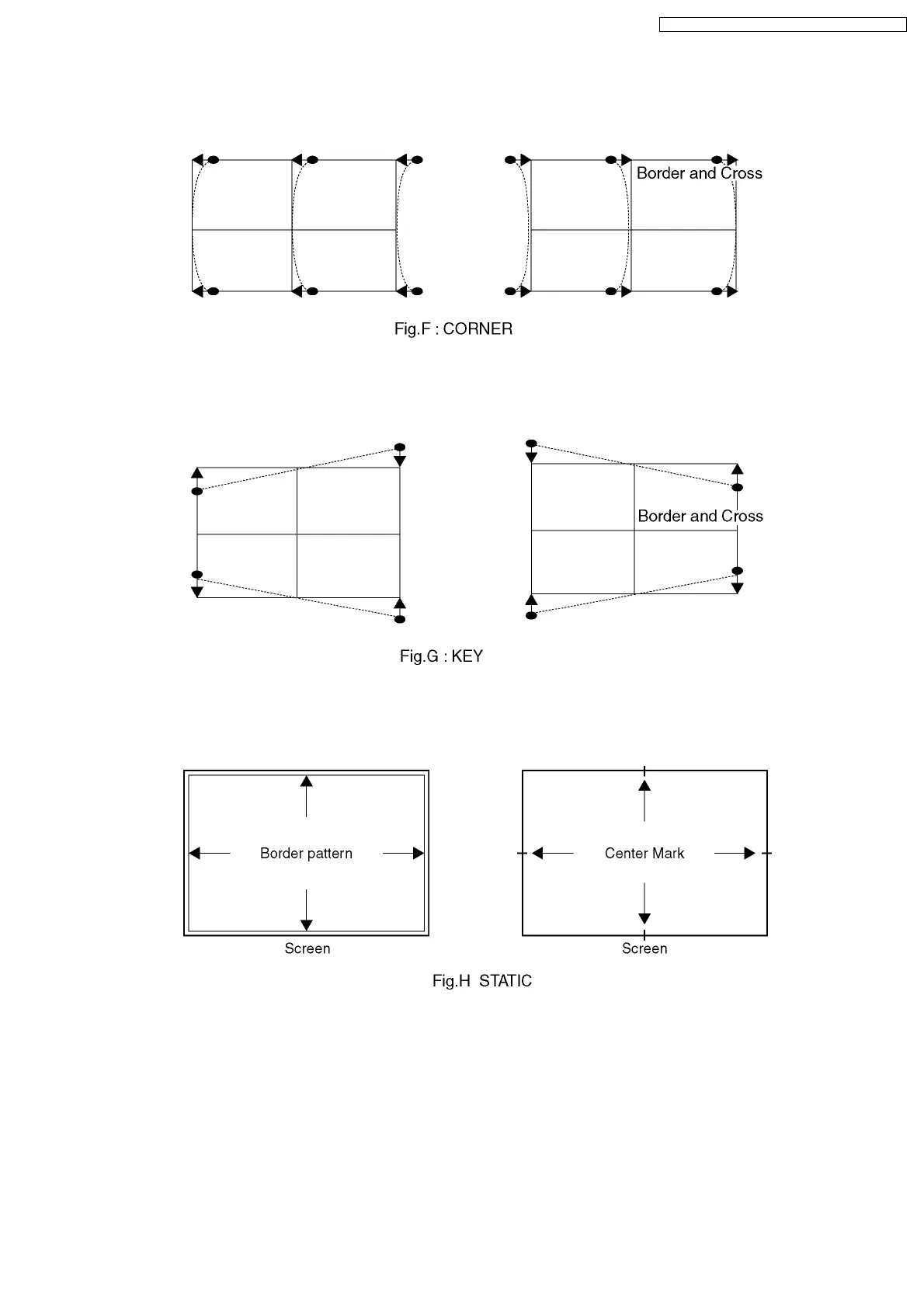
10.3.1.7. "G-CORNER" adjustment
Push the "TV/AV" buttons, and select the "G-CORNER".Push the "Volume up/down" buttons, and adjust the "G-CORNER" to
become the following figure.
10.3.1.8. "G-KEY" adjustment
Push the "TV/AV" buttons, and select the "G-KEY".Push the "Channel up/down" buttons, and adjust the "G-KEY" refer to following
figure.
10.3.1.9. "G-STATIC" adjustment
Push the "TV/AV" buttons, and select the "G-STATIC".Push the "Channel/Volume up/down" buttons, and adjust "G-STATIC" so
that Horizontal & Vertical center line is aligned with the bump in the screen center mark.
35
TX-51P950M / TX-51P950X / TX-43P950M / TX-43P950X



 To Next Page